IPTV Apple TV Setup – Best Apps & Complete Guide 2026
IPTV on Apple TV in under 10 minutes: install IPTV Smarters Pro or GSE Smart IPTV, connect your subscription, and stream 48,000+ channels in FHD and 4K.
Updated: June 4, 2026
IPTV on Apple TV is one of the most convenient and highest-quality streaming setups you can build at home in 2026. Both Apple TV 4K and Apple TV HD are fully compatible with IPTV: download IPTV Smarters Pro or GSE Smart IPTV directly from the tvOS App Store, enter your subscription credentials, and you're watching M4 Sport, RTL Klub, TV2, Premier League matches and 48,000+ channels in FHD or 4K within ten minutes. No sideloading, no jailbreak, no technical workarounds.
Unlike most Android TV IPTV setups — and unlike newer Fire TV Stick devices running Vega OS that block third-party app installation — the Apple TV App Store allows IPTV apps to be installed cleanly, like any other application. The Hungary IPTV streaming platform has been helping Apple TV users get set up since 2022, delivering credentials over WhatsApp within minutes of subscribing.
This guide covers everything you need: which Apple TV models work, which apps to install, a full step-by-step setup walkthrough, an app comparison table, troubleshooting for common issues, and honest pros and cons of the Apple TV + IPTV combination.
Quick Summary (TL;DR)
- Apple TV 4K and Apple TV HD support IPTV — apps install directly from the tvOS App Store, no sideloading needed.
- Best apps for Apple TV: IPTV Smarters Pro (free) and GSE Smart IPTV (free / €2.99 one-time) — both support M3U URLs and Xtream Codes API with full EPG.
- Hungary IPTV offers 48,000+ channels and VOD in FHD, 4K and 8K; credentials arrive via WhatsApp within minutes.
- TiviMate is not available on tvOS (Android TV only) — IPTV Smarters Pro is the closest functional equivalent on Apple TV.
- Setup time: ~10 minutes from download to first stream. Recommended internet speed: ~10 Mbps for FHD, ~25 Mbps for 4K.
Table of Contents
- What is IPTV on Apple TV?
- Why Apple TV is a great choice for IPTV
- How to set up IPTV on Apple TV – step by step
- Best IPTV apps for Apple TV – comparison
- Troubleshooting – When IPTV does not work on Apple TV
- Pros and Cons
- Frequently Asked Questions (FAQ)
- Conclusion and next steps
Try Hungary IPTV before paying anything
What is IPTV on Apple TV?
IPTV on Apple TV means receiving and displaying television content — live channels, VOD films, sports broadcasts and series — over your internet connection through a dedicated IPTV app running on tvOS, with no cable or satellite antenna required.
IPTV (Internet Protocol Television) works by transmitting video as internet data packets. The provider's CDN servers deliver streams via HLS (HTTP Live Streaming) or MPEG-TS to your device. The IPTV app installed on your Apple TV — IPTV Smarters Pro, GSE Smart IPTV or Flex IPTV — interprets an M3U8 playlist or Xtream Codes API data source, buffers the incoming stream, and uses Apple TV's built-in hardware decoder to render H.264 or H.265/HEVC video on your screen in real time.
The EPG (Electronic Programme Guide, delivered in XMLTV format) loads alongside the channel list, showing you what is on now and what is coming next on every channel — exactly as a traditional cable TV programme guide would. This is particularly useful for sports: you can check the M4 Sport schedule, see when a Bajnokok Ligája (Champions League) match starts, or set a reminder for an NB I fixture without leaving the IPTV app.
What distinguishes Apple TV from other IPTV platforms is the tvOS App Store's openness to IPTV applications. Unlike newer Amazon Fire TV Stick devices running Vega OS — which block APK sideloading entirely, making third-party IPTV apps uninstallable — Apple TV allows IPTV Smarters Pro and GSE Smart IPTV to be downloaded cleanly, without any technical workaround. You can see how Apple TV compares to other streaming hardware in the best devices for IPTV guide.
Why Apple TV is a great choice for IPTV
Apple TV delivers some of the best hardware performance available for IPTV streaming, particularly at 4K. A combination of fast processors, long software support, tight ecosystem integration and a genuinely excellent remote makes it a compelling platform for anyone already in the Apple world.
Hardware built for 4K and HDR
The Apple TV 4K (3rd generation, 2022) runs on the Apple A15 Bionic chip — the same processor used in the iPhone 13 series. This chip handles H.265/HEVC hardware decoding natively, which means 4K UHD IPTV streams play without taxing the CPU. The device stays cool, frame drops do not occur, and channel switching is fast. HDR10, Dolby Vision, Dolby Atmos and 4K 60 fps are all natively supported, so Hungary IPTV's 4K channels display at maximum quality without any conversion overhead.
For network connectivity, the Apple TV 4K 3rd generation supports Wi-Fi 6, which provides noticeably more stable connections in dense apartment buildings compared to older Wi-Fi 5 devices. If you need a wired connection — and for 4K IPTV we strongly recommend one — a USB-C to HDMI adapter with Gigabit Ethernet gives you the most stable possible connection for streams that need ~25 Mbps consistently.
No sideloading needed
The tvOS App Store lets you install IPTV Smarters Pro and GSE Smart IPTV the same way you would install any other app — search, tap Get, done. This is a meaningful advantage over Android TV boxes that require enabling developer mode or sideloading APKs, and a critical advantage over newer Fire Stick models where sideloading is blocked entirely by Vega OS. For users who are not technically inclined, Apple TV's simplicity makes it one of the best options for a straightforward IPTV setup.
The Siri Remote
The Siri Remote is one of the most ergonomic streaming remotes available. The clickpad-based navigation is precise, the microphone button lets you search for channels by voice, and the intuitive layout reduces the learning curve when navigating large channel lists. In IPTV apps, scrolling through categories and switching between EPG and video view feels natural on the Apple TV remote in a way that a traditional d-pad remote does not.
Apple ecosystem integration
If you already use an iPhone, iPad or Mac, Apple TV integrates smoothly into your existing workflow. You can AirPlay an IPTV stream from IPTV Smarters Pro on your iPhone directly to your Apple TV and large screen with a single tap. App purchases made on your iPhone (like GSE Smart IPTV's pro unlock) are shared to Apple TV at no extra cost through your Apple ID. The Apple TV also supports Screen Time controls — useful if you want to restrict content access for younger viewers.
A strong choice for Hungarians living abroad
The EU Portability Regulation (2017/1128/EU) means that IPTV subscriptions can be used across EU member states when you travel or relocate temporarily. Hungarians living in Austria, the UK, Germany or the Netherlands can use their Apple TV + Hungary IPTV setup to watch M1, M2, Duna TV, RTL Klub, TV2, Sport1, Sport2 and other Hungarian channels without geo-restriction headaches. The Hungarian IPTV providers abroad guide covers this in detail for diaspora users.
Check our subscription plans — starting from €12 for one month up to €40 for six months (Save 44%) and €60 for twelve months (Save 58%) — with no long-term contract and no auto-renewal.
Activate your trial in just a few minutes
How to set up IPTV on Apple TV – step by step
Setting up IPTV on Apple TV takes about ten minutes from first download to first stream. No technical background is needed.
What you need before you start
- Apple TV HD (4th generation) or any Apple TV 4K running tvOS 15 or later
- An active Hungary IPTV subscription — after subscribing you receive server credentials (server URL, username, password) or an M3U URL on WhatsApp within minutes
- A stable internet connection — ~10 Mbps for FHD streaming, ~25 Mbps for 4K
- An Apple ID to download apps from the App Store
Step 1 – Check Apple TV compatibility
IPTV apps on tvOS work from the Apple TV 4th generation (Apple TV HD, 2015) onwards. Here is a quick compatibility overview:
| Model | Processor | Max resolution | Wi-Fi | IPTV performance |
|---|---|---|---|---|
| Apple TV 4K 3rd gen (2022) | A15 Bionic | 4K / Dolby Vision / HDR10 | Wi-Fi 6 | Excellent – recommended |
| Apple TV 4K 2nd gen (2021) | A12 Bionic | 4K / Dolby Vision / HDR10 | Wi-Fi 6 | Excellent |
| Apple TV 4K 1st gen (2017) | A10X Fusion | 4K / HDR10 | Wi-Fi 5 | Good |
| Apple TV HD 4th gen (2015) | A8 | 1080p FHD | Wi-Fi 5 | Basic |
To update tvOS: Settings → System → Software Updates.
Step 2 – Open the App Store on Apple TV
From the home screen, select the App Store tile. Go to the Search tab and use the Siri Remote trackpad to navigate to the search field.
Step 3 – Download an IPTV app
The two best IPTV apps for Apple TV in 2026:
IPTV Smarters Pro (by Tomas Licko) — free, full Xtream Codes API and M3U8 support, EPG integration, VOD library. Recommended as your primary app.
GSE Smart IPTV — free base version (€2.99 one-time purchase removes adverts). Excellent XMLTV EPG handling and reliable VOD display. Long-standing favourite among iOS and macOS users.
Search for either app, click the result, then press Get to install.
Step 4 – Open the app and choose a connection method
Open IPTV Smarters Pro. On the welcome screen select Add New User, then choose your connection method:
- Xtream Codes API — if you received a server URL, username and password (recommended: faster channel switching, native Catch-Up support)
- M3U URL — if you received an M3U/M3U8 playlist link
In GSE Smart IPTV: go to Remote Playlists → Add → Xtream to enter Xtream Codes details, or Add → M3U URL to paste a playlist link.
Step 5 – Enter your Hungary IPTV credentials
After subscribing you will receive a WhatsApp message containing:
- Server URL (e.g.
http://server:port) for Xtream Codes - Username and password
- Or your M3U URL for playlist-based access
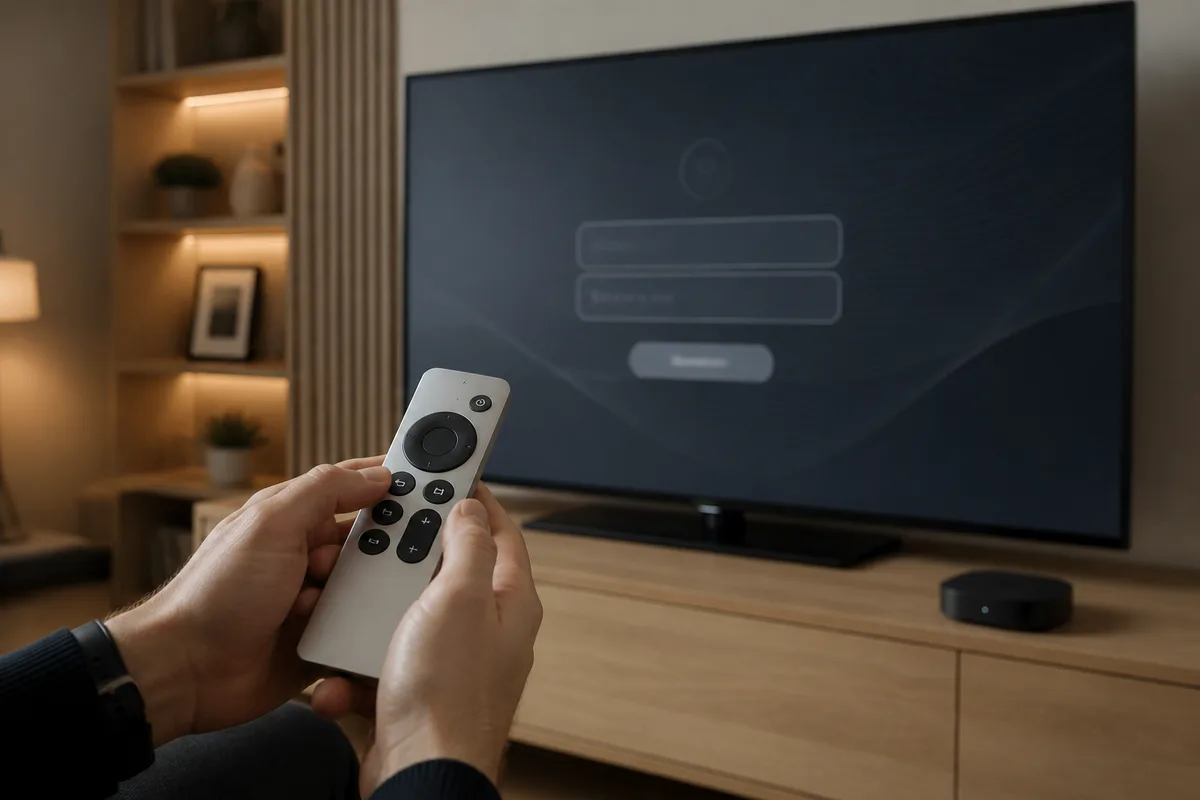
Paste these into the appropriate fields. In IPTV Smarters Pro, you can use the QR code feature: display the QR code on the Apple TV screen and scan it with your iPhone to transfer credentials without typing on the remote.
Step 6 – Load the channel list
Save the credentials and let the app download the full channel list. With 48,000+ channels this takes 30–90 seconds. Channels appear organised into categories: Hungarian Channels, Sports, Films, News, Kids, and more.
Step 7 – Configure the EPG
IPTV Smarters Pro and GSE Smart IPTV load EPG data automatically from the Hungary IPTV server's XMLTV feed. If the programme guide shows blank entries, go to the app settings, find the EPG URL field, paste the EPG link Hungary IPTV provided, and tap Refresh. Set the EPG auto-update interval to every 24 hours.
Step 8 – Start watching
Browse categories, find a channel (M4 Sport, RTL Klub, TV2, Duna TV, HírTV, ATV, Premier League, Bundesliga), click it, and the stream starts. Use the Siri Remote to switch between the video view and the EPG grid to see what else is on.
For general IPTV setup tips across all devices, getting started with IPTV covers the full basics.
Best IPTV apps for Apple TV – comparison
The tvOS App Store has stricter app review policies than Google Play or Amazon's Appstore, which means fewer IPTV apps exist for Apple TV — but the best ones deliver everything you need.
| App | Available on tvOS | Price | M3U / M3U8 | Xtream Codes | EPG (XMLTV) | VOD | Ease of use |
|---|---|---|---|---|---|---|---|
| IPTV Smarters Pro | ✅ | Free | ✅ | ✅ | ✅ | ✅ | ★★★★★ |
| GSE Smart IPTV | ✅ | Free / €2.99 | ✅ | ✅ | ✅ | ✅ | ★★★★☆ |
| Flex IPTV | ✅ | Free / Pro | ✅ | ✅ | ✅ | ✅ | ★★★★☆ |
| Infuse | ✅ | Free / Paid | ✅ (M3U) | ❌ | Limited | ✅ | ★★★☆☆ |
| VLC | ✅ | Free | ✅ (manual) | ❌ | ❌ | Partial | ★★☆☆☆ |
| TiviMate | ❌ Android TV only | €4.99/yr | ✅ | ✅ | ✅ | ✅ | ★★★★★ |
| Smart IPTV (SIPTV) | ❌ Samsung/LG only | €5.49 | ✅ | ❌ | ✅ | ❌ | ★★★★☆ |
IPTV Smarters Pro – the recommended primary app for Apple TV
IPTV Smarters Pro is the go-to choice for most Apple TV users. It provides full M3U and Xtream Codes API support, channel grouping, favourites management, stable EPG, and a VOD library browser. A standout feature on Apple TV is the QR code setup: the app displays a QR code on your TV screen, you scan it with your iPhone which opens a mobile setup page, enter your credentials there, and they transfer to the Apple TV instantly — no hunt-and-peck typing on the remote.
In our tests, IPTV Smarters Pro on tvOS handles large playlists stably, and channel switching via Xtream Codes API consistently completes in under two seconds on Apple TV 4K.
GSE Smart IPTV – strong EPG and VOD performance
GSE Smart IPTV has been a trusted option for iOS users for several years, and the tvOS version carries that reputation. The free version covers all core features; the €2.99 one-time in-app purchase removes advertising. Its EPG handling and VOD content browser are particularly strong. If IPTV Smarters Pro gives you trouble on a specific channel or list, GSE Smart IPTV is always a reliable fallback.
Flex IPTV – clean, Apple TV-native interface
Flex IPTV offers a modern, grid-style interface designed specifically for Apple TV's large screen. It feels more like a native Apple app than most IPTV players. The Pro version (one-time purchase) adds multi-profile support, detailed EPG views, and Catch-Up TV. This is the best choice if you prefer a minimalist interface that feels at home in the Apple ecosystem.
Why TiviMate is not an option on Apple TV
Unlike most guides that skip this critical point: the best IPTV player comparison shows TiviMate as the top Android TV IPTV app — but TiviMate is Android TV-only. It cannot run on tvOS, iPhone or any Apple platform. If TiviMate is important to you, consider an Android TV box or Fire TV Stick (older Fire OS model) instead — the IPTV set top box guide breaks down your best options in that category. For Apple TV users, IPTV Smarters Pro is the closest equivalent in terms of features and stability.
The IPTV Smarters Pro setup guide covers the app's configuration in full detail across all supported platforms.
Chat with our 24/7 support team
Troubleshooting – When IPTV does not work on Apple TV
Most IPTV issues on Apple TV fall into a handful of predictable categories. Here are the five most common problems and their solutions.
1. Login error – "Invalid username or password"
Cause: Incorrectly entered server URL, username or password. Typing on an Apple TV remote is error-prone, especially with case-sensitive credentials.
Fix: Copy credentials directly from the Hungary IPTV WhatsApp message rather than typing manually. Watch for trailing spaces, capital letters, and whether the server URL includes the port number (e.g. :8080). Use the IPTV Smarters Pro QR code feature to transfer credentials from your phone — this eliminates manual entry entirely.
2. Buffering and stuttering – especially at 4K
Cause: Insufficient internet bandwidth, a weak Wi-Fi signal, or the Apple TV connecting on the slower 2.4 GHz band instead of 5 GHz. Fix: FHD streaming needs ~10 Mbps, 4K needs ~25 Mbps dedicated to the streaming device. Wiring the Apple TV via Ethernet is the single most effective improvement — on the Apple TV 4K 3rd generation, use a USB-C to HDMI adapter that includes a Gigabit Ethernet port. If you are on Wi-Fi, ensure the Apple TV is using the 5 GHz band (Settings → Network) and is within reasonable range of the router.
3. Channel list not loading or appearing empty
Cause: A timeout during list download, or the IPTV app failing to parse the playlist format correctly. Fix: Force-quit the IPTV app (double-press the Home button and swipe the app card up), then relaunch. Check that the server URL contains the correct port. If the issue persists, delete the app and reinstall from the App Store. Hungary IPTV's 24/7 WhatsApp support resolves credential and connectivity issues quickly.
4. EPG (programme guide) showing blank or not updating
Cause: The XMLTV EPG URL is not configured, or the cached EPG data is stale. Fix: In the app settings, locate the EPG URL field and paste the EPG link from Hungary IPTV. Trigger a manual refresh. Set the EPG auto-refresh interval to 24 hours. Note that the initial EPG load can take 1–3 minutes on large channel lists — give it time before concluding it has failed.
5. Black screen – audio plays but no picture
Cause: An HDR handshake mismatch between the Apple TV and the TV, or a codec compatibility issue with a specific channel's stream. Fix: In Apple TV Settings → Video and Audio, check the Format and HDR settings. Try disabling "Match Dynamic Range" — this sometimes causes a black screen with older TVs that misreport HDR capability. Also try switching the video decoder in the IPTV app settings between hardware and software decoding. The Apple TV 4K handles both H.264 and H.265/HEVC in hardware, so either mode should work on supported hardware.
Pros and Cons
Pros
- Clean App Store installation: IPTV Smarters Pro and GSE Smart IPTV install like any tvOS app — no sideloading, no APKs, no developer mode required.
- Excellent 4K picture quality: Native hardware decoding for H.265/HEVC, Dolby Vision, HDR10 and Dolby Atmos means Hungary IPTV's 4K and 8K channels display at maximum quality.
- Intuitive Siri Remote: Touchpad navigation is precise and comfortable for scrolling large channel lists; Siri voice search lets you find channels hands-free.
- Long software support lifespan: Apple TV 4K receives tvOS updates for 5+ years — a genuinely future-proof device.
- Seamless Apple ecosystem: AirPlay from iPhone, iPad or Mac to Apple TV with one tap; shared App Store purchases across devices.
- 48,000+ channels, no contract: Hungary IPTV delivers FHD, 4K and 8K content, a VOD library, and 24/7 WhatsApp support with no long-term commitment.
Cons
- Higher upfront device cost: Apple TV 4K costs more than a Fire TV Stick 4K or a comparable Android TV box as an initial purchase.
- TiviMate unavailable on tvOS: The most-recommended Android TV IPTV app does not run on Apple TV; IPTV Smarters Pro is the best available alternative but is not identical.
- Smaller IPTV app selection: Fewer IPTV apps are available on tvOS than on Android TV or Fire OS due to App Store policies.
- Ethernet requires an adapter: The Apple TV 4K 3rd generation needs a USB-C to HDMI adapter for a wired connection; the 2nd generation had built-in Ethernet.
- Kodi not available on tvOS: Kodi has no App Store version; users who rely on Kodi with IPTV Simple Client need an Android TV device instead.
Subscribe and start streaming in 5 minutes
Frequently Asked Questions (FAQ)
What is IPTV and how does it work on Apple TV?
IPTV (Internet Protocol Television) delivers live TV channels, films and sports over the internet rather than through cable or satellite. On Apple TV, a tvOS IPTV app — IPTV Smarters Pro, GSE Smart IPTV or Flex IPTV — reads an M3U8 playlist or Xtream Codes API stream, buffers it via HLS, and decodes the H.264 or H.265/HEVC video using Apple TV's hardware decoder before displaying it on screen. The EPG (XMLTV) loads alongside, providing programme information. You can learn more about IPTV basics on the IPTV FAQ page.
Which IPTV apps are available on Apple TV?
The following IPTV apps can be downloaded directly from the tvOS App Store: IPTV Smarters Pro (free, Xtream Codes and M3U support), GSE Smart IPTV (free / €2.99 one-time), Flex IPTV (free / Pro), Infuse (M3U-based, limited EPG), and VLC (manual M3U stream opening). TiviMate is exclusively an Android TV application and cannot run on any Apple device. IPTV Smarters Pro is the closest functional equivalent for Apple TV users.
What do I need to set up IPTV on Apple TV?
You need: (1) an Apple TV HD (4th gen) or any Apple TV 4K running tvOS 15 or later; (2) an active IPTV subscription — Hungary IPTV delivers server URL, username and password (Xtream Codes) or an M3U URL via WhatsApp within minutes of subscribing; (3) a stable internet connection of ~10 Mbps for FHD or ~25 Mbps for 4K; (4) IPTV Smarters Pro or GSE Smart IPTV from the App Store. No sideloading, jailbreak or technical workarounds are needed.
How does IPTV work technically?
IPTV sends video as internet data packets from the provider's CDN servers to your device. The IPTV app parses the channel playlist (M3U/M3U8) or Xtream Codes API, requests the stream for the selected channel via HLS protocol, buffers a few seconds of video, and uses the device's hardware video decoder to render H.264 or H.265/HEVC frames in real time. The XMLTV EPG feed runs as a separate data download, providing programme metadata for the guide overlay — exactly like a digital cable box, but over the internet.
Is IPTV on Apple TV legal?
IPTV technology and tvOS IPTV apps are legal in themselves. The legality of what you stream depends on the source: where a provider carries only licensed channel packages, the content is accessible through legitimate distribution channels. Hungary's media authority NMHH oversees broadcast distribution; the EU's regulatory framework protects consumer rights. Avoid M3U playlists from unknown sources, which carry legal and security risks. No blanket "100% legal everywhere" claim applies to any IPTV service — always verify that your provider operates within applicable regulations.
Do I need a VPN to use IPTV on Apple TV?
Generally, no. Hungary IPTV works without a VPN on Apple TV, and adding a VPN often reduces available bandwidth and increases latency, making buffering more likely rather than less. In specific situations — for example, if your ISP throttles certain ports, or if you're accessing geo-restricted content — a fast, low-latency VPN server can help. For everyday IPTV viewing, skip the VPN: the Apple TV 4K is well-optimised for direct CDN-based streaming.
Can I use IPTV on an older Apple TV (2nd or 3rd generation)?
Apple TV 2nd generation (2010) and 3rd generation (2012) run very old firmware and are not compatible with the modern tvOS App Store. They cannot run IPTV Smarters Pro or GSE Smart IPTV. Only Apple TV HD (4th generation, 2015) and all Apple TV 4K models (2017, 2021, 2022) are supported. If you have a 2nd or 3rd generation Apple TV, consider upgrading to a current model or using an Android TV box — the best streaming box options for IPTV in 2026 are reviewed in the IPTV set top box buyer's guide.
What is the difference between M3U and Xtream Codes for IPTV on Apple TV?
An M3U URL is a static playlist file containing all your channels' stream URLs in one download. Xtream Codes API is a dynamic protocol that requests only the stream you are actively watching, rather than downloading the full list at once. Xtream Codes is generally faster to load, natively supports Catch-Up TV and VOD, and handles large channel lists more efficiently. All major Apple TV IPTV apps support both — use Xtream Codes when your provider offers it, as Hungary IPTV does.
Conclusion and next steps
IPTV on Apple TV combines premium hardware with a clean, no-sideloading setup experience that stands out in 2026. With IPTV Smarters Pro or GSE Smart IPTV from the tvOS App Store, you can go from download to streaming M4 Sport, Bajnokok Ligája, La Liga, RTL Klub, TV2, Duna TV, HírTV and 48,000+ channels in FHD, 4K and 8K in under ten minutes — with no long-term contract and credentials delivered over WhatsApp.
If you are still weighing Apple TV against other hardware options, the complete IPTV device comparison benchmarks Apple TV 4K against Fire TV Stick 4K, Nvidia Shield, Android TV boxes, and Samsung Tizen / LG webOS smart TVs side by side.
Ready to get started? Browse plans and pricing on the Hungarian TV over the internet platform — one month from €12, six months €40 (Save 44%), twelve months €60 (Save 58%). Free trial available on request.
About the author: The Hungary IPTV Team has been helping customers in Hungary, Europe, Canada and the USA enjoy seamless IPTV streaming since 2022. Our support team is available 24/7 on WhatsApp for setup, troubleshooting, and subscription questions.