Hungarian IPTV USA – Watch Hungarian TV in America 2026
Hungarian IPTV USA: watch M1, RTL, TV2 and M4 Sport live from the United States. No geo-block, 5-minute setup, pay with a US card.

Hungarian IPTV in the USA is the most reliable way to watch M1, M2, RTL Klub, TV2, Duna World and M4 Sport live while living in the United States — exactly the way you did back home. The streaming apps from domestic operators (Mediaklikk, RTL+, Magenta TV Go) geo-block viewers by IP address the moment you connect from America, so you are met with a "This content is not available in your country" message. A Hungarian IPTV subscription built for viewers abroad bypasses that restriction: it sets up in minutes on a Fire TV Stick, Apple TV, Roku or Smart TV, and payment works in EUR from a US bank card.
Updated: July 13, 2026 — from the Hungary IPTV Team, helping Hungarians overseas since 2022.
From Los Angeles through Cleveland to New Jersey, every Hungarian family in the diaspora asks the same question: how do you watch the weekend NB I fixture, the evening news, or Hungarian cartoons for the kids without a geo-block error flashing across the screen. The answer is a Hungarian IPTV service optimized specifically for cross-border, overseas viewing — not a domestic operator's app locked to Hungarian territory. This detailed 2026 guide covers what IPTV is, why the free domestic streams do not work in America, how to set everything up step by step, and what to watch out for regarding time zones, internet and payment.
Quick Summary
- There is no free, legal Hungarian live TV in the USA: Mediaklikk, RTL+ and Magenta TV Go all geo-block American viewers by IP address.
- Hungarian IPTV solves the geo-block: a service built for viewers abroad brings the full Hungarian channel lineup to America with real-time EPG and 4K quality.
- It sets up in 5 minutes: Fire TV Stick, Apple TV, Roku, Samsung/LG Smart TV, Android TV box or phone — you just need IPTV Smarters Pro and the Xtream Codes API.
- EUR-based pricing, paid with a US card: 1 month €12, 3 months €27, 6 months €40 (save 44%), 12 months €60 (save 58%) — your bank converts to USD. No contract, no auto-renewal.
- Time-zone offset makes catch-up and VOD valuable: Hungarian 8 PM prime time is 2 PM Eastern and 11 AM Pacific.
Table of Contents
- What is Hungarian IPTV, and what does IPTV mean?
- Why do you need Hungarian IPTV in America?
- How to watch Hungarian IPTV in the USA in 5 minutes
- Devices, internet and payment compared
- Troubleshooting: common issues in America
- Pros and cons
- Frequently Asked Questions
- Conclusion
Try Hungary IPTV before paying anything
What is Hungarian IPTV, and what does IPTV mean?
IPTV (Internet Protocol Television) is television where the broadcast arrives over the internet as data packets, rather than by satellite, cable or terrestrial antenna. Hungarian IPTV in the USA uses this same technology: a server delivers the Hungarian channel feeds over the internet, so they can be watched anywhere with enough bandwidth.
Unlike cable or satellite (such as Hungary's terrestrial MinDig TV system), IPTV uses a two-way, IP-based data stream. Channels are described by an M3U or M3U8 playlist or the Xtream Codes API, and the video arrives over the HLS (HTTP Live Streaming) protocol, typically compressed with H.264 or H.265 (HEVC). The program guide is supplied by the EPG (XMLTV), so in the player you can scroll the schedule exactly as you would on a traditional set-top box.
When we talk about "Hungarian IPTV," we mean internet access to the Hungarian channels — the MTVA public-media stations (M1, M2, M3, M4 Sport, M5, Duna TV, Duna World), the commercial channels (RTL Klub, RTL+, TV2), and the thematic ones (ATV, HírTV, Spektrum, Sport1, Sport2) — through an IPTV player. At home, Magenta TV (Telekom), DIGI, Vodafone TV, Yettel and Antenna Hungária offer similar content, but those are restricted to Hungary. An international Hungarian IPTV subscription — like our reliable Hungarian IPTV service — is made for the diaspora and specifically enables cross-border viewing.
It is worth clarifying the three main distribution methods, because each has its own limitation in America. Satellite reception (a traditional dish) could in theory be received, but Hungarian satellite packages are aimed geographically at Europe and are practically impossible to obtain in a US apartment. The terrestrial system, such as MinDig TV, broadcasts only within Hungary, so it is meaningless overseas. Cable (Magenta TV, DIGI) requires a physical connection to a Hungarian network. That leaves the internet: IPTV is the only method that brings the same channels you would watch at home into a US apartment over a US connection — which is exactly what makes the Hungarian IPTV USA concept work at all.
The technical background is simple but worth knowing. The server uses a CDN (content delivery network) to get the signal to your device; the closer the serving node, the lower the latency. The player requests channels based on the Xtream Codes API or an M3U8 URL, while the EPG (XMLTV) shows the schedule hours ahead — so in an American living room you can scroll the Hungarian program just like on a Budapest set-top box. Quality is determined by the codec: the older H.264 runs on every device, while the more modern H.265 (HEVC) delivers 4K UHD and HDR10 with less bandwidth — which is why it matters that your US device supports HEVC in hardware. Importantly, IPTV is not a VPN and not a "pirate" antenna; a subscription is authorized access to a channel server displayed by a standard player such as IPTV Smarters Pro, TiviMate, IBO Player Pro, Smart IPTV, Kodi or VLC. If you have used IPTV before, our Hungarian IPTV providers abroad comparison is a good place to clarify the terms.
Why do you need Hungarian IPTV in America?
Hungarian IPTV in the USA is essential because there is simply no legal, free access to Hungarian live broadcasts from the United States. The public broadcaster's Mediaklikk platform, RTL+, and the commercial channels' own streams all block foreign — and therefore American — viewers by IP address. This geo-block is not a bug but a rights issue: broadcasting licenses are limited to Hungary.
When you open Mediaklikk or the M4 Sport live stream from a New York or Los Angeles apartment, the server sees your American IP address and refuses to play. The same happens in the Magenta TV Go, DIGI Online and One TV apps: they work only from a Hungarian (or narrow EU) network. Many people try a VPN to simulate a Hungarian IP, but this is a cat-and-mouse game: the larger services constantly block known VPN ranges, and the stream often stutters or drops on the doubled routing path.
Let's look at what happens in practice. Mediaklikk (MTVA's free stream) blocks playback from a US IP for most live channels and archive content — public-media rights are tied to Hungary and partly the EU. RTL+ (RTL Hungary's streaming service) also expects Hungarian access and typically won't even let you register with an American card and IP. TV2 Play, Magenta TV Go, DIGI Online and One TV are all locked to the domestic market the same way. In other words, the problem isn't finding the right app — it's that no domestic streaming service intends to serve the overseas viewer at all. That structural limitation is what Hungarian IPTV in America works around.
From a content perspective, the diaspora's needs are varied, which is exactly why the full channel lineup matters. Demand for news is constant: many watch the evening Híradó and the ATV and HírTV programs to keep up with events back home. Sport is a major draw — the NB I (OTP Bank Liga) fixtures, the Magyar Kupa, and the Hungarian broadcast of the Bajnokok Ligája (Champions League) on M4 Sport are among the most common reasons an American Hungarian family chooses IPTV. For children, Hungarian-language cartoons and Duna World programming help preserve the language in the second generation. In entertainment, RTL Klub and TV2 series, reality shows and classic Hungarian films set the tone of the living room. A well-assembled Hungarian IPTV package brings all of this to a single interface, complete with a VOD archive so you can watch daytime Hungarian broadcasts back in the evening.
Some believe the EU portability regulation (2017/1128) helps — the law that lets an EU subscription work temporarily abroad. But that regulation applies only to travel within the European Union and grants no rights in America. The official EU text is clear: portability is limited to EU member states, so for an overseas Hungarian family this lifeline simply does not exist. The Hungarian diaspora in America (see the Hungarian Americans community, with its historic centers in Cleveland and New Brunswick) therefore relies on a dedicated IPTV solution. That convenience — live Hungarian TV from abroad — is why the diaspora increasingly turns to IPTV. If you live elsewhere in Europe, our Hungarian TV in Austria and Hungarian online TV in the UK guides offer country-specific detail.
Activate your trial in just a few minutes
How to watch Hungarian IPTV in the USA in 5 minutes
Setting up Hungarian IPTV in America takes a few minutes: choose a plan, receive your Xtream Codes login on WhatsApp, install a player on your device, and sign in. No antenna, no cable, no technician — just a stable internet connection and a smart device. The steps below work on every platform from Fire TV Stick to iPhone.
- Choose a plan with EUR pricing. Open the subscription plans and pricing page and pick a 1, 3, 6 or 12-month option. Prices display in euros, but American Visa, Mastercard, American Express or PayPal are all accepted — your bank converts to USD at its own rate.
- Pay and wait for your login details. A few minutes after payment, your server URL, username and password arrive on WhatsApp. These three pieces of information are what you need for the Xtream Codes API login.
- Install the player on your device. On Fire TV Stick and Android TV, IPTV Smarters Pro or TiviMate; on Apple TV, IPTV Smarters Pro or IBO Player Pro; on Roku, a Channel Store M3U player; and on Smart TVs, IPTV Smarters Pro / IBO Player Pro are the proven choices.
- Sign in with Xtream Codes API mode. Under "Login with Xtream Codes API," enter the URL, username and password you received. The player downloads the full channel list and EPG within about 30 seconds.
- Set your time zone and favorites. Because the US spans several time zones, set yours (ET, CT, MT or PT) in the player so the EPG shows the correct Hungarian air times. Mark M1, M4 Sport, RTL Klub and Duna World as favorites for quick access.
If you have never used IPTV before, our getting started with IPTV guide walks you through the players and the most common settings step by step. The process above is the same whether you live in Boston or San Francisco — only the local internet provider and time zone change.
Time zones deserve special attention in America, because Hungarian and US clocks differ significantly. Hungary is in Central European Time (CET, UTC+1; CEST in summer), while the US spans four main zones: Eastern (ET), Central (CT), Mountain (MT) and Pacific (PT). Hungarian 8 PM prime time is 2 PM on the East Coast, 1 PM in Chicago, 12 PM in Denver, and 11 AM on the West Coast. This means live Hungarian prime time often falls during American working hours — which is why a well-equipped Hungarian IPTV service's catch-up and VOD archive features are worth their weight in gold: you can watch a missed newscast, series or match back in the evening at a convenient time. For live sport, the offset can even be an advantage: a weekend NB I fixture or Champions League match runs in the afternoon on the East Coast and late morning on the West, making it easy to fit into your day without staying up all night.
Devices, internet and payment compared
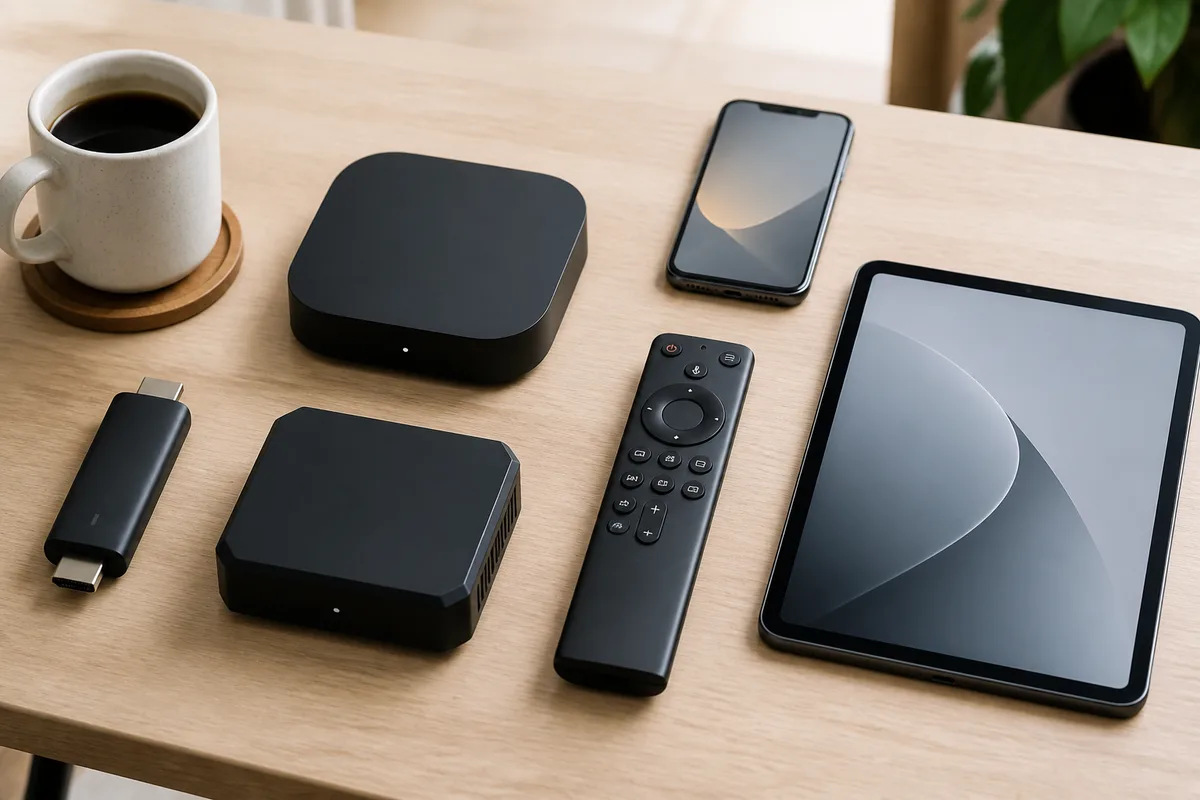
In America, the most important choices are your device and internet provider. Hungarian IPTV runs on every popular platform, but the ease of setup and choice of players varies. The table below summarizes how friendly each device is for Hungarian IPTV in the US and which player to install on it.
| Device | Availability in the US | Recommended player | Note |
|---|---|---|---|
| Amazon Fire TV Stick 4K | Amazon US, Best Buy | IPTV Smarters Pro, TiviMate | Most popular, cheap entry point |
| Apple TV 4K | Apple Store, Best Buy | IPTV Smarters Pro, IBO Player Pro | Premium, fast tvOS interface |
| Roku | Walmart, Target, Best Buy | Smart IPTV, IBO Player | Limited sideloading, use Channel Store |
| Chromecast / Google TV | Google Store, Walmart | TiviMate, OTT Navigator | Excellent EPG, cheap Onn box alternative |
| Samsung Tizen / LG webOS | Best Buy, Costco | IPTV Smarters Pro, IBO Player Pro | No extra hardware, built-in app store |
| Android / iOS phone | Play Store, App Store | IPTV Smarters Pro, GSE Smart IPTV | On-the-go viewing over Wi-Fi or mobile data |
On the internet side, American providers — Comcast Xfinity, Spectrum (Charter), AT&T Fiber, Verizon Fios, Cox and T-Mobile Home Internet — supply plenty of bandwidth. In our tests, FHD needs around 10 Mbps and 4K UHD content around 25 Mbps. Since most American wired plans are far faster than that, quality depends more on your home Wi-Fi coverage and router than on the provider.
A practical tip for larger American homes: the 2.4 GHz band on older routers often can't carry a 4K stream through a wall. In that case a mesh system (rented from your provider or bought separately) or an Ethernet run to the TV is more reliable than plain Wi-Fi. If several devices stream at once in one household — a Fire TV Stick showing Hungarian TV in the living room, a tablet playing cartoons in the kids' room — parallel streams need proportionally more bandwidth, so budget the recommended 25 Mbps for 4K per device. Mobile-based home plans (T-Mobile, Verizon, AT&T) work too, but stability fluctuates more than on a fiber connection.
On payment, the key thing to know is that prices are quoted in EUR, and your bank automatically converts to USD at its own rate. There is no HUF billing, no hidden fee and no mandatory contract. The table below shows the official plans — exactly what you'll find on the pricing page.
| Plan | Price (EUR) | Savings |
|---|---|---|
| 1 month | €12 | — |
| 3 months | €27 | — |
| 6 months | €40 | 44% (best value) |
| 12 months | €60 | 58% (≈ €5/mo) |
Unlike Magenta TV or DIGI Online, which won't launch at all from an American IP, there is no regional block here. Sports fans should also see our watch M4 Sport online guide, which focuses on Hungarian broadcasts, while a broader look at how internet TV stacks up against traditional service is covered in our IPTV compared to cable article.
Chat with our 24/7 support team
Troubleshooting: common issues in America
Hungarian IPTV rarely causes trouble in the US, but time zones, Wi-Fi and player settings can create small hurdles. The five most common issues are below — each with its cause and a concrete fix. Most can be resolved in a couple of minutes, and 24/7 support is available on WhatsApp.
1. Buffering or stuttering in the evening. Cause: during American evening peak (deep night in Hungary), the local network and Wi-Fi are more loaded. Fix: connect the device to the router with an Ethernet cable or switch to 5 GHz Wi-Fi, and reduce the buffer size in the player. If only one channel stutters, try its FHD/SD variant instead of HD.
2. Wrong air times in the EPG. Cause: the player isn't using your American time zone by default. Fix: in IPTV Smarters Pro or TiviMate settings, set your zone (e.g. America/New_York or America/Los_Angeles) so Hungarian 8 PM shows correctly as 2 PM on the East Coast and 11 AM on the West.
3. "No connection" or failed login. Cause: a mistyped Xtream Codes detail, or your router's DNS blocking the server. Fix: paste the URL, username and password from WhatsApp exactly, and try a neutral DNS (e.g. 1.1.1.1 or 8.8.8.8). Very rarely an American provider's DNS is the culprit — switching DNS resolves it instantly.
4. Roku can't find a player. Cause: Roku restricts the installation of non-official apps. Fix: search the Roku Channel Store for an official M3U / Xtream Codes compatible player (Smart IPTV, IBO Player), or use an inexpensive Fire TV Stick, which is far more flexible. For choosing hardware, our best devices for IPTV overview also helps, since the same players work on both continents.
5. 4K starts slowly or drops back to HD. Cause: adaptive streaming (HLS) matches quality to your current bandwidth, so on weak Wi-Fi a 4K UHD stream automatically falls back to HD. Fix: measure your real speed at the device (not the router), and if it stays below 25 Mbps, move the device closer to the router, switch to the 5 GHz band, or run an Ethernet cable. The H.265 (HEVC) codec delivers 4K with less bandwidth, so choose a device that supports HEVC and HDR10 decoding in hardware.
Pros and cons
Hungarian IPTV in the USA offers real convenience, but it's worth seeing its limits realistically too. The lists below gather the most important advantages and the most honest drawbacks so you can decide with open eyes. Most drawbacks are manageable with the right device and internet.
Pros
- Access without a geo-block: the full Hungarian channel lineup live, from an American IP, without the Mediaklikk and RTL+ restrictions.
- Broad device support: Fire TV Stick, Apple TV, Roku, Chromecast/Google TV, Samsung Tizen, LG webOS, plus Android and iOS phones.
- Fast, self-service setup: a few minutes with the Xtream Codes login, no technician or hardware install.
- Flexible, contract-free pricing: 1–12 month plans in EUR, paid with a US card, no auto-renewal.
- 24/7 support: available on WhatsApp for setup and troubleshooting, regardless of American time zones.
Cons
- Time offset: Hungarian prime time falls during the American day, so catch-up and VOD are often more important than live viewing.
- Internet-dependent: a stable, sufficiently fast connection is required; weak Wi-Fi or a shared network can cause stuttering.
- Roku is restrictive: you may need the official Channel Store or a different device for the best experience.
- Pricing is EUR-based: the final amount depends on your bank's exchange rate, so the USD charged can fluctuate slightly.
Subscribe and start streaming in 5 minutes
Frequently Asked Questions
These frequently asked questions gather the most common queries from Hungarians overseas. If you have further questions, our detailed frequently asked questions page and the 24/7 WhatsApp support team are at your disposal.
What is IPTV, and what does the abbreviation mean?
IPTV stands for Internet Protocol Television — television delivered over the internet. The broadcast arrives not by satellite or cable but as data packets from a server to your player. That's why Hungarian IPTV works in America too: all you need is an internet connection and a compatible device, with no antenna.
Is it legal to use Hungarian IPTV in the USA?
IPTV as a technology is entirely legal — it's the same technology the major operators use. The content's rights standing depends on the provider, so choose one that offers organized access. We don't guarantee legality in every jurisdiction in general terms, but the technology itself is legitimate, and the subscription carries no contractual lock-in.
Can I watch Hungarian IPTV on both the East and West Coast?
Yes. The service works anywhere in the US with adequate internet — from New York to Los Angeles. In the player you just set your own time zone (ET, CT, MT or PT) so the EPG shows the correct Hungarian air times, and the catch-up feature lets you replay Hungarian broadcasts that fall during your daytime whenever you like.
How fast does my internet need to be in America?
In our tests, FHD needs around 10 Mbps and 4K UHD content around 25 Mbps as a comfortable minimum. Most American wired plans (Comcast Xfinity, Spectrum, AT&T Fiber, Verizon Fios) are far faster than that, so quality depends more on your Wi-Fi coverage and router than on the provider.
Do I need a VPN to watch the Hungarian channels?
No. Hungarian IPTV built for viewers abroad needs no VPN, because the service does not geo-block your American IP. VPN-based workarounds — simulating a Hungarian IP for the free streams — often stutter and drop, whereas IPTV streams directly and stably from its own server.
How much does it cost, and how can I pay from the USA?
Prices are quoted in euros: 1 month €12, 3 months €27, 6 months €40, 12 months €60. American Visa, Mastercard, American Express or PayPal are all accepted, and your bank converts to USD at its own rate. There is no contract and no auto-renewal; verify the exact prices on the pricing page.
Conclusion
Hungarian IPTV in the USA is today the simplest and most reliable way to feel at home in front of the screen overseas. From the United States there is no free, legal access to Hungarian live broadcasts — Mediaklikk, RTL+ and Magenta TV Go all geo-block, and the EU portability regulation doesn't help in America. A subscription optimized for viewers abroad, on the other hand, brings M1, M4 Sport, RTL Klub and Duna World to any American time zone within minutes, with no geo-block.
When you're ready, pick your plan and within a few minutes you can watch Hungarian TV live in New York, Chicago or San Francisco. For setup and troubleshooting, our support team is available 24/7 — so you never miss anything back home, even from across the Atlantic.
The Hungary IPTV Team has been helping customers in Hungary, Europe, Canada and the USA enjoy seamless IPTV streaming since 2022. Our support team is available 24/7 on WhatsApp for setup, troubleshooting, and subscription questions.