IPTV UK 2026 — What It Is, How It Works & Is It Legal?
IPTV UK explained: what IPTV is, how it works, whether it's legal in Britain, and how to set it up in 5 minutes. Start watching today.
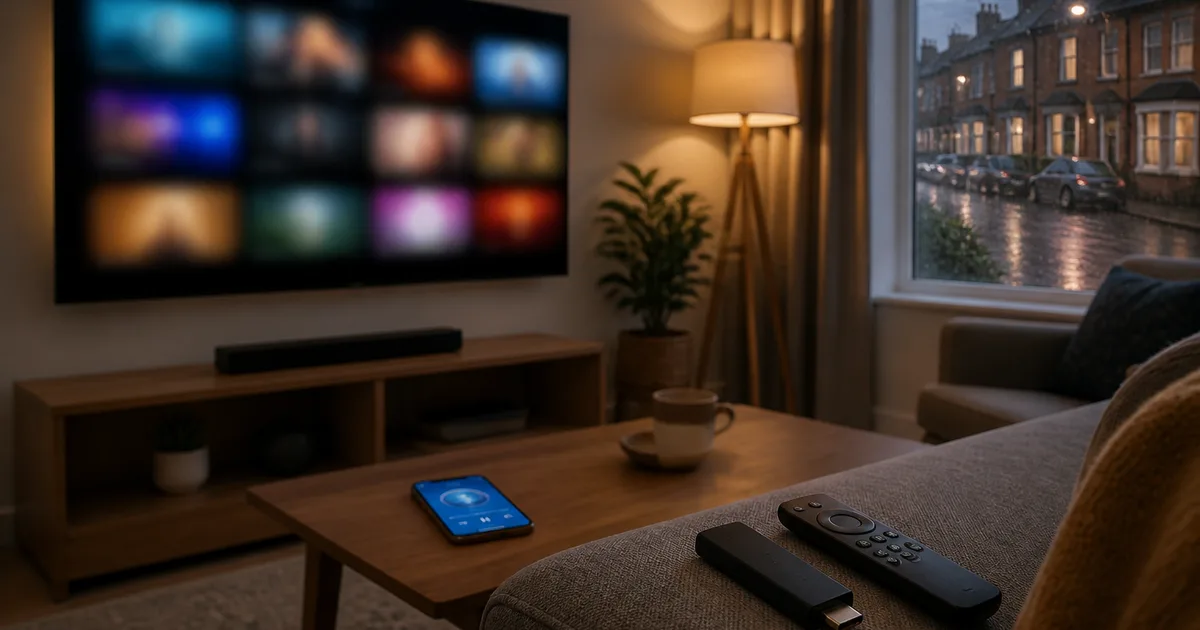
IPTV in the UK means watching live TV channels and on-demand video over your normal home internet connection instead of through a satellite dish, a rooftop aerial or a coaxial cable. Where Sky uses a satellite, Virgin Media uses cable and Freeview uses a TV aerial, IPTV (Internet Protocol Television) delivers the same kind of content as data packets — the way Netflix or BBC iPlayer already do. For anyone in Britain, that means one app on a Fire TV Stick, Smart TV or phone can carry thousands of channels, including Hungarian ones that no UK operator offers. A reputable, properly licensed IPTV service is legal to watch at home; an unlicensed "too good to be true" service is not. This guide explains, in plain English, what IPTV is, exactly how it works, whether it is legal in the UK, what equipment and internet speed you need, and how the roughly 100,000-strong Hungarian community in Britain uses it to watch M1, RTL Klub, TV2 and M4 Sport that disappeared from legal access after Brexit.
Updated: June 20, 2026 — Author: Hungary IPTV Team
Quick summary:
- IPTV = TV over the internet. Channels and on-demand video arrive as data over your broadband (BT, Sky, Virgin Media, Vodafone, EE, Three), played by an app — no dish, aerial or cable box required.
- It is legal to watch when the service is properly licensed. IPTV is a delivery technology, not a piracy tool; private household viewing of a legitimate, licensed service is fine, while unlicensed "all channels for £2" boxes are the ones the courts target.
- You need three things: a stable internet connection (~10 Mbps for FHD, ~25 Mbps for 4K), a device (Fire TV Stick, Smart TV, Apple TV, phone), and an app such as IPTV Smarters Pro, TiviMate or IBO Player Pro.
- For UK Hungarians it solves a real gap. Mediaklikk, RTL+ and Magenta TV Now geo-block British IP addresses and the EU portability rule no longer covers the UK after Brexit, so a diaspora IPTV service is the realistic way to watch home channels.
- Hungary IPTV plans start at €12/month (down to an effective €5/month on the 12-month plan), with 48,000+ channels and VOD titles in FHD, 4K and even 8K, paid in euros with any UK card, Revolut or Wise.
Table of contents
- What is IPTV?
- Why IPTV matters in the UK
- How to set up IPTV in the UK step by step
- IPTV vs Sky, Virgin Media and Freeview: comparison
- Troubleshooting IPTV on UK broadband
- Pros and cons of IPTV in the UK
- Frequently asked questions about IPTV UK
- Conclusion: is IPTV right for you in the UK?
Try Hungary IPTV before paying anything
What is IPTV?
IPTV stands for Internet Protocol Television — a method of delivering TV channels and on-demand video over an IP network (your broadband) rather than over satellite, terrestrial aerial or cable. Instead of a signal beamed to a dish, the video travels as data packets to an app on your device. In the UK, that means a Fire TV Stick, Smart TV or phone replaces the Sky box entirely.
The simplest way to understand IPTV is to compare it with services you already use. When you open BBC iPlayer, ITVX or Netflix, you are watching video over the internet — that is the same underlying idea as IPTV. The difference is that IPTV bundles hundreds or thousands of live channels into a single app with an electronic programme guide (EPG), rather than one broadcaster's catalogue. So "what is IPTV" really has a two-part answer: it is the technology of sending television over the internet, and it is also the category of service that uses that technology to offer big live-channel line-ups.
The building blocks: M3U, Xtream Codes, HLS and EPG
Behind the scenes, an IPTV service hands your app a playlist that tells it where every channel lives. The two common formats are a plain M3U / M3U8 file (a text list of channel names and stream URLs) and the more modern Xtream Codes API, where you log in with a server URL, username and password and the channel list, categories and guide update automatically. The actual video usually streams as HLS (HTTP Live Streaming) — the same Apple-designed protocol that powers much of the web's live video — chopped into small segments your player downloads continuously.
The programme guide you scroll through is built from an EPG in XMLTV format, mapped to channels by a tvg-id tag. Video is compressed with H.264 or the more efficient H.265 / HEVC codec, which is what lets a 4K UHD stream with HDR10 fit down a normal home connection. None of this is something you configure by hand — a good app and a correctly built playlist handle it — but knowing the vocabulary helps when you compare providers or troubleshoot.
Live TV, video on demand and catch-up
A full IPTV service is really three things in one app. Live TV is the linear stream — M1 Híradó at 7:30 PM, an NB I match on M4 Sport, RTL Klub in the evening — exactly as it airs in Hungary. Video on demand (VOD) is an on-shelf library of films and series you start whenever you like, the way you would on Netflix. Catch-up (sometimes called timeshift or archive) lets you scroll back through the last several days of a channel's schedule and replay a programme you missed. For the diaspora this catch-up feature is quietly the most valuable of the three, because time-zone differences mean a "live" Hungarian broadcast often airs while you are at work or asleep. A 6 PM kick-off in Budapest is a 5 PM start in Britain — easy — but the same logic that helps UK viewers becomes essential for relatives in Toronto or New York, which is why the diaspora pillar treats catch-up as a core requirement rather than a bonus.
IPTV vs OTT vs traditional broadcast
People often confuse IPTV with "OTT" (over-the-top) services like Netflix or Disney+. Technically OTT runs over the open internet with no guaranteed network path, while "pure" IPTV historically ran on a telecom's own managed network — which is exactly what Magenta TV (Magyar Telekom) in Hungary or BT TV in the UK do. In everyday 2026 usage, though, "IPTV" has come to mean any app-based service that streams live channels over the internet, and that is how we use the term here. For a deeper, technology-first explainer of the concept, see our companion guide on what IPTV is and how it compares to streaming.
Why IPTV matters in the UK
IPTV matters in the UK because it removes the two biggest limits of British television: the closed line-ups of Sky, Virgin Media and Freeview, and the geo-blocking that stops expats watching home-country channels. With one internet-based app you can mix British, Hungarian and dozens of other national broadcasters on the same screen, on hardware you already own, without an 18-month contract.
For a general British viewer, the appeal is flexibility and cost. Traditional pay-TV in the UK typically means a multi-year contract, a set-top box you rent, and premium sport sold as expensive add-ons. IPTV flips that model: you bring your own device, install an app, and pay a comparatively small monthly fee with no lock-in. The trade-off — which we cover honestly in the pros and cons — is that you take on a little more responsibility for choosing a reputable, licensed provider and for having decent broadband.
The Hungarian diaspora problem IPTV solves
For the roughly 100,000 Hungarians living in Britain, IPTV is not a luxury but the only practical route to home-country TV. The free Mediaklikk stream (M1, M2, M4 Sport, M5, Duna TV, Duna World) is run by MTVA for Hungarian IP addresses and geo-blocks British ones. Commercial services like RTL+ and TV2 Play routinely reject UK payment cards, and the Magenta TV Now app blocks foreign IPs. Crucially, since the Brexit transition period ended on 31 December 2020, EU Regulation 2017/1128 on cross-border portability no longer applies to the UK — the 30-day grace window that Hungarians in Germany or Austria still get simply does not exist for British residents, as the UK Government's own cross-border online content services guidance confirms.
No UK operator fills the gap either: Sky, Virgin Media, BT TV and NOW carry zero Hungarian channels, because the British-Hungarian audience is too small to justify the licensing that bigger diasporas (Polish, Romanian) command. That leaves an independent, diaspora-focused IPTV subscription as the realistic option — the broader picture for every country is mapped in our Hungarian IPTV providers abroad pillar guide, and the UK-specific channel and city detail lives in our Hungarian online TV in the UK article.
Who actually uses IPTV in Britain
In our experience supporting UK customers, IPTV users fall into a few clear groups: Hungarian families in London (Ealing, Acton, Wembley), Manchester and Birmingham who want M1 Híradó news and M4 Sport NB I football; cord-cutters who have dropped Sky to save money; sports fans chasing leagues their UK package does not carry; and night-shift NHS workers who rely on catch-up. What unites them is wanting more channels, more flexibly, than a single British operator will sell them. If you mainly want the home-country line-up, our diaspora guides for Hungarian TV in Austria and Hungarian TV from Germany show how the same approach works across the EU, where the post-Brexit rules differ.
How much does IPTV cost for a UK household?
Part of IPTV's appeal is the price, and it is worth measuring against a typical British entertainment basket. A London or Manchester household often pays monthly for Sky or Virgin Media, plus Netflix and one or two more streaming services — and not one of them carries a Hungarian channel. A diaspora-focused IPTV subscription, by contrast, starts at €12/month with Hungary IPTV and works out to an effective €5/month on the 12-month plan — a fraction of an average British pay-TV bill, while also carrying the full Hungarian line-up.
Two things are worth being clear about. First, the price is quoted in euros, but UK cards, Revolut and Wise convert it automatically, so there is no Hungarian bank account needed and no hidden "diaspora surcharge". Second, there is no contract and no auto-renewal, so you are not locked into an 18-month commitment the way you would be with a classic British pay-TV package — you choose between monthly, quarterly, half-yearly or annual options and can stop whenever you like. Unlike the suspiciously cheap, few-pound "everything" offers, this fair, sustainable price band is what covers real infrastructure and 24/7 support.
Activate your trial in just a few minutes
How to set up IPTV in the UK step by step
Setting up IPTV in the UK takes about five minutes and no technical skill. You choose a plan, receive login credentials, install an app on your device, and sign in with a server URL, username and password (Xtream Codes API) or an M3U link. The steps below cover the most common British setups, from a Fire TV Stick to an iPhone.
The single most important decision is picking a legitimate, properly licensed provider — that is what keeps the experience legal, stable and free of malware-laden "free" apps. Once you have that, every device follows the same pattern: install app, enter the same three credentials, let the channels and guide sync.
Step 1 — Choose a plan and pay
Open the Hungary IPTV pricing page and pick a length: 1 month at €12, 3 months at €27, 6 months at €40 (best value, save 44%), or 12 months at €60 (save 58% — effectively €5 a month). There is no contract and no auto-renewal. Payment is in euros, and any UK Visa, Mastercard or Amex works, as do Revolut and Wise multi-currency cards (popular with the diaspora because they handle the conversion automatically) and PayPal — so you do not need a Hungarian bank account.
Step 2 — Get your credentials on WhatsApp
After payment, support sends your Xtream Codes credentials — a server URL, a username and a password — over WhatsApp, usually within a few minutes. Support is available 24/7, and because the UK is one hour behind Hungary (GMT/BST vs CET/CEST), replies during British prime time land in real time. Keep these three details somewhere safe: you enter the identical credentials on every device you want to watch on. A free trial is available on request if you want to test first.
Step 3 — Install an app and sign in
Pick the app that suits your device and log in once:
- Amazon Fire TV Stick (the most popular UK choice): install IPTV Smarters Pro or IBO Player Pro from the Amazon Appstore, choose "Login with Xtream Codes API", enter your credentials. Our IPTV Smarters Pro setup guide covers the advanced options.
- Samsung Tizen / LG webOS Smart TV: install Smart IPTV, IBO Player Pro or IPTV Smarters Pro from the built-in store and sign in — no extra box needed.
- Android TV / Google TV (Sony, TCL, Hisense, Nvidia Shield, Chromecast with Google TV): install TiviMate or IPTV Smarters Pro from Google Play and add the playlist via Xtream Codes API.
- Apple TV 4K, iPhone, iPad: install IPTV Smarters Pro or GSE Smart IPTV from the UK App Store.
- Windows / macOS laptop: VLC or OTT Navigator can open an M3U link; IPTV Smarters Pro has a desktop build too.
How to spot a legitimate provider (and avoid illegal boxes)
The biggest mistake new UK users make is treating all IPTV as the same. It is not. A legitimate provider behaves like any other subscription business: a clear price list, real 24/7 support you can message before you buy, a free trial on request, transparent payment through cards or PayPal, and content delivered to standard apps you download from official stores. The warning signs of an illegal operation are the opposite — a "fully loaded" Android box or a USB stick sold at a market or on social media promising every Premier League match and all Sky Sports for a one-off £20 or a couple of pounds a month, paid only in cash or crypto, with no company behind it.
Those unlicensed services are the ones UK rights-holders and trading-standards teams pursue, and they carry practical risks too: streams that vanish mid-match, no support when they break, and side-loaded apps that can hide malware. Choosing well is therefore both a legality and a quality decision. Stick to a provider with a published price list and real support, use the service for private household viewing, and keep your expectations realistic — a properly run diaspora service charges a fair monthly fee precisely because it covers infrastructure and support, not because it is reselling stolen premium sport at an impossible price. In our tests, the providers that survive long-term are always the ones with a real support channel and an honest line-up, not the cheapest box on the shelf.
Step 4 — Tune for UK broadband
In almost all cases it works immediately. If a stream stutters between roughly 7:30 and 10 PM (the UK's peak streaming window), increase the buffer to 20–30 seconds in your app's player settings, switch the device's DNS to 1.1.1.1, or use an Ethernet connection instead of congested 2.4 GHz Wi-Fi. BT, Sky and Virgin Media full-fibre plans are far more than enough for 4K; older ADSL connections may be limited to HD.
IPTV vs Sky, Virgin Media and Freeview: comparison
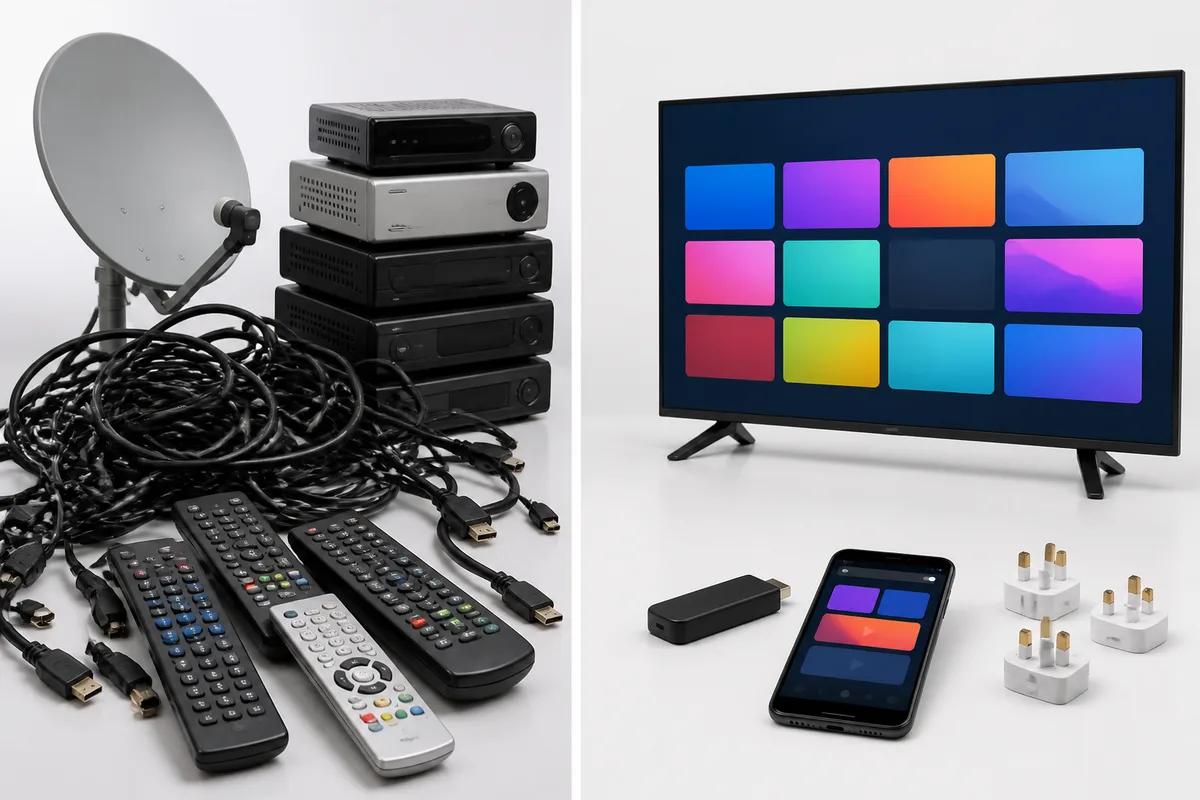
Compared with the main UK TV options, IPTV's advantages are channel breadth, price flexibility and no contract; its requirements are a decent internet connection and choosing a trustworthy provider. The table below puts internet-based IPTV next to Sky, Virgin Media, Freeview/Freely and the free Mediaklikk stream from a UK viewer's perspective.
| Option | Delivery | Hungarian channels | 4K | Contract | Works on your own device | Notes |
|---|---|---|---|---|---|---|
| IPTV (independent) | Internet (any UK ISP) | Yes | Yes | None | Yes | Bring your own Fire TV Stick / Smart TV; choose a licensed provider |
| Sky (Q / Glass / Stream) | Satellite / internet | No | Partial | Typically 18 months | Sky Stream/Glass only | Premium sport sold as add-ons; closed box |
| Virgin Media (TV 360) | Cable | No | Partial | Typically 18 months | No (rented box) | Bundled with broadband; British line-up only |
| Freeview / Freely | Aerial / internet | No | Limited | None | Yes | Free, but UK channels only |
| Mediaklikk (MTVA) | Internet (HU only) | Public only | No | – | Yes | Geo-blocked from UK IPs after Brexit |
| RTL+ / TV2 Play | Internet (HU only) | 1 each | No | – | Yes | UK payment cards routinely rejected |
The pattern is clear: the British operators are excellent for British content but offer no Hungarian channels at any price, while the Hungarian services are blocked from UK IP addresses. Independent IPTV is the only column that combines a full Hungarian line-up, 4K, no contract and your own hardware. For a pure cost-and-features breakdown of streaming versus traditional pay-TV, see our IPTV vs cable comparison. A reputable provider such as Hungary IPTV carries Hungarian public and commercial channels (M1, M2, M4 Sport, RTL Klub, TV2, Duna World and more) alongside 48,000+ channels and VOD titles overall — and you can confirm exactly what a plan costs before committing.
Chat with our 24/7 support team
Troubleshooting IPTV on UK broadband
Most UK IPTV issues are network- or device-related rather than faults with the service itself. The five problems below cover the vast majority of support questions from British customers, each with a cause and a fix you can apply in a couple of minutes.
Buffering or stuttering during the evening
Cause: UK broadband and Wi-Fi congest during the 7:30–10 PM evening peak, when most households are streaming at once, especially on shared 2.4 GHz Wi-Fi or older plans. Fix: increase the player buffer to 20–30 seconds, switch from Wi-Fi to a wired Ethernet connection, and set the device DNS to Cloudflare 1.1.1.1. If it persists, ask support for an alternative server URL.
"Cannot connect to server" or login timeout
Cause: some routers (for example BT and Virgin Media hubs) restrict outbound ports, or a credential was mistyped. Fix: re-enter the server URL, username and password exactly as supplied — they are case-sensitive. If needed, open the router admin page and allow the port your provider uses, then restart the app. Support can confirm the correct values on WhatsApp.
No EPG / programme guide
Cause: the playlist is missing tvg-id tags, or the XMLTV guide URL has not been added in the app.
Fix: in IPTV Smarters Pro or TiviMate, add the external EPG (XMLTV) URL your provider gives you; TiviMate then syncs automatically. If the guide still won't map, request a corrected playlist with proper channel IDs.
Channel won't open or shows a black screen
Cause: a temporary source or CDN issue on a single channel, not your whole connection. Fix: exit the channel, wait about 30 seconds, and reopen it; try a different channel to confirm your connection is fine. If one channel stays down, report it — a good 24/7 service usually restores it quickly.
App disappeared after a Smart TV update
Cause: Samsung and LG occasionally remove third-party IPTV apps from their stores in a firmware update. Fix: install an alternative (IBO Player Pro, NET IPTV or OTT Navigator) and sign in with the same Xtream Codes credentials, or run the stream on a Fire TV Stick plugged into a spare HDMI port. Reliable alternative players are easy to find in each TV's app store. For anything not solved here, the Hungary IPTV FAQ page and WhatsApp support cover the rest.
Pros and cons of IPTV in the UK
A fair balance sheet for a UK viewer weighing IPTV against Sky, Virgin Media or Freeview. The strengths are breadth, price and flexibility; the honest weaknesses are the need for good broadband and for choosing a trustworthy, licensed provider.
Pros
- Channel breadth no UK operator matches — Hungarian public and commercial channels plus 48,000+ channels and VOD titles in one app, where Sky and Virgin Media carry zero Hungarian content.
- Up to 4K UHD (and 8K where available) using H.265/HEVC and HDR10, on hardware you already own — Fire TV Stick, Samsung/LG Smart TV, Apple TV, Android TV.
- No contract and no auto-renewal — plans from €12/month down to an effective €5/month on the annual plan, versus the typical 18-month UK pay-TV commitment.
- Works on every UK ISP — BT, Sky Broadband, Virgin Media, Vodafone, EE and Three — usually with no router changes at all.
- Brexit- and geo-block-independent for the diaspora — a properly built service is not bound by the licensing that blocks Mediaklikk, RTL+ and Magenta TV Now from UK IPs.
- 24/7 WhatsApp support in real time during UK evenings, thanks to the one-hour offset to Hungary.
Cons
- You need stable broadband — roughly 10 Mbps for FHD and 25 Mbps for 4K; rural ADSL areas may be limited to HD.
- You must vet the provider — IPTV is only as legal and reliable as the service behind it; "all channels for £2" boxes are unlicensed and risky.
- It is a streaming service, not a managed box — no engineer visit, and you take light responsibility for installing an app and the occasional buffer tweak.
- Sky Q and Virgin's rented boxes are closed — you watch IPTV on your own device or a cheap streaming stick on another HDMI input, not on the operator's box.
Subscribe and start streaming in 5 minutes
Frequently asked questions about IPTV UK
What is IPTV?
IPTV (Internet Protocol Television) is television delivered over the internet instead of via satellite, aerial or cable. Channels and on-demand video arrive as data to an app on your Fire TV Stick, Smart TV, Apple TV or phone, complete with an electronic programme guide. It is the same underlying idea as BBC iPlayer or Netflix, but bundled into a single app that carries many live channels at once. In the UK, IPTV lets you watch line-ups — including Hungarian channels — that Sky, Virgin Media and Freeview simply do not offer.
How does IPTV work?
An IPTV service gives your app a playlist (an M3U/M3U8 file or Xtream Codes API login) that lists every channel and its stream address. When you select a channel, the app requests that stream and plays it as a continuous series of small video segments, usually over the HLS protocol, compressed with the H.264 or H.265/HEVC codec. A separate EPG in XMLTV format provides the programme guide. All of this happens automatically over your broadband — you only ever enter a server URL, username and password.
Is IPTV legal in the UK?
IPTV as a technology is completely legal — it is just a way of sending television over the internet, the same method BT TV and many mainstream services use. What matters is the service: watching a properly licensed, legitimate IPTV provider for private use at home is lawful, whereas unlicensed services that resell premium channels for a few pounds are not, and UK authorities target those operators. We keep legality qualitative rather than making guarantees: choose a reputable provider, use it for personal household viewing, and avoid "too cheap to be real" offers. Public re-transmission in a pub or business needs a separate commercial licence.
What do you need for IPTV?
Three things: a stable internet connection (about 10 Mbps for Full HD, 25 Mbps for 4K), a device to watch on (Amazon Fire TV Stick, Samsung/LG Smart TV, Apple TV, Android TV box, or simply a phone or laptop), and an IPTV app such as IPTV Smarters Pro, TiviMate, IBO Player Pro or Smart IPTV. From the provider you receive a server URL, username and password (Xtream Codes) or an M3U link. No dish, aerial, cable box or Hungarian bank account is required.
Does IPTV work on any TV in the UK?
Effectively yes. A modern Samsung Tizen or LG webOS Smart TV can run an IPTV app directly. Any other TV — including older sets bought for Sky — becomes IPTV-ready with a cheap Amazon Fire TV Stick, Apple TV or Android TV / Google TV box plugged into an HDMI port, or by casting from a phone to a Chromecast. The only TVs you cannot install IPTV apps on are the closed operator boxes like Sky Q, where the workaround is simply a streaming stick on a spare HDMI input.
How much internet speed do I need for IPTV in the UK?
Plan for a stable 10 Mbps for FHD (1080p) and around 25 Mbps for 4K UHD per simultaneous stream. Mainstream UK broadband easily clears this: BT Full Fibre, Virgin Media, Sky Broadband, Vodafone, EE and Three all deliver well above those figures in towns and cities. Rural ADSL connections in parts of Wales and the Scottish Highlands may be tighter, in which case sticking to HD gives smoother playback than forcing 4K.
Can I watch Hungarian channels with IPTV in the UK?
Yes — this is the main reason UK Hungarians use IPTV. Because Mediaklikk, RTL+, TV2 Play and Magenta TV Now geo-block British IP addresses (and EU portability no longer covers the post-Brexit UK), a diaspora-focused IPTV service is the realistic route to live M1, M2, M4 Sport, RTL Klub, TV2 and Duna World. A reputable provider streams these in FHD and 4K alongside 48,000+ channels and VOD titles, with the same five-minute setup as any other channel package.
Is IPTV better than Sky or Virgin Media?
It depends on what you want. For breadth, price flexibility and home-country channels, IPTV wins comfortably — no contract, far more channels, your own hardware, and Hungarian line-ups the British operators do not carry. Sky and Virgin Media still lead on bundled premium UK sport, integrated set-top boxes and guaranteed support engineers. Many UK households run both: Sky or Freeview for British content, and an independent IPTV subscription for everything else. Our breakdown of streaming versus traditional pay-TV weighs this up in detail.
Conclusion: is IPTV right for you in the UK?
If you want more channels, more flexibly, on the hardware you already own, IPTV is the strongest TV option in 2026 Britain — and for the Hungarian diaspora it is effectively the only way to watch home channels after Brexit cut off Mediaklikk, RTL+ and Magenta TV Now. IPTV is simply television over the internet: legal to watch when you pick a properly licensed provider, easy to set up in about five minutes, and undemanding on any reasonable UK broadband connection.
The decision comes down to two checks. First, do you have a stable connection — roughly 10 Mbps for HD, 25 Mbps for 4K? Almost every UK full-fibre or cable plan does. Second, is the provider reputable, with real support and licensed content rather than a suspiciously cheap "everything" box? Get those right and you have thousands of channels, including the Hungarian ones no UK operator sells, on your Fire TV Stick, Smart TV or phone tonight.
Your next steps: open the Hungary IPTV plans and pricing to compare the 1-, 3-, 6- and 12-month options, request a free trial if you want to test first, and message WhatsApp support to get your credentials in minutes. For the wider diaspora picture beyond Britain — Canada, the USA, Austria and Germany — start from our complete guide to watching Hungarian TV abroad, or jump straight to the homepage to see how IPTV works across the UK and Europe.
The Hungary IPTV Team has been helping customers in Hungary, Europe, Canada and the USA enjoy seamless IPTV streaming since 2022. Our support team is available 24/7 on WhatsApp for setup, troubleshooting, and subscription questions.