IPTV Smarters Pro — Complete Setup and Feature Guide (2025)
IPTV Smarters Pro setup guide: install the free app, log in with Xtream Codes or M3U in 10 minutes, and fix EPG, buffering and player issues fast.
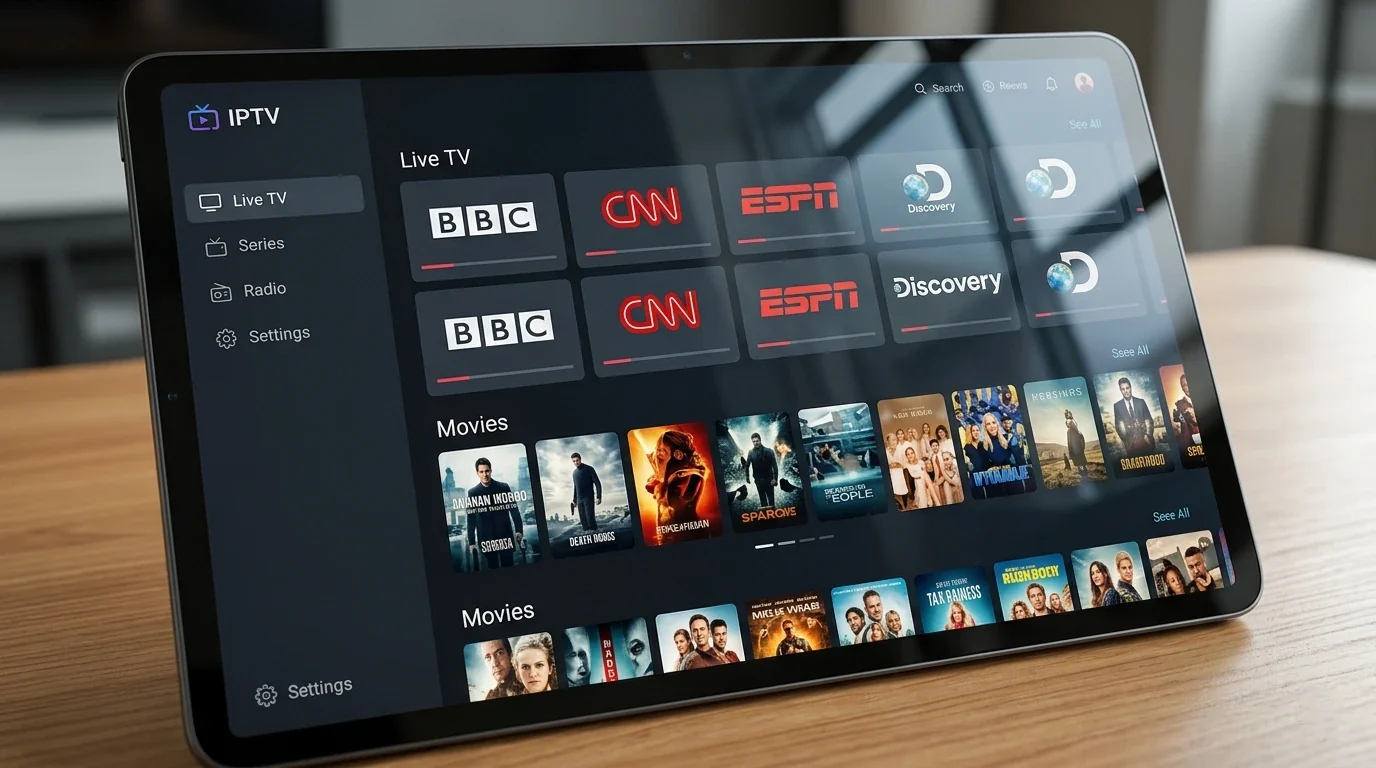
IPTV Smarters Pro is the advanced version of one of the world's most popular IPTV applications. Where the standard IPTV Smarters Player covers the basics well, IPTV Smarters Pro adds a more refined interface, additional features for power users, and smoother performance on high-end devices.
If you want to understand what IPTV Smarters Pro is, how it differs from the standard player, and how to set it up on your device, this guide covers everything.
Quick summary:
- IPTV Smarters Pro is the free advanced version of IPTV Smarters Player by WHMCS Smarters, adding a multi-view EPG, full parental controls and better multi-screen support.
- It runs on Android, iOS, Android TV, Fire Stick, Samsung Smart TV and Windows, with both Xtream Codes API and M3U URL login.
- Getting it working with a quality subscription is about a 10-minute process from download to first channel.
- If channels load but video will not play, switching the video player to ExoPlayer in Settings usually fixes it.
- For smooth playback you need at least 10 Mbps for FHD and 25 Mbps for 4K — wired Ethernet beats Wi-Fi.
Table of contents
- What Is IPTV Smarters Pro?
- IPTV Smarters Pro vs IPTV Smarters Player — What Is the Difference?
- How to Install IPTV Smarters Pro
- How to Configure IPTV Smarters Pro — Step by Step
- Xtream Codes vs M3U Login: Which Should You Use in IPTV Smarters Pro?
- Adding Multiple Playlists and Managing User Profiles
- Navigating IPTV Smarters Pro — Main Features
- IPTV Smarters Pro Settings — Optimisation Tips
- EPG Source Configuration: XMLTV, Refresh Interval and Time Shift
- Troubleshooting: the most common IPTV Smarters Pro problems and fixes
- Frequently Asked Questions
- Choosing a Provider for IPTV Smarters Pro
- Getting Started with IPTV Smarters Pro
What Is IPTV Smarters Pro?
IPTV Smarters Pro is an IPTV player application developed by WHMCS Smarters — the same team behind the widely-used IPTV Smarters Player. The Pro version builds on the same core functionality with a more polished interface, better EPG handling, and several additional features aimed at regular IPTV users.
Like all IPTV players, IPTV Smarters Pro does not provide channels itself. It is a piece of software that connects to your IPTV provider's servers and displays your channels, movies and series on screen. You supply the subscription; the app supplies the interface.
IPTV Smarters Pro is compatible with:
- Android phones and tablets
- iOS (iPhone and iPad)
- Android TV and Google TV
- Amazon Fire TV and Fire Stick
- Samsung Smart TV (select models)
- Windows PC (Microsoft Store)
For a full overview of which devices work best for IPTV, read our best devices for IPTV streaming guide.
Try Hungary IPTV before paying anything
IPTV Smarters Pro vs IPTV Smarters Player — What Is the Difference?
Both apps come from the same developer and perform the same core function. The differences are primarily in the interface and advanced features:
| Feature | IPTV Smarters Player | IPTV Smarters Pro |
|---|---|---|
| Price | Free | Free |
| M3U playlist support | ✅ | ✅ |
| Xtream Codes login | ✅ | ✅ |
| Multiple profiles | ✅ | ✅ |
| EPG | Basic | Advanced, multi-view |
| Interface | Functional | More polished |
| VOD organisation | Standard | Enhanced browsing |
| Parental controls | Basic | Full |
| Multi-screen | Limited | Better support |
For most everyday IPTV users, either version works perfectly well. IPTV Smarters Pro is worth using if you want the improved EPG layout and cleaner interface — especially on a large TV screen, as covered in our IPTV on Smart TV setup guide.
How to Install IPTV Smarters Pro
Installation is a store download on every major platform — no sideloading needed in most cases. The app is roughly a 30 MB download, needs no account of its own, and the only real trap is installing one of the many look-alike clones: always check that the publisher is WHMCS Smarters before you tap Install.
Android
- Open Google Play Store
- Search for IPTV Smarters Pro
- Install the app published by WHMCS Smarters
- Open and set up as described below
The app runs on Android 5.0 and newer, which covers virtually every phone and tablet sold in the last decade. On first launch it asks for basic media permissions — accept them, or local file playback and external player handoff will not work.
iOS (iPhone and iPad)
- Open App Store
- Search for IPTV Smarters Pro
- Install and open the app
The iOS build has functional parity with Android: Xtream Codes, M3U, EPG and VOD all work. Apple does occasionally remove and re-list IPTV players during store reviews, so if the exact listing is missing on a given day, check back later rather than installing an unknown substitute.
Android TV
- Open the Play Store on your Android TV device
- Search for IPTV Smarters Pro
- Install and open the app
The TV build switches automatically to a remote-friendly, ten-foot layout. It runs well on the Nvidia Shield, the Chromecast with Google TV, and Android TV sets from Sony, TCL and Philips. On remotes with a microphone button, dictating the server URL is far faster than the on-screen keyboard.
Amazon Fire Stick
- From the Fire Stick home screen, navigate to Search
- Search for IPTV Smarters Pro
- Install from the Amazon Appstore
- Open the app
If the search returns nothing in your region, the same build can be sideloaded with the free Downloader tool using the APK from the official iptvsmarters.com site — enable "Apps from Unknown Sources" under Settings → My Fire TV → Developer Options first. Any Fire OS 7 or newer stick handles FHD comfortably; for 4K playback the Fire TV Stick 4K or 4K Max are the safe picks.
Windows
- Open Microsoft Store
- Search for IPTV Smarters
- Install and open
The Microsoft Store build supports Windows 10 and Windows 11 and uses a mouse-first layout: click to play, right-click for channel options. Setup steps and settings are identical to the Android version.
IPTV Smarters Pro is only one of several strong Windows options. To see how it stacks up against MyIPTV Player, VLC and Kodi, read our guide to choosing the best IPTV player for a Windows PC.
How to Configure IPTV Smarters Pro — Step by Step
Configuration means adding your subscription as a user profile. With Xtream Codes you enter three short credentials; with M3U you paste one long URL. Either way takes under five minutes. Xtream Codes is the better choice whenever your provider offers it — the next section explains exactly why.
Login with Xtream Codes API (Recommended)
This is the most common login method. Your IPTV provider sends you a server URL, username and password.
- Open IPTV Smarters Pro
- On the welcome screen, select Login with Xtream Codes API
- Enter:
- Profile Name: any name (e.g., "Hungary IPTV")
- Server URL: the URL from your provider (e.g., http://server.example.com:8080)
- Username: your subscription username
- Password: your subscription password
- Tap Add User
- The app connects to your provider's server and loads your channels
If you hit an error such as "Authentication Failed" or "Maximum Connections Reached" at this stage, our IPTV login troubleshooting guide walks through every common cause and its fix.
Login with M3U Playlist URL
If your provider sent you an M3U URL instead of separate credentials:
- Open IPTV Smarters Pro
- Select Load Your Playlist and TV Guide (M3U URL)
- Enter:
- Profile Name: any name
- M3U URL: the full URL provided by your IPTV service
- Tap Add User
- Your playlist loads with all channels, VOD, and EPG
Curious what actually sits inside that link? Our M3U8 playlist explainer breaks down the format and why it matters for loading speed.
If you are setting up your IPTV subscription for the first time, read our getting started with IPTV guide for a complete beginner walkthrough.
Activate your trial in just a few minutes
Xtream Codes vs M3U Login: Which Should You Use in IPTV Smarters Pro?
Use Xtream Codes whenever your provider offers it. The app authenticates against the provider's panel API and requests channels, VOD and EPG on demand, so start-up is faster and the guide binds automatically. M3U makes the app download and parse one large playlist file instead — choose it only when a playlist URL is the only format you received.
What Each Xtream Codes Field Actually Does
The Server URL is the address of your provider's panel, including the port — for example http://server.example.com:8080. Enter it exactly as sent: no trailing slash, no extra path, and keep http:// or https:// as given, because the port and protocol must match the panel. The username and password authenticate you against that panel; once accepted, IPTV Smarters Pro pulls the live categories, channel list, VOD library and series sections as separate, small requests. That is why an Xtream Codes profile opens in seconds even on a subscription with tens of thousands of channels — nothing is downloaded until you open it.
What Happens When You Load an M3U URL
An M3U playlist is a single text file listing every stream as an #EXTINF entry. With a 48,000-channel subscription that file can run to tens of megabytes, and the app must download and parse all of it before anything appears — which is why first load takes noticeably longer than Xtream Codes. Guide data is not part of the playlist either: unless the URL carries an embedded EPG reference, you must add an XMLTV source manually. How movies and series are grouped also depends entirely on the playlist's group-title tags, so VOD browsing is usually flatter and messier than the native Xtream Codes sections.
Side-by-Side: Xtream Codes API vs M3U
| Xtream Codes API | M3U URL | |
|---|---|---|
| You enter | Server URL + username + password | One long playlist URL |
| First load | Seconds — data fetched on demand | Slower — full playlist download and parse |
| EPG | Bound automatically by the panel | Often needs a separate XMLTV URL |
| VOD and series sections | Native categories with posters | Depends on playlist tags |
| Account info in app | Expiry date and allowed connections visible | Not shown |
| Best for | Almost everyone | Providers that only issue playlists |
Can You Switch From M3U to Xtream Codes Later?
Usually yes. Most providers run Xtream-compatible panels, which means the same account can be expressed both ways — ask your provider for the server URL, username and password that correspond to your playlist. Then add a new user profile with those credentials and delete the old M3U profile. One thing to plan for: favourites and parental settings are stored per profile, so you will need to re-add them under the new login.
Adding Multiple Playlists and Managing User Profiles
IPTV Smarters Pro can hold several subscriptions side by side, each as its own user profile with its own favourites, EPG state and parental PIN. You can freely mix login types — one profile on Xtream Codes, another on M3U — and switch between them in a few seconds without ever logging out.
How to Add a Second Playlist
- From the main screen, open the user/profile icon (labelled List Users in most builds).
- Select Add New User.
- Choose the login type for this subscription — Xtream Codes API or M3U URL.
- Enter the credentials and a profile name that tells the accounts apart (for example "Basic" and "Premium").
- Tap Add User — the app loads the new playlist and drops you into it.
To return to another subscription, open the same user list and select it; the app remembers each profile's state. You can rename or delete a profile from the same screen, and set which one loads automatically at start-up.
Practical Ways to Use Multiple Profiles
The most common real-world setups we see: running two subscriptions in parallel — say a Basic plan for its broad international selection alongside a Hungarian-focused Premium plan — and switching by content mood; keeping a family member's separate account on the shared living-room device; and test-driving a new provider's trial line next to your existing service before committing. Each profile stays fully isolated, so experiments never touch your main setup.
What Profiles Do and Do Not Change
Profiles are an organisational tool, not extra capacity. Each subscription still enforces its own simultaneous-connection limit on the provider's side, no matter how many profiles or devices it is saved on — installing the app everywhere is unlimited, concurrent playback is not. Favourites, watch history and the parental PIN live inside each profile on that device only; they do not sync across devices or accounts.
Navigating IPTV Smarters Pro — Main Features
Live TV
The Live TV section is the primary feature. Channels are organised into categories (All, Favourites, Sports, News, Movies, Entertainment, Kids, etc.). Navigate by category or use the search function to find a specific channel.
While watching a channel:
- Press OK/Enter to pause or play
- Long-press or right-click to add to Favourites
- Navigate using arrow keys to change channels without returning to the list
- Press the Guide/EPG button to view the programme schedule
Electronic Programme Guide (EPG)
IPTV Smarters Pro's EPG is one of its strongest features. Access it by pressing the Guide button while watching a live channel, or from the main menu.
The EPG shows:
- Current programme on the active channel
- Upcoming programmes in a timeline view
- Ability to scroll forward and backward in the schedule
EPG data loads automatically from your provider's servers. If the EPG appears empty, go to Settings → EPG and trigger a manual refresh. EPG data typically takes 2–5 minutes to fully load on first run.
VOD — Movies and Series
Navigate to the Movies or Series sections from the main menu to browse your on-demand library. You can:
- Browse by genre (Action, Drama, Comedy, Documentary, etc.)
- Search by title
- View recently added content
- Access your watch history
Parental Controls
IPTV Smarters Pro includes full parental control functionality. Set a PIN code in Settings to restrict access to adult-rated channels and content. Children's channels and content remain freely accessible.
Multiple User Profiles
If you have more than one IPTV subscription, or if multiple family members have separate accounts, IPTV Smarters Pro supports multiple user profiles in the same app. Switch between profiles from the main menu without logging out.
Chat with our 24/7 support team
IPTV Smarters Pro Settings — Optimisation Tips
Video Player: The app supports multiple video players. The built-in player works well for most streams. If you experience issues with specific channels, try switching to ExoPlayer or the device's native player in Settings → Video Player.
EPG Source: If your provider's EPG data is incomplete, you can add a secondary EPG source in Settings → EPG → Add EPG Source. XMLTV-format EPG URLs can be added manually.
Stream Quality: Some providers offer multiple quality streams (SD/HD/FHD/4K) for the same channel. If your connection is fast enough, ensure you are selecting the highest quality stream available in the channel settings.
Buffer Size: If you experience occasional buffering on strong connections, try increasing the buffer size in Settings → Player → Buffer. This pre-loads more of the stream data before playback, reducing interruptions.
Hardware vs Software Decoding
The decoder setting controls what turns the compressed stream into pictures. Hardware decoding uses your device's dedicated video chip: it is efficient, keeps the device cool, and is the only realistic way to play 4K on a TV stick — leave it as the default. Software decoding does the work on the CPU instead: it handles unusual codec variants that the chip rejects, at the cost of heat and dropped frames on weak hardware. The practical rule from our tests: stay on hardware, and switch a problem channel to software only when you see green flashes, blocky artefacts or a black picture with working audio — that combination usually means the chip cannot handle the stream's codec profile, often H.265/HEVC on an older device.
Stream Format: Default, MPEG-TS or HLS
Under the player settings you can force how streams are requested. Default lets the app negotiate and is right for most people. Force MPEG-TS if live channels take long to start or stall at 0% — some provider panels deliver live TV more reliably as a transport stream. Force HLS (.m3u8) if seeking within catch-up or VOD misbehaves, since HLS's segmented delivery handles jumping around better. Change this one setting at a time and re-test the same channel, so you know which change actually helped.
Recommended Starting Values
A configuration that works on almost any device with a healthy connection: hardware decoder, ExoPlayer as the video player, stream format on Default, and buffer between 5,000 and 10,000 ms. Raise the buffer first if you see brief stutters on an otherwise fast line — the trade-off is that a bigger buffer puts you a few extra seconds behind the live broadcast, which matters mostly for sport.
EPG Source Configuration: XMLTV, Refresh Interval and Time Shift
With an Xtream Codes login the guide normally configures itself — the panel supplies EPG for the channels it maps. Manual EPG work is needed in three cases: you logged in via M3U, your provider's guide has gaps, or every programme shows shifted by an hour. All three are fixed in Settings → EPG.
Adding an External XMLTV Source
XMLTV is the standard XML format for TV schedules, and IPTV Smarters Pro accepts any XMLTV URL as an additional guide source. Go to Settings → EPG → Add EPG Source, paste the URL, and refresh. Your provider's support can tell you the correct XMLTV link for your account — use that rather than a random public source, because guide data only appears when the EPG's channel IDs match the channel IDs in your playlist. A mismatched source loads "successfully" and still shows nothing, which is the most common surprise with external guides.
Refresh Interval and Manual Updates
The app refreshes guide data automatically in the background; you can also trigger a manual refresh from Settings → EPG after adding a source or when the guide looks stale. A full EPG download for a large channel list takes 2–5 minutes — give it that long before judging the result, and avoid triggering repeated refreshes back to back, which just restarts the download.
Fixing EPG Times That Are Off by an Hour
If every programme appears exactly one hour early or late, the guide data's timezone does not match your device — a classic symptom around the CET/CEST daylight-saving switches. The cure is the EPG Time Shift setting: apply a +1 or −1 hour shift and the whole grid realigns. Check that your device's own clock and timezone are set to automatic first, because a device clock set to the wrong zone produces the identical symptom and no shift value will fix both directions at once.
When Only Some Channels Show Guide Data
Per-channel gaps are a mapping issue, not an app issue: each channel must carry an EPG ID that exists in the guide source, and the provider controls that mapping. An external XMLTV source can fill gaps for the channels it covers, but for the rest the fix sits with your provider — report the channels with missing data to their support.
Troubleshooting: the most common IPTV Smarters Pro problems and fixes
Setup problems in IPTV Smarters Pro almost always trace back to one of four things: a typo in the credentials, a stream format or decoder mismatch, a connection-limit collision, or an oversized playlist still parsing. Here are the six failures we see most often, with the fix for each.
"My M3U playlist won't load"
The URL is usually the culprit: a single missing character breaks it, so copy-paste the full link rather than typing it, and test it in a browser — a valid playlist URL starts downloading a text file. If the URL is correct, the line may be expired or the panel temporarily down; confirm with your provider. Where possible, switch the profile to Xtream Codes login, which skips playlist parsing entirely.
"There is sound but the picture is black"
A decoder or codec mismatch: your device's hardware decoder cannot handle the stream — typically an H.265/HEVC feed on an older chip. Switch the video player to ExoPlayer in Settings, and if that is not enough, change the decoder from hardware to software for that channel. If the channel plays in VLC on the same device, the stream is fine and the decoder setting is the fix.
"Live TV works but VOD won't start" (or the reverse)
Live channels and VOD are often delivered in different formats, so one can work while the other fails. Force the stream format to MPEG-TS for stubborn live channels, or HLS for VOD that will not start or seek, in the player settings. If a whole VOD category fails while live TV runs fine, the fault is on the provider's VOD storage — report it.
"Maximum connections reached"
Your subscription's simultaneous-stream allowance is fully in use — a second device, a forgotten multi-screen tile, or an app left playing in the background counts too. Stop playback on the other devices (or force-close the app on them) and try again. If nothing else is genuinely playing, ask your provider to reset the session count, and consider a plan with more connections if this happens routinely.
"The app is stuck on the loading screen"
After adding a user, a very large playlist can take 30–90 seconds to parse — give a first login that long before acting. If it hangs beyond that: force-close the app, clear its cache (Android: Settings → Apps → IPTV Smarters Pro → Clear Cache), and reopen. Persistent hangs on an M3U profile usually disappear after re-adding the account via Xtream Codes.
"Subtitles are not showing on movies"
Switch the video player to ExoPlayer, which has the most complete subtitle rendering, then enable subtitles from the player's on-screen subtitle icon during playback. Note that subtitles only appear when the provider's file actually carries a track in your language — availability varies title by title, so a movie without a Hungarian track is a content limitation, not an app fault.
Subscribe and start streaming in 5 minutes
Frequently Asked Questions
Why are channels loading but video is not playing?
Try switching the video player in Settings — ExoPlayer often resolves this. Also check if the channel is working in another IPTV app; the issue may be on your provider's server rather than the app.
What does "Invalid credentials" mean in IPTV Smarters Pro?
It means the server URL, username, or password is incorrect. Double-check each field carefully — typos are the most common cause. Copy and paste from the message your provider sent rather than typing manually. If credentials are correct, contact your IPTV provider to verify the subscription is active.
How do I fix buffering or freezing in IPTV Smarters Pro?
Use a wired ethernet connection instead of Wi-Fi. If you must use Wi-Fi, ensure you are on the 5GHz band. Check your internet speed — a minimum of 10 Mbps is needed for FHD and 25 Mbps for 4K. Increasing the buffer size in Settings can also help on slower connections.
Why is the EPG not showing programme information?
Go to Settings → EPG and manually trigger a refresh. Allow 3–5 minutes for full EPG data to load on first launch. If EPG remains empty, your provider's EPG feed may be temporarily unavailable — contact support.
What should I do if IPTV Smarters Pro crashes on launch?
Clear the app cache (Android: Settings → Apps → IPTV Smarters Pro → Clear Cache). If the problem persists, uninstall and reinstall the app. Ensure your device has at least 500 MB of free storage.
Is IPTV Smarters Pro free to use?
Yes, IPTV Smarters Pro is free to download and use. You need a separate IPTV subscription (providing your server credentials) to access channels — the app itself has no subscription cost.
Can I use Xtream Codes and M3U playlists in the same app?
Yes — each user profile has its own login type, so one profile can run on Xtream Codes while another runs on an M3U URL. Add each subscription via List Users → Add New User and pick the method that subscription uses. The app switches between them without logging out, and each keeps separate favourites and settings.
What buffer size should I set in IPTV Smarters Pro?
Start between 5,000 and 10,000 ms in Settings → Player → Buffer. Raise it if you see brief stutters on an otherwise fast connection; lower it if being several seconds behind live broadcast bothers you during sport. Buffer size compensates for short network dips — it cannot fix a connection that is too slow for the stream's quality overall.
Should I use the hardware or software decoder?
Keep the hardware decoder as your default — it uses the device's video chip and is the only efficient way to play 4K on TV sticks. Switch an individual problem channel to software decoding when you see green flashes, blocky artefacts, or a black picture with working audio, which typically means the chip cannot handle that stream's codec, often H.265/HEVC on older hardware.
How do I move IPTV Smarters Pro to a new device?
Install the app from the new device's store and add your subscription again with the same credentials — Xtream Codes details or M3U URL. There is no account sync: favourites, the parental PIN and settings are stored locally per device, so they need to be set up fresh. Your subscription itself is unaffected; the same login works on the new device immediately.
Choosing a Provider for IPTV Smarters Pro
IPTV Smarters Pro works with any IPTV service that provides M3U playlists or Xtream Codes credentials. The quality of your streaming experience depends largely on the quality of the provider's servers — not just the app.
Key things to look for in an IPTV provider for use with IPTV Smarters Pro:
- Server stability — anti-freeze technology that eliminates buffering on live channels
- Channel quality — FHD and 4K streams, not just SD
- EPG data — full electronic programme guide for all channels
- Support — 24/7 availability for troubleshooting
Our Hungary IPTV service is fully compatible with IPTV Smarters Pro and offers all of the above. With 48,000+ channels including all Hungarian channels, international sports, and a large VOD library, it covers everything most viewers need.
For a comparison of other popular IPTV apps, also consider our IPTV Smarters Player guide or our full IPTV player comparison for 2026 covering every major player side by side.
Getting Started with IPTV Smarters Pro
Getting IPTV Smarters Pro working with a quality subscription is a 10-minute process:
- Download IPTV Smarters Pro from your device's app store (free)
- Subscribe to an IPTV Hungary plan via WhatsApp
- Receive your credentials (username, password, server URL) immediately
- Open IPTV Smarters Pro and log in with Xtream Codes
- Your 48,000+ channels load automatically — start watching
View our IPTV Hungary pricing and plans to get started. Our 24/7 support team is available via WhatsApp for any setup questions. For more background on IPTV technology, visit the IPTV Smarters official site.
About the author: The Hungary IPTV Team has been helping customers across Hungary, Europe, Canada and the USA enjoy seamless IPTV streaming since 2022. Our support team is available 24/7 via WhatsApp to help with setup, troubleshooting, and any questions about your subscription.