Best IPTV Player 2026: 6 Apps Compared for Every Device
Best IPTV player in 2026 – full comparison of TiviMate, IPTV Smarters Pro, GSE Smart IPTV and more, with setup tips for every device.
Choosing the right IPTV player in 2026 makes the difference between a smooth, cinema-quality stream and endless buffering, frozen screens, and out-of-sync audio. The player sits between your IPTV subscription and your screen — and a poorly matched one will ruin even the fastest internet connection.
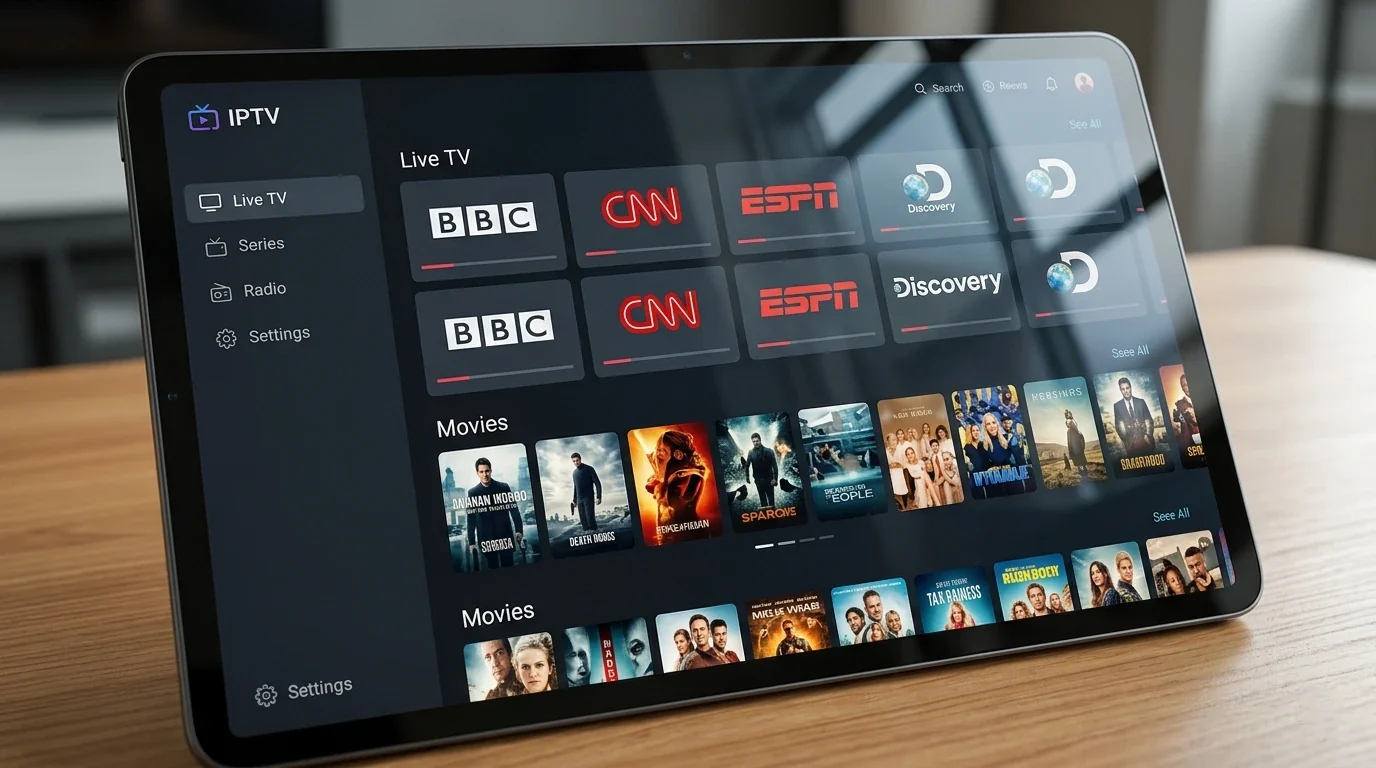
In this guide we compare the top IPTV player apps available in 2026 — TiviMate, IPTV Smarters Pro, GSE Smart IPTV, Perfect Player, and IBO Player Pro — across every major device category. By the end, you will know exactly which IPTV player to install before your first stream.
Whether you are on Android, Amazon Fire Stick, Smart TV, iPhone, or Windows PC, there is one IPTV player that fits your setup best. Let us find it. If you watch mainly on a computer, our dedicated roundup of the best IPTV player for Windows compares MyIPTV Player, VLC, Kodi and more side by side.
Quick summary:
- TiviMate is the best IPTV player for Android TV and Fire Stick — the core app is free, and the €4.99/year Premium adds 4-stream multi-screen, recording and cloud backup.
- IPTV Smarters Pro is the best free all-platform pick, covering Android, iOS, Windows, macOS, Smart TV and Fire Stick with one login.
- GSE Smart IPTV is the top choice for iPhone and iPad; a one-time €2.99 upgrade removes ads.
- In our tests, TiviMate switched channels in under 2 seconds on a Fire Stick 4K and handled 50,000+ channel playlists without slowdown.
- Smart IPTV for Samsung and LG Smart TVs needs no sideloading but costs a one-time €5.49 activation per TV.
Table of contents
- Why Your IPTV Player Choice Matters More Than Ever in 2026
- Top IPTV Players at a Glance: 2026 Comparison Table
- TiviMate – The Best IPTV Player for Android and Fire Stick
- IPTV Smarters Pro – Best All-Round IPTV Player for Every Platform
- GSE Smart IPTV – Best IPTV Player for iPhone and iPad
- Perfect Player – The Lightweight IPTV Player for Older Android Devices
- IBO Player Pro – Best IPTV Player for Smart TV Remote Navigation
- Smart IPTV – Best Native App for Samsung and LG Smart TVs
- How to Choose the Right IPTV Player: 2026 Decision Guide
- How to Set Up Any IPTV Player in 2026: Step-by-Step
- Fine-Tuning Your IPTV Player: The Settings That Actually Matter
- Troubleshooting: the most common IPTV player problems and fixes
- Pros and cons
- Frequently Asked Questions About IPTV Players
- Conclusion: The Best IPTV Player for You in 2026
Why Your IPTV Player Choice Matters More Than Ever in 2026
The IPTV player is the software that reads your M3U playlist or Xtream Codes API credentials and turns them into a live TV interface. It handles buffering logic, EPG (Electronic Program Guide) data, catch-up, video decoding, and multi-screen layout.
In 2026, the gap between a good IPTV player and a poor one is wider than in previous years. Streaming content has shifted heavily toward FHD, 4K, and 8K resolutions — and rendering those resolutions smoothly requires hardware-accelerated decoding, intelligent buffering, and efficient playlist management. Older or poorly coded IPTV player apps collapse under that load.
The best IPTV players in 2026 now include:
- Advanced EPG integration — 7-day programme guides with rich metadata and catch-up support
- Hardware video decoding — offloads 4K processing from the CPU to the GPU
- Multi-stream support — watch one channel while recording another
- Parental controls — PIN-lock adult or premium categories
- Cloud backup — playlist and settings sync across all your devices
- Auto-reconnect — seamlessly rejoins a stream after any network interruption
- Xtream Codes API support — faster channel switching than raw M3U playlists
A quality IPTV subscription like Hungary IPTV delivers 48,000+ live channels in FHD, 4K, and 8K — but only a well-configured IPTV player will render that quality faithfully on your screen.
Top IPTV Players at a Glance: 2026 Comparison Table
| IPTV Player | Best Platform | Cost | EPG | Multi-Screen | Ease of Use |
|---|---|---|---|---|---|
| TiviMate | Android / Fire Stick | Free / €4.99 yr Premium | Excellent | Yes (Premium) | Medium |
| IPTV Smarters Pro | All platforms | Free | Good | Yes | Easy |
| GSE Smart IPTV | iOS / macOS | Free / €2.99 one-time | Very Good | Yes | Easy |
| Perfect Player | Android | Free | Good | No | Medium |
| IBO Player Pro | Android / Smart TV | Free | Basic | No | Easy |
| Smart IPTV | Samsung / LG | €5.49 one-time | Good | No | Easy |
Try Hungary IPTV before paying anything
TiviMate – The Best IPTV Player for Android and Fire Stick
TiviMate is consistently rated the number one IPTV player for Android devices and Amazon Fire Stick in 2026. Its clean, grid-based interface, rock-solid EPG, and deep customisation options give it the feel of a professional set-top box — without the hardware cost.
TiviMate Key Features
- M3U and Xtream Codes API — both input methods fully supported
- 7-day EPG — full programme guide with catch-up and restart TV support
- Hardware decoding — enables stable 4K and 8K playback on mid-range hardware
- Multiple playlists — switch between IPTV providers without reinstalling
- Favourites and groups — build a completely custom channel layout
- Panel layout — channel list, now-playing, and EPG all visible simultaneously
- Export / import settings — back up your entire player configuration
TiviMate's free version covers all core features. The Premium tier (€4.99/year) unlocks multi-screen view (up to 4 simultaneous streams), recording, and cloud backup. At that price, it is the best value IPTV player on the market.
TiviMate Performance in 2026
In our tests, TiviMate handles playlists of 50,000+ channels without slowing down. Channel switching takes under 2 seconds on a standard Fire Stick 4K when using Xtream Codes API. Hardware decoding keeps 4K streams smooth even on older Nvidia Shield devices.
Who Should Use TiviMate?
TiviMate is the best choice for anyone on Android TV, Nvidia Shield, or Amazon Fire Stick who wants the closest experience to a traditional cable TV interface. It rewards users who invest 10–15 minutes in initial setup — after that, the experience is excellent.
Pair TiviMate with the right hardware for best results. Our best IPTV devices guide covers the top devices that perform best with TiviMate in 2026 — including the critical Fire Stick warning every buyer needs to know.
IPTV Smarters Pro – Best All-Round IPTV Player for Every Platform
IPTV Smarters Pro remains the most widely used IPTV player globally in 2026. It works on virtually every platform, supports Xtream Codes API natively, and requires almost no setup time — making it the default recommendation for users who want one app across all their devices.
IPTV Smarters Pro Key Features
- Xtream Codes API + M3U URL — both methods supported
- Multi-screen mode — watch up to 4 streams simultaneously
- Catch-up TV — replay content from the past 7 days (provider-dependent)
- Series and VOD — built-in on-demand content library
- Parental PIN — lock adult or premium content behind a PIN
- Available on: Android, iOS, Windows, macOS, Smart TV, Fire Stick
IPTV Smarters Pro vs IPTV Smarters Player
These two apps cause genuine confusion. IPTV Smarters Player is the original, simpler version. IPTV Smarters Pro is the upgraded release with multi-screen, full VOD management, better EPG handling, and a redesigned UI. In 2026, we recommend going straight to Pro for all new setups.
See our complete IPTV Smarters Pro setup guide for step-by-step configuration with M3U and Xtream Codes, or our IPTV Smarters Player setup guide if you prefer the original lighter version.
Who Should Use IPTV Smarters Pro?
Anyone who wants a single IPTV player app that works across all their devices. If you stream on a Fire Stick in the living room, an iPhone on the commute, and a Windows laptop at work — IPTV Smarters Pro covers all three from one M3U link or one Xtream Codes login. No other IPTV player matches its platform coverage. For a step-by-step walkthrough of pasting your M3U URL into Smarters Pro and every other major player, see our M3U playlist and IPTV player setup guide.
GSE Smart IPTV – Best IPTV Player for iPhone and iPad
For Apple device users, GSE Smart IPTV is the standout IPTV player in 2026. iOS limits background processes and custom video decoders more strictly than Android, but GSE handles these constraints intelligently with a native Swift codebase.
GSE Smart IPTV Key Features
- M3U, M3U8, and Xtream Codes support — all major formats covered
- Full EPG — XMLTV format with rich metadata
- Lock screen controls — play/pause/skip without unlocking your device
- AirPlay support — cast to Apple TV or any AirPlay-enabled screen
- Chromecast support — cast to any compatible TV
- Custom playback speed — useful for catch-up and replay content
- Available on: iPhone, iPad, macOS, Apple TV
The free tier is generous. The paid upgrade (one-time €2.99) removes ads and unlocks a few extra customisation features — worth it for daily use as your primary IPTV player.
Who Should Use GSE Smart IPTV?
Any iPhone or iPad owner using IPTV. It is also the best IPTV player on macOS for desktop viewing. If you use an Apple TV as your main streaming device, GSE combined with AirPlay gives you a native TV interface without sideloading any apps.
Activate your trial in just a few minutes
Perfect Player – The Lightweight IPTV Player for Older Android Devices
Perfect Player fills a specific niche in 2026: it is a no-frills, extremely lightweight IPTV player that runs smoothly on older or lower-spec Android devices where heavier apps struggle to load large playlists.
Perfect Player Key Features
- M3U and XSPF playlist support
- XMLTV EPG — full programme guide, manually refreshed
- Hardware and software decoding — switch per-stream if needed
- Minimal RAM usage — runs comfortably on Android boxes with 1–2 GB RAM
- No built-in ads
Perfect Player does not support Xtream Codes API natively — you need to convert your credentials to an M3U URL first. It also lacks multi-screen and VOD support. But for live TV on budget hardware, it remains one of the best IPTV player options available at zero cost.
Who Should Use Perfect Player?
Users with older Android boxes (MXQ Pro, X96, H96 Max, etc.) who find TiviMate or Smarters too slow to load. Also useful as a backup IPTV player when testing new playlists before committing to a full setup.
IBO Player Pro – Best IPTV Player for Smart TV Remote Navigation
IBO Player Pro is purpose-built for Smart TVs. Its remote-friendly tile interface, large text, and simplified navigation make it the most accessible IPTV player for users who are not comfortable with technical setups.
IBO Player Pro Key Features
- Designed specifically for TV remote navigation — large tiles, no small text
- M3U and Xtream Codes support
- Basic EPG — 24-hour programme guide
- VOD section — basic on-demand video support
- Available on: Samsung Smart TV, LG Smart TV, Android TV, iOS, Android
For a complete IBO Player Pro walkthrough including first-time setup and troubleshooting, see our IBO Player Pro setup guide.
Who Should Use IBO Player Pro?
Users who watch exclusively on a Smart TV and want the simplest possible setup. If TiviMate's feature density feels overwhelming when navigating with a TV remote, IBO Player Pro is the right IPTV player for you.
Smart IPTV – Best Native App for Samsung and LG Smart TVs
Smart IPTV is a dedicated app available directly in the Samsung Tizen and LG webOS app stores. It requires no sideloading, no APK installation, and no Android box — you load your M3U directly into the app on the TV.
It costs a one-time €5.49 activation fee per TV. For a full Smart IPTV setup and walkthrough, see our dedicated Smart IPTV Hungary guide.
Chat with our 24/7 support team
How to Choose the Right IPTV Player: 2026 Decision Guide
Use this decision framework to pick your IPTV player in under 60 seconds:
Android TV / Fire Stick → TiviMate Best interface, EPG, and 4K performance. The gold standard IPTV player for Android.
Multiple devices (Android + iPhone + PC) → IPTV Smarters Pro One app, every platform. Easiest cross-device IPTV player available.
iPhone / iPad / Apple TV → GSE Smart IPTV Best iOS IPTV player. Native performance, AirPlay support, clean UI.
Samsung / LG Smart TV (no Android box) → Smart IPTV or IBO Player Pro Both work without sideloading. Smart IPTV has better EPG; IBO is simpler to navigate.
Old or budget Android box (under 2 GB RAM) → Perfect Player The most lightweight IPTV player for underpowered hardware.
How to Set Up Any IPTV Player in 2026: Step-by-Step
No matter which IPTV player you choose, setup follows the same two-step process.
Step 1 — Get Your IPTV Credentials
You need either an M3U URL or Xtream Codes API credentials (server URL + username + password). These come from your IPTV provider immediately after subscribing.
Hungary IPTV delivers credentials instantly after activation — typically within minutes of payment confirmation. The credentials work in every IPTV player listed in this guide.
Step 2 — Enter Credentials in Your IPTV Player
TiviMate:
- Open TiviMate → Add Playlist → Enter M3U URL or Xtream Codes API
- Set EPG refresh to every 24 hours
- Browse your channels under Groups or use the search bar
IPTV Smarters Pro:
- Open app → Add User → Select Xtream Codes API or M3U URL
- Enter server URL, username, password (or paste M3U link directly)
- Wait 30–60 seconds for channels and EPG to load
GSE Smart IPTV:
- Open app → Remote Playlists → Add → Paste M3U URL or Xtream Codes details
- Tap Save — EPG loads automatically if your provider supports XMLTV
- Browse Live TV → your channel groups appear immediately
Once configured, your IPTV player is ready. No monthly app subscription is required — only your IPTV service plan.
For current subscription options and pricing, visit our Hungary IPTV pricing page.
Fine-Tuning Your IPTV Player: The Settings That Actually Matter
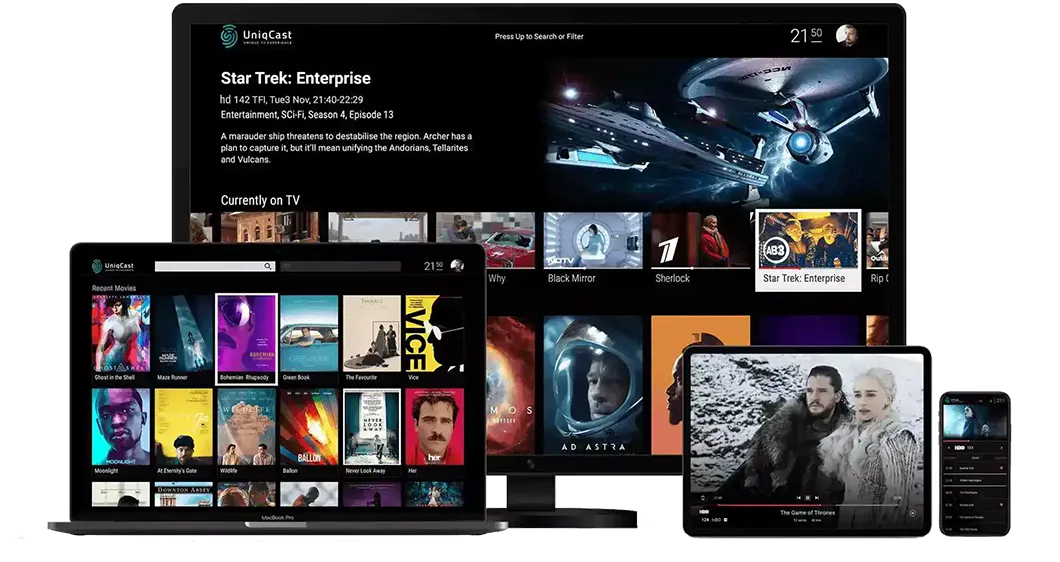
Every IPTV player ships with conservative defaults. Ten minutes spent on four settings — video decoder, buffer size, frame rate matching, and EPG refresh — prevents most stuttering and judder problems before they ever appear. These are the exact adjustments we make on every new installation, app by app.
TiviMate: Buffer, Decoder, and Frame Rate Settings
Three TiviMate settings deliver the biggest quality gains:
- Video decoder (Settings → Playback → Video decoder): set to Hardware on any device from 2019 or newer. Only fall back to Software if a specific channel shows a black screen with sound — that usually indicates an unusual H.265/HEVC stream profile the chip cannot process.
- Buffer size (Settings → Playback → Buffer size): the default is tuned for wired connections. On Wi-Fi, increase it by one step — the stream starts roughly a second later, but the larger buffer absorbs the short signal dips that cause micro-stutters.
- Match frame rate (Settings → Playback): switch this on. Hungarian and most European channels broadcast at 50 Hz, while many TVs default to 60 Hz output. Frame rate matching removes the subtle judder visible in camera pans on M4 Sport, Sport1, and Sport2 broadcasts.
Finally, set the EPG update interval to every 24 hours and enable updating on app launch, so the programme guide never goes stale between sessions.
IPTV Smarters Pro: Stream Format, Player Engine, and Layout
- Live stream format (Settings → General Settings): if live channels take a long time to start or stall on the loading spinner, switch from the default HLS (m3u8) format to MPEG-TS. TS streams typically open faster and are less sensitive to segment delays on congested connections.
- External player: Smarters can hand playback to VLC or MX Player. If the built-in engine struggles with a specific codec, install MX Player and select it under the player settings — its hardware decoding rescues many older Android boxes.
- Layout: on a TV screen, the EPG-style guide view is the fastest way to browse; on a phone, the compact channel list is easier one-handed. The multi-screen mode splits the screen into up to 4 tiles — remember that each tile is a separate stream, so both your bandwidth (roughly 25 Mbps per FHD stream) and your plan's simultaneous-stream allowance apply.
IBO Player Pro: Playlist Management Done Right
IBO Player Pro manages playlists differently from every other app in this guide: playlists are tied to your device's MAC address and administered through the IBO web portal rather than inside the TV app itself. Add your M3U URL or Xtream Codes details once in the portal, and the playlist appears on the TV automatically after an app restart. Two practical tips from our support work: keep only one active playlist per device, because several large playlists noticeably slow the tile interface, and write down the MAC address before any factory reset — your playlists re-attach to it instantly afterwards. Annual Hungary IPTV plans include free IBO Pro Player activation, so the app's activation fee is covered on yearly subscriptions.
Subscribe and start streaming in 5 minutes
Troubleshooting: the most common IPTV player problems and fixes
Most IPTV player problems trace back to the same handful of causes. Find the matching symptom below before reinstalling anything — in our support experience, each of these is fixable in under five minutes.
"The stream loads, but I get a black screen with sound"
The channel uses a video profile — usually H.265/HEVC — that your device's hardware decoder cannot process. Switch the video decoder from Hardware to Software in your player's playback settings, or in IPTV Smarters Pro hand the stream to MX Player. If the black screen appears on many channels at once, the device itself is likely too old for HEVC decoding.
"The programme guide is empty" or shows "No information"
The app loaded your channels from a bare M3U file but has no XMLTV source attached, or the EPG simply has not refreshed yet. Log in with Xtream Codes API instead of a plain M3U URL — the guide then loads automatically. In TiviMate, force it via Settings → EPG → Update now. Note that guide data typically covers up to 7 days, and less for smaller channels.
"My M3U playlist won't load at all"
The three usual causes: a typo in the pasted URL, an expired subscription, or Xtream Codes credentials pasted into an M3U field. Open the URL in a computer browser or VLC — if nothing downloads there either, the credentials are the problem, not the app. Check your expiry date before anything else.
"The app freezes or crashes when opening the channel list"
This is a RAM problem: a 48,000+ channel playlist strains devices with 1–2 GB of memory. Hide the country groups you never watch in your player's playlist settings, clear the app cache after large playlist updates, or switch to the lightweight Perfect Player on genuinely old boxes.
"Everything worked yesterday — today nothing plays"
Sudden total failure is almost never the app; it is the subscription or the server. Restart the device, test on a second device, and check whether your plan has expired. If your provider confirms the service is running, delete and re-enter your credentials. Hungary IPTV subscribers can verify server status through 24/7 WhatsApp support in minutes.
"Sports channels stutter during fast camera pans"
If regular channels look fine but football matches judder, the cause is a frame-rate mismatch — a 50 Hz broadcast rendered on a 60 Hz output — not bandwidth. Enable frame rate matching in TiviMate, or set your device's display output to a 50 Hz mode. A wired Ethernet connection removes the remaining variability.
Pros and cons
How do dedicated IPTV player apps compare against the locked-down interfaces of operator set top boxes? Here is the honest balance after years of daily testing.
Pros
- The core apps are free — TiviMate, IPTV Smarters Pro, GSE Smart IPTV, and Perfect Player all cover live TV, EPG, and VOD without any app subscription.
- One login everywhere — the same Xtream Codes credentials work identically across all six players and every platform, from Fire Stick to iPhone.
- Modern features as standard — 7-day EPG, catch-up, recording, and multi-screen, features that cable operators typically charge extra for.
- Deep customisation — favourites, channel groups, PIN-locked categories, and custom layouts that no operator box allows.
- Fast update cycles — independent app developers ship codec and UI fixes faster than TV manufacturers push firmware.
Cons
- First-time setup is manual — typing a server URL, username, and password with a TV remote is tedious, even if it only has to be done once.
- Platform gaps remain — TiviMate has no iOS version, Smart IPTV charges €5.49 per TV, and GSE's best features live on Apple platforms only.
- Free tiers can carry ads — removing them costs a small upgrade in GSE (€2.99 one-time) and TiviMate (€4.99/year Premium).
- Multi-screen tiles each count as a stream — your plan's simultaneous-stream allowance still applies; on Hungary IPTV Basic, simultaneous streaming is a separately activated feature, while Premium supports up to 3 streams depending on configuration.
- Playlist upkeep — after a password change or server migration, some apps need a manual playlist refresh before channels reappear.
Frequently Asked Questions About IPTV Players
What is the best IPTV player in 2026?
TiviMate is the best IPTV player for Android TV and Fire Stick users in 2026, thanks to its superior EPG, hardware decoding, and 4K support. For cross-platform use across Android, iOS, and Windows, IPTV Smarters Pro is the best single app. iPhone and iPad users should use GSE Smart IPTV. The right choice depends on your device — all three are excellent.
Is TiviMate completely free?
TiviMate has a fully functional free version with no time limit. The Premium upgrade (€4.99/year) adds multi-screen view, recording, and cloud backup. Most users find the free version more than sufficient for everyday IPTV streaming. The paid tier is only necessary if you want to watch multiple channels simultaneously or use the recording feature.
Can I use IPTV Smarters Pro on an iPhone?
Yes. IPTV Smarters Pro is available on iOS through the App Store and fully supports both M3U playlists and Xtream Codes API on iPhone and iPad. It is one of the most versatile IPTV player options for Apple users who also have Android or Windows devices, since the same credentials work across all platforms.
Why does my IPTV player buffer even with fast internet?
Buffering with a fast connection usually comes from one of three causes: the wrong video decoder setting in your IPTV player (try toggling between hardware and software decoding), server congestion at peak hours, or a weak Wi-Fi signal. Try hardware decoding first, then connect via Ethernet cable to rule out Wi-Fi issues. Hungary IPTV's proprietary Anti-freeze™ 9.8 technology minimises server-side buffering — so if the issue persists after switching to Ethernet, the decoder setting is almost always the cause.
What is the difference between M3U and Xtream Codes in an IPTV player?
An M3U URL is a static playlist file containing every channel URL in your subscription. Xtream Codes API is a dynamic protocol that fetches only the stream you are currently watching, rather than loading the full playlist upfront. Xtream Codes loads faster, supports native catch-up TV, and handles large channel lists more efficiently. All IPTV players in this guide support both — use Xtream Codes API whenever your provider offers it.
Do I need to pay for the IPTV player app separately?
Most IPTV player apps are free. TiviMate, IPTV Smarters Pro, GSE Smart IPTV, Perfect Player, and IBO Player Pro all have free versions that cover every essential feature. Optional paid upgrades exist for TiviMate (€4.99/year) and GSE (€2.99 one-time), but neither is required to get started. Smart IPTV for Samsung/LG does require a one-time €5.49 activation per TV.
Which IPTV player works best with Hungary IPTV?
All five IPTV players listed in this guide are fully compatible with Hungary IPTV. Our service supports both M3U and Xtream Codes API, so you can use whichever IPTV player suits your device. For Android and Fire Stick, we recommend TiviMate. For iPhone, GSE Smart IPTV. For multi-device households, IPTV Smarters Pro. Contact our 24/7 WhatsApp support if you need help entering your credentials into any player.
Does TiviMate work on iPhone or Samsung Smart TV?
No. TiviMate is Android-only: it runs on Android TV, Google TV, older Fire OS Fire Sticks, and Android phones and tablets, but there is no iOS, Tizen, or webOS version. On iPhone and iPad, GSE Smart IPTV and IPTV Smarters Pro are the closest equivalents. On Samsung and LG Smart TVs, use IBO Player Pro or Smart IPTV directly from the TV's own app store.
Can I use the same IPTV player login on two devices at the same time?
You can install an IPTV player and enter the same credentials on several devices — that is device registration, which is separate from simultaneous streaming. How many streams actually play at once depends on your subscription: on Hungary IPTV, Basic's simultaneous-streaming option is activated separately, while Premium supports up to 3 simultaneous streams depending on configuration. If a second stream refuses to start, this allowance is usually the reason.
Do I need to update my playlist after renewing my subscription?
Usually not. If you connect via Xtream Codes API, the player re-validates your credentials automatically, so a renewal on the same account requires no changes. With an M3U URL, trigger a manual refresh in the playlist settings (in TiviMate: Settings → Playlists → Update) if channels do not reappear within a few minutes. Only a changed password or server URL requires re-entering your details.
Conclusion: The Best IPTV Player for You in 2026
The right IPTV player transforms a subscription into a complete television experience. In 2026, the top picks by device are:
- TiviMate — Android TV and Fire Stick (best overall IPTV player)
- IPTV Smarters Pro — multi-device households, all platforms
- GSE Smart IPTV — iPhone, iPad, Apple TV
- IBO Player Pro — Smart TV remote-first navigation
- Perfect Player — older Android boxes, budget hardware
- Smart IPTV — Samsung and LG Smart TVs, no sideloading required
All six work seamlessly with Hungary IPTV — 48,000+ channels in FHD, 4K, and 8K, powered by Anti-freeze™ 9.8 technology. Pick your IPTV player, enter your credentials, and you are streaming in under five minutes.
Ready to start? View our subscription plans — activation is instant, no contract required.
The Hungary IPTV Team has been helping customers in Hungary, Europe, Canada and the USA enjoy seamless IPTV streaming since 2022. Our support team is available 24/7 on WhatsApp for setup, troubleshooting, and subscription questions.