Best Devices for IPTV Streaming in 2025 — Complete Buyer's Guide
Best devices for IPTV streaming compared: Fire Stick 4K (~€50), Nvidia Shield Pro, Android TV boxes, Smart TVs and phones — plus the best app for each.
The device you use to watch IPTV makes a real difference. Not just in picture quality, but in how smooth your streams run, how easy the interface is to navigate, and how reliably the service performs over time. A fast IPTV subscription paired with a slow, outdated device is a frustrating experience. A great device paired with a quality service is genuinely excellent.
This guide covers every major device category for IPTV streaming — from budget Fire Sticks to premium Android TV boxes, Smart TVs, phones and computers — so you can choose exactly what suits your setup and spending limit.
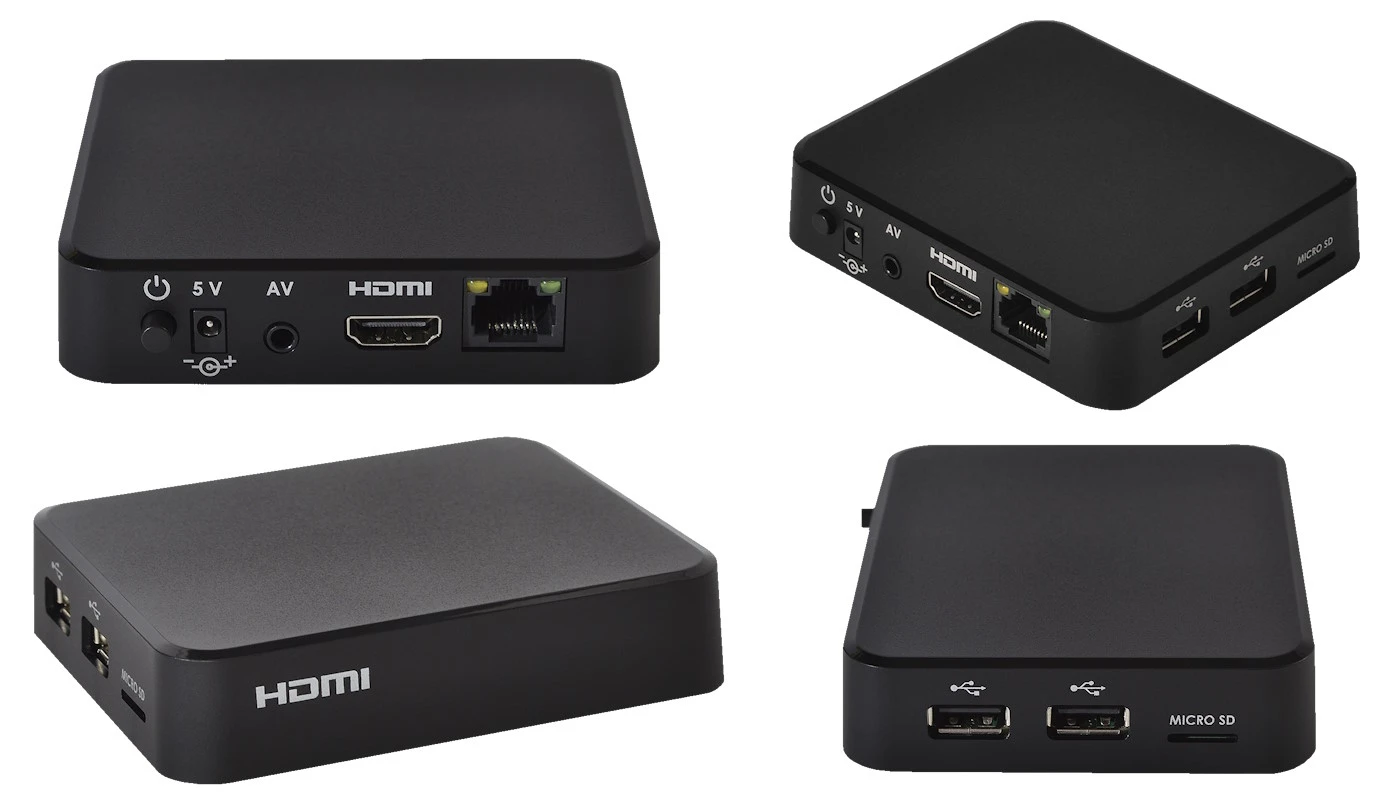
Quick summary:
- The Fire Stick 4K (~€50) is the best all-round IPTV device for most users — it handles 4K HDR streams and sets up in about 10 minutes.
- The Nvidia Shield Pro (~€190) paired with TiviMate delivers the best possible IPTV experience on Android TV.
- Samsung (Tizen) and LG (webOS) Smart TVs from 2018 onwards run the Smart IPTV (SIPTV) app with no extra hardware.
- You need at least 10 Mbps for FHD and 25 Mbps for 4K IPTV — wired ethernet always beats Wi-Fi for stability.
- Phones and computers work too: IPTV Smarters on Android/iOS, VLC or Kodi on Windows and Mac.
Table of contents
- Why Device Choice Matters for IPTV
- Amazon Fire Stick — Best Budget Option
- Android TV Boxes — Best Overall Performance
- Smart TVs — No Extra Device Required
- Amazon Fire TV Cube — Best for Hands-Free Control
- Apple TV 4K — Best for the Apple Ecosystem
- Formuler and MAG Boxes — Dedicated IPTV Set-Top Boxes
- Phones and Tablets — Watch Anywhere
- Computers — Browser and Desktop Apps
- IPTV Device Comparison — Quick Reference
- How to Choose the Right Device for You
- Internet Connection Tips for Any Device
- Troubleshooting: the most common IPTV device problems and fixes
- Pros and cons
- Frequently Asked Questions
- Getting Started
Why Device Choice Matters for IPTV
IPTV streams live video data over your internet connection in real time. The device processing and displaying that stream needs enough processing power, memory, and a good network adapter to handle the workload without dropping frames or buffering.
Cheaper, older devices often struggle with:
- High-bitrate 4K streams (require significant decoding power)
- Loading large channel lists quickly
- Running multiple IPTV app features simultaneously (EPG, recording, favourites)
- Maintaining stable Wi-Fi connections at longer distances from the router
Spending slightly more on the right device saves significant frustration. Below is a category-by-category breakdown of the best options available in Hungary in 2025.
Amazon Fire Stick — Best Budget Option
The Amazon Fire Stick is the most popular IPTV device in the world for good reason: it is affordable, easy to use, and performs excellently for IPTV streaming.
You plug it into your TV's HDMI port, connect to Wi-Fi, install an IPTV app from the Amazon Appstore, enter your credentials, and you're watching live TV in minutes. The setup is identical to any other streaming app — there is almost no learning curve.
Models available in 2025:
| Model | Resolution | Price (approx.) | Best For |
|---|---|---|---|
| Fire Stick Lite | 1080p FHD | ~€30 | Budget option, second TV |
| Fire Stick 4K | 4K Ultra HD | ~€50 | Main TV, most users |
| Fire Stick 4K Max | 4K Ultra HD | ~€60 | Best performance, Wi-Fi 6 |
| Fire TV Cube | 4K Ultra HD | ~€120 | Power users, hands-free |
For most people, the Fire Stick 4K is the right choice. It handles 4K IPTV streams smoothly, supports HDR and Dolby Atmos, and the price is reasonable. However, new Fire Stick units shipped from late 2025 run Amazon's Vega OS which blocks IPTV app sideloading — see our IPTV Smarters Pro setup guide for the full details before buying.
A few practical details from our own testing: the Fire Stick 4K runs Fire OS 7 (based on Android 9), while the second-generation 4K Max runs Fire OS 8 with Wi-Fi 6E support and 16 GB of storage — double the 8 GB of earlier sticks, which matters once you install two or three IPTV apps plus a cached EPG. Channel switching in IPTV Smarters takes roughly 1–2 seconds on the 4K and 4K Max, versus 3–4 seconds on the older Fire Stick Lite. None of the sticks include an ethernet port, but Amazon's official ethernet adapter (~€15) plugs into the power connector and gives you a wired link — a worthwhile upgrade if your 4K streams stutter on busy evening Wi-Fi.
Best IPTV apps for Fire Stick:
- IPTV Smarters (available directly from Amazon Appstore)
- TiviMate (sideloading required — worth the small extra effort)
- GSE Smart IPTV
To learn how to configure IPTV on your Fire Stick, see our getting started with IPTV guide.
Try Hungary IPTV before paying anything
Android TV Boxes — Best Overall Performance
Android TV boxes run Google's Android TV operating system, giving you full access to the Google Play Store and the best IPTV apps available. This platform has the widest app selection and the most flexible setup options of any IPTV device.
Top Android TV boxes in 2025:
Nvidia Shield Pro — Premium Choice
The Nvidia Shield Pro is widely considered the best Android TV device available. It uses the same Tegra X1+ chip found in the Nintendo Switch, giving it exceptional processing power for 4K IPTV streams, Plex media server functionality, and AI upscaling. It is expensive (~€180–200), but if you want the absolute best IPTV experience, this is it.
Mecool KM7 Plus — Best Mid-Range
A strong mid-range option running certified Android TV. It handles 4K streams without issues, includes Netflix certification (important for quality HDR streams), and costs around €60–70.
Chromecast with Google TV — Best Compact Option
Google's own compact streaming dongle runs Google TV (built on Android TV) and costs approximately €70. It is small, easy to set up, and handles 4K streams well. The interface is excellent for discovery, though the remote is less ideal for IPTV channel browsing than a full-sized remote.
Best IPTV apps for Android TV:
- TiviMate — the gold standard for IPTV on Android TV. Beautiful interface, outstanding EPG, smooth performance
- IPTV Smarters Pro — powerful, feature-rich, slightly steeper learning curve
- IBO Player Pro — simpler, great for beginners
See our IBO Player Pro setup guide for detailed installation instructions.
Not sure which IPTV player to install on your device? Our best IPTV player guide for 2026 compares TiviMate, IPTV Smarters Pro, GSE Smart IPTV, and more — with a per-device recommendation.
Smart TVs — No Extra Device Required
Short answer: Samsung TVs from 2019 onwards (Tizen 5.0+) and LG TVs from 2018 onwards (webOS 4.0+) run IPTV apps smoothly with no extra hardware. Sony and Philips sets with built-in Android TV are even better placed, because they install TiviMate and IPTV Smarters Pro straight from Google Play.
Many modern Smart TVs can run IPTV apps directly without any additional hardware. Whether this works well depends on the TV's operating system and available apps. Our dedicated guide to running IPTV on a Smart TV walks through the setup brand by brand.
Samsung Smart TVs (Tizen OS)
Samsung Smart TVs running Tizen OS have access to the Samsung App Store, where you can find the Smart IPTV (SIPTV) app. This is one of the most popular IPTV apps in Europe and works smoothly on Samsung TVs.
Newer Samsung models (2020+) have better app support and more memory for smoother IPTV performance. Older models still work but may feel slightly sluggish with large channel lists.
Which Tizen generation do you have? Samsung introduced Tizen in 2015, and the generation matters more than the screen size. Tizen 2.3/2.4 (2015–2016 models) and Tizen 3.0 (2017) are now too limited for comfortable IPTV — several apps have dropped support for them entirely. Tizen 4.0 (2018) works but feels slow once a 48,000-channel playlist loads. Tizen 5.0/5.5 (2019–2020), 6.0/6.5 (2021–2022) and 7.0 onwards (2023+) all handle large channel lists and multi-day EPG data without complaint. You can check your version under Settings → Support → About This TV.
For a full Samsung IPTV setup guide, see our IPTV Smarters Pro guide.
LG Smart TVs (webOS)
LG Smart TVs running webOS have both the Smart IPTV (SIPTV) app and SS IPTV available in the LG Content Store. Both work well, and webOS is generally considered one of the smoothest Smart TV operating systems.
The same generational logic applies here: webOS 4.0 (2018) is the practical minimum for IPTV, webOS 4.5 (2019) and 5.0 (2020) are noticeably smoother, and webOS 6.0 onwards (2021+) is excellent — in our tests SS IPTV cold-starts in a few seconds and switches channels in about two. On webOS 3.5 or older, budget for a Fire Stick instead of fighting the app store.
Sony and Other Android TV Sets
Sony, Philips, and many other brands build Android TV or Google TV directly into their televisions. These give you access to the full Google Play Store, meaning you can install TiviMate, IPTV Smarters Pro, or IBO Player Pro directly on the TV — no external device needed.
When NOT to rely on a Smart TV for IPTV: Older Smart TVs (pre-2018) often have limited app stores and insufficient memory for modern IPTV apps. In these cases, adding a Fire Stick or Android box to the TV is a much better solution.
Amazon Fire TV Cube — Best for Hands-Free Control
The Amazon Fire TV Cube is Amazon's most powerful streaming device. It includes a built-in Alexa speaker, allowing completely hands-free control: you can say "play Premier League on IPTV Smarters" and it happens without touching a remote.
It handles 4K HDR streams with ease, connects via ethernet (using the included ethernet adapter), and includes a full HDMI-CEC implementation for controlling your TV and AV receiver with voice commands.
At approximately €120–130, it is significantly more expensive than a Fire Stick, but for a living room main TV setup it is hard to beat.
Activate your trial in just a few minutes
Apple TV 4K — Best for the Apple Ecosystem
The Apple TV 4K is the polished option people forget about in IPTV discussions — mostly because sideloading is impossible on tvOS. The good news: it does not matter. IPTV Smarters Pro, GSE Smart IPTV, iPlayTV and Flex IPTV are all available directly from the tvOS App Store, install in under a minute, and accept the same Xtream Codes login or M3U playlist URL as any Android app.
Hardware-wise, the current Apple TV 4K (3rd generation, 2022) runs on the A15 Bionic chip — the same silicon as the iPhone 13 — which makes it one of the fastest streaming devices ever sold. In our tests, 4K HEVC streams start in about a second and channel zapping feels instant. Two versions exist: the 64 GB Wi-Fi model (€170) and the 128 GB model (€190) that adds a Gigabit ethernet port — for IPTV, the ethernet model is the one to buy.
Where the Apple TV 4K fits best:
- You already own an iPhone or iPad — AirPlay lets you fling a stream from the phone app straight to the TV
- You want a device that keeps receiving OS updates for five years or more
- You prefer a locked-down, ad-free interface over Fire OS's promoted content rows
Where it falls short: TiviMate does not exist on tvOS, so Android TV keeps a small edge in EPG polish, and the price is triple that of a Fire Stick 4K.
Formuler and MAG Boxes — Dedicated IPTV Set-Top Boxes
Everything above is a general-purpose streamer that happens to run IPTV apps. Formuler and MAG boxes are the opposite: set-top boxes engineered specifically for IPTV, and popular across Europe for a decade.
Formuler Z11 Pro Max
The Formuler Z11 Pro Max (~€180) runs certified Android TV 11 with 4 GB RAM, 32 GB storage, Gigabit ethernet and Wi-Fi 6, and ships with MYTVOnline 3 — Formuler's own IPTV interface with a genuinely excellent EPG, catch-up integration and recording to USB. You log in once with your Xtream Codes details and the box behaves like a cable receiver: power on, land on live TV, zap with the number pad on the dedicated remote. Because it is still Android TV underneath, you can also install TiviMate, Netflix or YouTube from Google Play. For households replacing a cable subscription one-to-one, this is the most "traditional TV" experience IPTV gets.
MAG boxes (Infomir)
MAG boxes such as the MAG 540 (~€100) are Linux-based receivers that connect through a portal URL (Stalker/Ministra middleware) rather than an M3U playlist or Xtream login. They are robust and simple — one job, done well, with 4K HEVC support on current models — but the portal-based setup differs from the app-based flow described elsewhere in this guide. If you own a MAG box, message our support team on WhatsApp first so we can confirm the correct connection details for your model before you subscribe.
Bottom line: buy a Formuler if IPTV is your main way of watching TV and you want the best remote-and-EPG experience; stick with a Fire Stick or Android TV device if IPTV is one app among many.
Phones and Tablets — Watch Anywhere
Your smartphone or tablet is a perfectly valid IPTV device. Install an IPTV app, enter your subscription credentials, and you can watch live TV anywhere you have an internet connection — whether that is on the sofa, on the commute, or watching Hungarian TV abroad in another country.
Best IPTV apps for Android phones:
- IPTV Smarters (Google Play)
- GSE Smart IPTV (Google Play)
- TiviMate (Google Play, limited to Android)
Best IPTV apps for iPhone/iPad:
- IPTV Smarters (App Store)
- GSE Smart IPTV (App Store)
- nPlayer Plus (App Store, paid)
One important consideration: registering several devices is not the same as streaming on them at once. On Hungary IPTV Basic, simultaneous streaming is a separately activated feature; Premium supports up to 3 simultaneous streams depending on configuration. If you want to watch on your phone while someone else watches the main TV, ask us on WhatsApp which setup fits your household.
Computers — Browser and Desktop Apps
IPTV works perfectly well on Windows and Mac computers. Options include:
- VLC Media Player (free, open source) — open your M3U playlist URL directly in VLC
- IPTV Smarters (Windows app from Microsoft Store)
- Kodi with IPTV Simple Client addon — excellent for power users who want full EPG integration
Watching IPTV on a laptop gives you maximum portability. The laptop can also be connected to a TV via HDMI to display the stream on a larger screen.
Chat with our 24/7 support team
IPTV Device Comparison — Quick Reference
| Device | Max Quality | Price Range | IPTV App Quality | Best For |
|---|---|---|---|---|
| Fire Stick Lite | FHD | ~€30 | Good | Budget, second screen |
| Fire Stick 4K | 4K | ~€50 | Very Good | Most users |
| Fire Stick 4K Max | 4K | ~€60 | Excellent | Power users |
| Nvidia Shield Pro | 4K+ | ~€190 | Outstanding | Premium experience |
| Chromecast GTV | 4K | ~€70 | Very Good | Compact setup |
| Android TV Box (mid-range) | 4K | ~€60-80 | Excellent | Flexible setup |
| Samsung Smart TV | 4K | Built-in | Good | No extra device |
| LG Smart TV | 4K | Built-in | Good | No extra device |
| Android TV | 4K | Built-in | Excellent | Best Smart TV option |
| Apple TV 4K (128 GB) | 4K | ~€190 | Very Good | Apple households |
| Formuler Z11 Pro Max | 4K | ~€180 | Outstanding | IPTV-first setups |
| MAG 540 | 4K | ~€100 | Good | Portal-based IPTV |
| Phone/Tablet | FHD | Already owned | Good | On the go |
How to read this table: "IPTV app quality" reflects both which apps a platform can run and how smoothly they run there. Android TV scores highest because TiviMate — the most capable IPTV player — is exclusive to it; Fire OS is a close second, since the same apps arrive via the Amazon Appstore or sideloading; Tizen and webOS score "Good" because their catalogues are limited to Smart IPTV and SS IPTV, which are solid but less feature-rich. Maximum resolution assumes your bandwidth supports it: 4K needs roughly 25 Mbps sustained, FHD around 10–15 Mbps, and H.265/HEVC-encoded streams use about half the bandwidth of H.264 at the same picture quality.
How to Choose the Right Device for You
If you want the simplest setup: Get a Fire Stick 4K. It takes 10 minutes to set up, costs little, and performs well.
If you want the best possible experience: Get an Nvidia Shield Pro or a device running Android TV with TiviMate installed.
If you already have a recent Smart TV: Check if it supports IPTV apps natively. Samsung and LG TVs work well with Smart IPTV (SIPTV). Android TV sets work with TiviMate.
If you mainly watch on your phone: You already have everything you need. Install IPTV Smarters and you're ready to go.
If budget is the priority: A Fire Stick Lite or a budget Android box delivers a solid IPTV experience for minimal investment.
Internet Connection Tips for Any Device
Whatever device you choose, your internet connection quality matters more than anything else. Some tips:
- Wired ethernet over Wi-Fi whenever possible — plug in a cable if your device supports it
- 5GHz Wi-Fi over 2.4GHz — faster, less congested, lower latency
- Minimum 10 Mbps for FHD — 25 Mbps for 4K
- Router position matters — keep the router and streaming device as close as possible if using Wi-Fi
- Restart your router monthly — clears accumulated cache issues
Subscribe and start streaming in 5 minutes
Troubleshooting: the most common IPTV device problems and fixes
"The stream buffers every few seconds, but my internet is fast"
Speed tests measure your line, not the path to your device. Nine times out of ten the bottleneck is the Wi-Fi hop between the router and the streamer. Switch to ethernet (the Shield Pro, Fire TV Cube, Formuler and the 128 GB Apple TV have ports; Fire Sticks accept an ethernet adapter), or at minimum move to the 5 GHz band. If only 4K channels buffer, your sustained throughput sits below roughly 25 Mbps — try the FHD version of the same channel.
"I get sound but a black screen on some channels"
Almost always a codec/decoder mismatch: the channel streams in H.265/HEVC and the app is using a software decoder your device cannot keep up with. In IPTV Smarters or TiviMate, open Settings → Player and switch the decoder from software to hardware (or the reverse — try both). On pre-2018 Smart TVs the hardware may simply lack HEVC support, in which case an external device is the real fix.
"The app crashes or freezes on my Samsung/LG TV"
Older Tizen and webOS models run out of memory when a 48,000-channel playlist plus a multi-day EPG loads at once. Clear the app's cache, reduce EPG retention to 1–2 days, and hide channel groups you never watch. If the TV is pre-2018, a ~€50 Fire Stick 4K solves this permanently.
"Channel switching takes five seconds or more"
This is a device-power symptom, not a service problem. Budget boxes with 1 GB RAM re-buffer the whole stream on every zap. Trim your visible channel list to the groups you actually use, disable channel-preview thumbnails, and if zapping speed matters to you, the Fire Stick 4K Max, Apple TV 4K and Formuler Z11 Pro Max were the fastest devices in our tests at roughly 1–2 seconds.
"My new Fire Stick won't let me install IPTV apps"
Fire Stick units shipped from late 2025 run Amazon's new Vega OS, which blocks sideloading and removes many IPTV apps from the store. Check the box before buying: models running Fire OS still allow both Appstore installs and sideloading via the Downloader app. If you already own a Vega OS stick, IPTV Smarters may still be available; otherwise consider a Google TV dongle instead.
"The EPG is empty or shows the wrong programmes"
The programme guide comes from an XMLTV feed that is fetched separately from the channel list. Force an EPG refresh in the app settings, check that the EPG URL from your credentials is entered, and verify the time-offset setting — a wrong offset shifts every programme by exactly one or two hours.
Pros and cons
Before you spend money on hardware, here is an honest overall picture of device-based IPTV compared with a traditional cable or satellite setup.
Pros
- One cheap device unlocks every screen — a ~€50 Fire Stick 4K turns any TV with an HDMI port into a full IPTV receiver, and the same subscription also works on your phone, tablet and laptop.
- You choose your own interface — TiviMate, IPTV Smarters Pro, IBO Player Pro or the TV's native app; a cable box gives you no such choice.
- 4K and HEVC support on modern hardware — devices from 2019 onwards decode H.265 in hardware, so 4K sports channels run smoothly on a 25 Mbps line.
- No installation visit — setup is 10–15 minutes of app installs and copy-pasting credentials, not an engineer appointment.
- Portable — take a Fire Stick to a holiday apartment, plug it into the hotel TV, and your channels travel with you.
- EPG, favourites and catch-up on selected channels deliver a real TV-guide experience, not just a raw stream list.
Cons
- Your experience depends on your bandwidth — 4K genuinely needs around 25 Mbps sustained per stream; on a crowded evening Wi-Fi network even good hardware buffers.
- Activation is manual — plans are activated personally over WhatsApp rather than through an automated checkout; fast in practice, but not instant self-service.
- Simultaneous streams depend on your service — installing the app on five devices is fine, but device registration is not the same as concurrent playback: on Basic, simultaneous streaming is a separately activated feature, while Premium supports up to 3 streams depending on configuration.
- Older Smart TVs need extra hardware — pre-2018 Tizen and webOS sets cannot run modern IPTV apps well, so the "no extra device" promise only holds for newer TVs.
- Fire Stick sideloading adds friction — TiviMate on Fire OS requires the Downloader-app route, and late-2025 Vega OS sticks block it entirely.
Frequently Asked Questions
Which device is best for IPTV in Hungary in 2025?
The Amazon Fire Stick 4K is the best all-round choice for most users — affordable, widely available in Hungary, and performs excellently with IPTV apps like IPTV Smarters. For the best possible experience, the Nvidia Shield Pro or a certified Android TV box with TiviMate is unmatched.
Can I use my existing Smart TV for IPTV?
Yes, if your Smart TV is from 2018 or newer. Samsung and LG TVs support the Smart IPTV (SIPTV) app. Sony and Philips Android TV models support TiviMate and IPTV Smarters Pro directly from Google Play. Older models may need a Fire Stick or Android TV box added.
Do I need a special IPTV box or can I use a Fire Stick?
A Fire Stick works perfectly for IPTV — no special IPTV box required. The Fire Stick 4K handles all stream qualities up to 4K HDR and supports all major IPTV apps. A dedicated Android TV box offers more flexibility but is not necessary for most users.
How much internet speed do I need for 4K IPTV on any device?
For 4K IPTV streams, a minimum of 25 Mbps is recommended. For FHD (1080p), 10–15 Mbps is sufficient. A wired ethernet connection is always more reliable than Wi-Fi regardless of the device.
Can I use IPTV on a phone when travelling?
Yes. Your IPTV subscription works on any device and any internet connection worldwide. Install the IPTV Smarters app on your phone, log in with your credentials, and you can watch Hungarian channels from anywhere — UK, Germany, Canada, USA, or any other country.
Is the Apple TV 4K good for IPTV?
Yes — although tvOS blocks sideloading, IPTV Smarters Pro, GSE Smart IPTV and iPlayTV install directly from the App Store and accept standard Xtream Codes or M3U credentials. The A15 chip makes it one of the fastest IPTV devices available. Buy the 128 GB model if possible: it is the only version with an ethernet port.
Are Formuler or MAG boxes better than a Fire Stick for IPTV?
For IPTV-first households, yes. A Formuler Z11 Pro Max boots straight into live TV with a cable-style remote, number-pad zapping and MYTVOnline 3's excellent EPG. A Fire Stick remains the better all-rounder at a third of the price. MAG boxes use portal-based logins rather than M3U or Xtream credentials, so check compatibility with our support team before buying one.
How much RAM should an IPTV device have?
Treat 2 GB as the practical minimum for a smooth experience with a large channel list and multi-day EPG data. Devices with 3–4 GB, such as the Nvidia Shield Pro and Formuler Z11 Pro Max, keep the guide, favourites and channel previews responsive at the same time. 1 GB devices like the Fire Stick Lite work, but expect slower zapping and occasional app reloads.
Getting Started
Once you have your device sorted, getting started with IPTV is straightforward. See our full IPTV beginner's setup guide for step-by-step instructions on installing apps and entering your subscription credentials.
Ready to choose a plan? View our IPTV Hungary subscription options — we offer monthly, 3-month, 6-month and yearly plans, all including 48,000+ channels, 4K quality, and 24/7 WhatsApp support. Most subscribers are watching live TV within 10 minutes of contacting us.
For more on the technology behind IPTV streaming devices, see the Android TV overview on Wikipedia.
About the author: The Hungary IPTV Team has been helping customers across Hungary, Europe, Canada and the USA enjoy seamless IPTV streaming since 2022. Our support team is available 24/7 via WhatsApp to help with device setup, app configuration, and any questions about your subscription.