M4 Sport Online TV: How to Watch Hungarian Sport 2026
M4 Sport online live in 2026: free Mediaklikk, official M4 Sport app, Smart TV and IPTV options from €18/month. Full NB I, F1 and national team coverage.
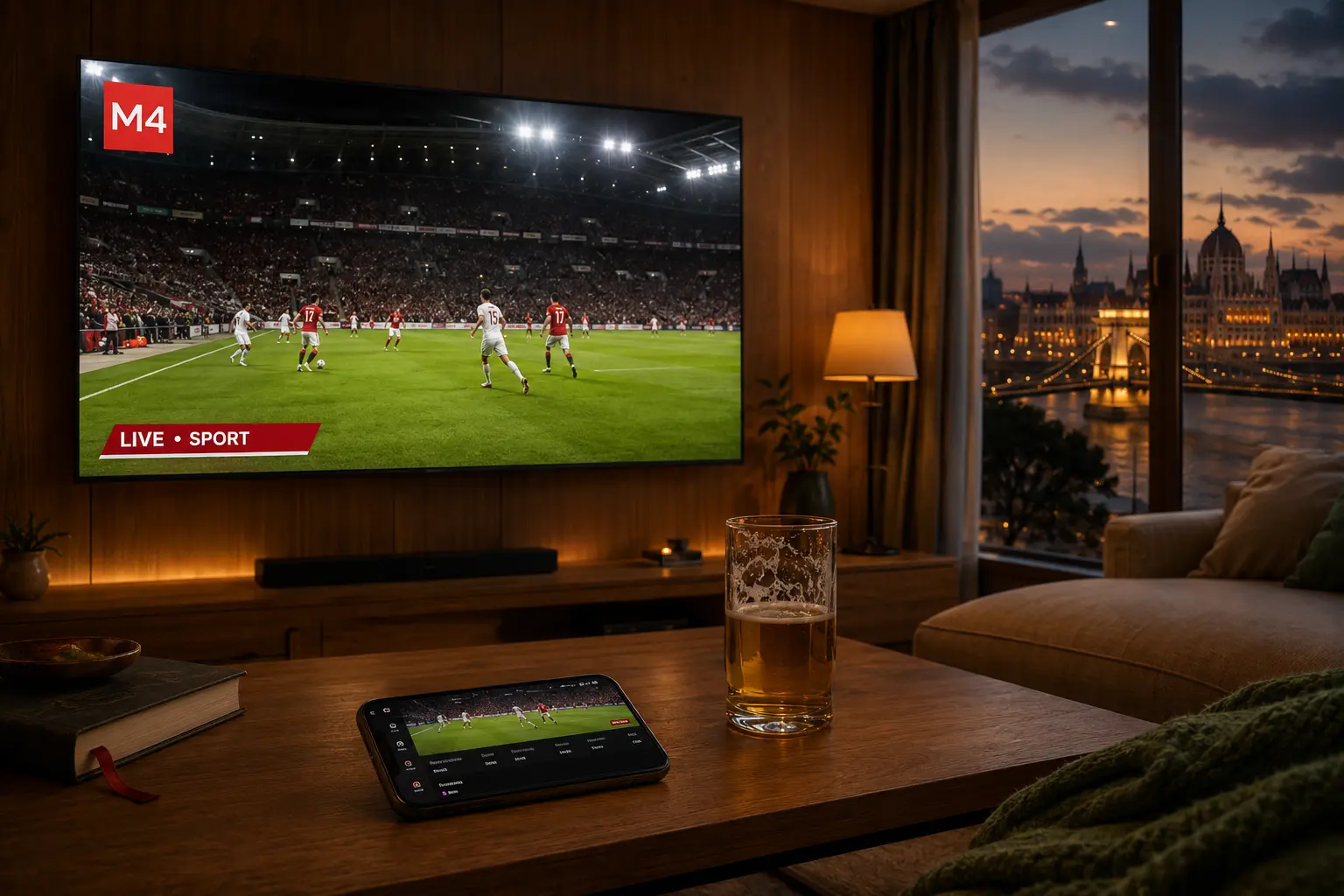
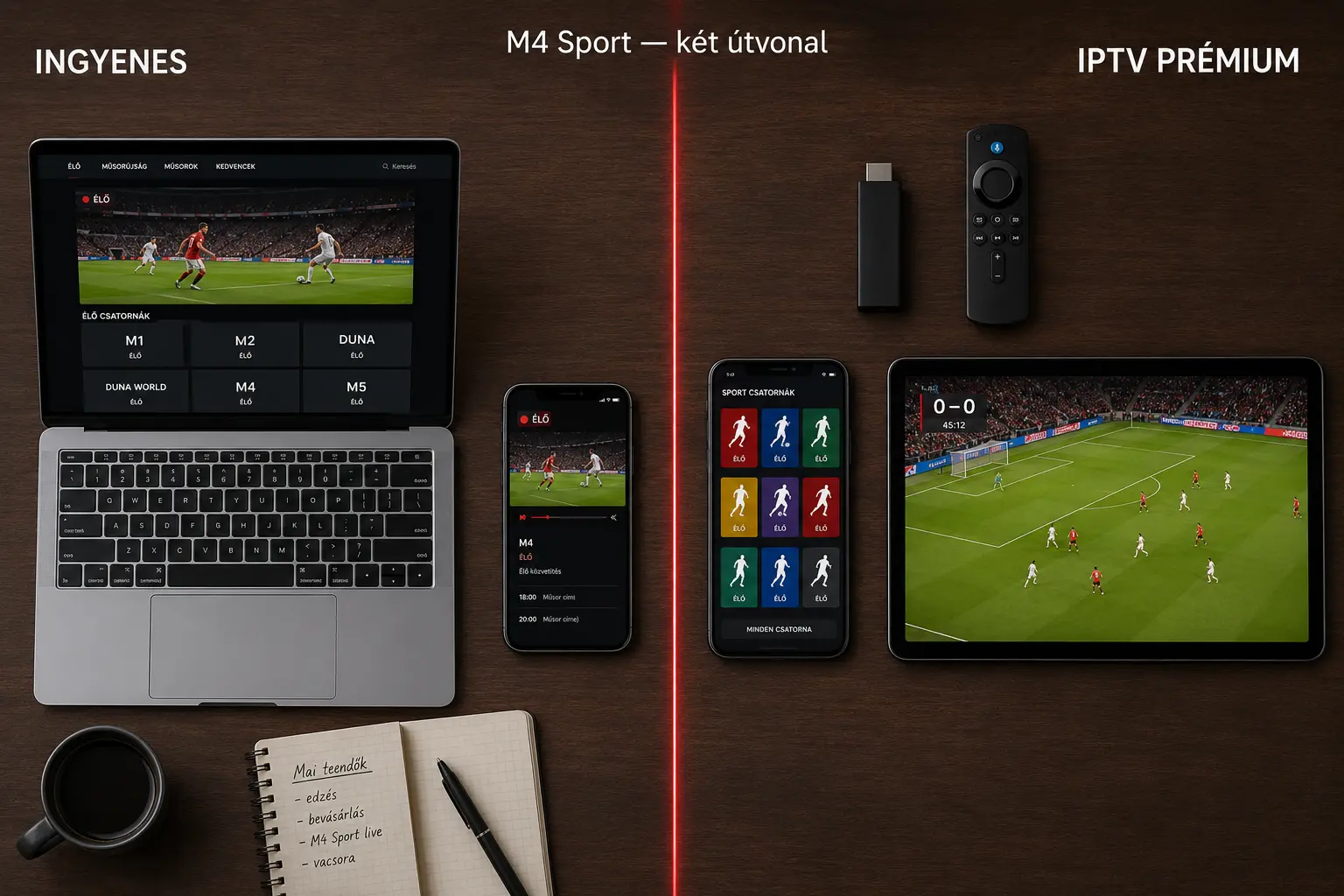
You can watch M4 Sport online live in 2026 via two main routes: free on Mediaklikk (mediaklikk.hu) and the official M4 Sport mobile app from a Hungarian IP address, or with no geo-restriction and in full 4K UHD via an independent Hungarian IPTV subscription from 6,990 Ft/month (~€18). M4 Sport is Hungary's flagship public sports channel, operated by MTVA — it carries the NB I (OTP Bank Liga), the Magyar Kupa, the Hungarian national football team, the Hungarian Grand Prix on the Hungaroring, the EHF Champions League, and the Olympic Games. The guide below shows you how to set it up in 5 minutes on Smart TV, mobile, Fire TV Stick, Apple TV or a browser, and what to do if the stream buffers or hits a geo-block from abroad.
Updated: August 14, 2026 — Author: Hungary IPTV Team
Quick summary:
- M4 Sport is Hungary's flagship public sports channel, run by MTVA, free to watch inside Hungary
- Free access: Mediaklikk (mediaklikk.hu) in any browser + official M4 Sport Android / iOS app — from a Hungarian IP, with ads
- Smart TV: Tizen (Samsung) and webOS (LG) devices can run Mediaklikk in the built-in browser or via an IPTV app
- From abroad (Munich, Vienna, London, Toronto): only EU portability for 30 days/year on the free routes — then geo-blocked; independent IPTV with no limit
- Hungary IPTV: M4 Sport + M4 Sport+ + 50,000+ channels in 4K UHD from 6,990 Ft (~€18)/month, no contract, 24/7 English + Hungarian WhatsApp support
Table of contents
- What M4 Sport online TV means — definition and background
- Why M4 Sport is worth watching live in 2026
- How to set it up in 5 minutes — Smart TV, mobile, Fire TV, browser
- Comparison table: Mediaklikk vs. M4 Sport app vs. IPTV
- Troubleshooting: buffering, geo-block, EPG errors
- Pros and cons — free routes vs. IPTV
- Frequently asked questions
- Conclusion: which route is right for you?
Try Hungary IPTV before paying anything
What M4 Sport online TV means — definition and background
M4 Sport online TV refers to live, internet-delivered streaming of Hungary's public sports channel, M4 Sport, run by MTVA (Médiaszolgáltatás-támogató és Vagyonkezelő Alap) — the same Hungarian public-media body behind M1, M2, M3, M5, Duna TV, Duna World and Kossuth Radio. M4 Sport launched on July 18, 2015, with a clear mandate: free, ad-light public access to domestic and international sports coverage for Hungarian audiences. In 2022, MTVA added M4 Sport+, a secondary sports channel that runs parallel coverage when the schedule overlaps — NB I + Magyar Kupa + EHF Champions League + Olympics in the same weekend.
The word "online" here means you don't need a satellite dish, terrestrial DVB-T2 antenna or cable subscription. The channel is delivered as an internet data stream (HLS, M3U8 protocol). In 2026 you can reach it three ways: through the official Mediaklikk website in any browser (free, with rolling ads), via the M4 Sport official app on Google Play and the Apple App Store (free, designed for a Hungarian IP), or through an independent IPTV subscription that bundles M4 Sport alongside 50,000+ other channels — often in 4K UHD with HDR10 and the H.265/HEVC codec.
The search intent behind "m4 online tv" is navigational: people typing it aren't asking what M4 Sport is — they want to know where to go right now to watch it. So that's exactly what this guide does: it walks through the working free routes, the official app, the Smart TV setup, and the IPTV alternative — none of the dead 2018-era links you find in many older articles. The most current Hungarian IPTV services ship M4 Sport in their base package; Mediaklikk migrated to a new CDN in mid-2024 which gives noticeably more stable 1080p streams than the old infrastructure.
Why M4 Sport is worth watching live in 2026
M4 Sport is the only single source of Hungarian-language sports coverage that is free, public-service and full-spectrum — NB I through to the Olympics, the Hungarian Grand Prix through to the women's handball EHF Champions League. Because MTVA holds public-media status, there's no subscription fee, no ad break inside the live match action (only at half-time), and the commentary is in Hungarian by Hungarian pundits. No commercial Hungarian streamer (RTL+, TV2 Play) can match that breadth.
What's on M4 Sport in 2026
For the 2025/2026 season, M4 Sport and M4 Sport+ cover:
- Hungarian football: every NB I (OTP Bank Liga) matchday — Ferencváros, Paks, Puskás Akadémia, Debrecen, Diósgyőr, Újpest, MTK, Kecskemét, Fehérvár, ETO Győr, Nyíregyháza, Kazincbarcika — either live or via highlight package. The full Magyar Kupa from early rounds, with the final live every year (May 22 in 2026). If you want to go beyond M4 Sport, our guide to watching live football online covers the international leagues too.
- National teams: UEFA Nations League fixtures of Marco Rossi's men's side, women's European and World qualifiers, U21 internationals
- International football: selected UEFA Champions League, Europa League and Conference League matches on weekly rotation, plus the cup finals
- Formula 1: full season including the Hungarian Grand Prix at the Hungaroring on August 2, plus Monaco, Italy, the British GP — all live with Hungarian commentary
- Handball: men's and women's EHF Champions League, MOL Liga, NB I men's handball, World and European championships
- Water polo: Magyar Kupa, European Championship coverage where Hungary's national side competes
- Athletics: Diamond League, European Championships, the Olympics (Milano-Cortina 2026 winter, Los Angeles 2028 summer)
- Other: swimming, tennis (Roland Garros and Wimbledon highlights), motorsport (MotoGP), gymnastics, major chess tournaments
What that looks like in hours per week
| Content | Weekly hours on M4 Sport | Live broadcasts / week |
|---|---|---|
| NB I football | ~12 hours | 5–6 matches |
| Magyar Kupa, EHF, Champions League | ~8 hours | 3–4 matches |
| Formula 1 (in season) | ~6 hours | 1 race weekend |
| Olympics / World Champs / Euros | ~25–40 hours | 10+ events |
| Magazine / news shows | ~10 hours | continuous |
No other free Hungarian platform comes close to this breadth. The Hungarian IPTV providers carry the same channel in 4K, plus the full Sport1, Sport2, Eurosport, Spíler TV and Arena 4 lineup — all inside one paid subscription, no minimum term.
Unlike many older guides
Older blog posts often claim you need a set-top box or a DVB-T2 antenna to watch M4 Sport on a Smart TV. That's no longer true in 2026: Tizen 5.0+ (Samsung) and webOS 4.0+ (LG) devices both run the Mediaklikk web player directly in their built-in browser, or the official M4 Sport app where available. No antenna or cable box required. All you need is a stable 10–25 Mbps internet connection — well within the standard speeds across Hungary today.
Activate your trial in just a few minutes
How to set it up in 5 minutes — Smart TV, mobile, Fire TV, browser
Watching M4 Sport online live needs nothing more than a stable 10–25 Mbps internet connection and a compatible device. Inside Hungary the free Mediaklikk or the official M4 Sport app starts in seconds. The walkthroughs below cover every popular platform — none of them take more than 5 minutes.
1. In a browser (Windows, macOS, Linux, Chromebook)
- Open https://m4sport.hu or https://www.mediaklikk.hu in any modern browser (Chrome 110+, Firefox 115+, Safari 16+, Edge 110+)
- On the home page click the "Live broadcast" or "M4 Sport" tile
- Allow third-party cookies and autoplay for the site (Chrome → Site Settings → mediaklikk.hu)
- A 15-second preroll ad plays, then the live M4 Sport stream begins at 720p–1080p
2. On an Android phone or tablet
- Open the Google Play Store, search for "M4 Sport" (publisher: MTVA Zrt.)
- Install, open the app — no mandatory sign-up, just tap "Live broadcast"
- Connect to Wi-Fi to save mobile data — a 90-minute match at 1080p uses around 2.5–3 GB
- A Chromecast button appears at the top of the player if a Google TV or Chromecast device is on the same Wi-Fi — one tap and the stream hops to your Smart TV
3. On iPhone or iPad
- Open the App Store, search "M4 Sport"
- After installing, tap the "Live broadcast" tile to start the stream
- AirPlay to an Apple TV or AirPlay-compatible Smart TV brings the stream to the big screen
- iOS 17+ supports Picture-in-Picture, so you can keep the stream up while using messages, Twitter or another browser tab
4. On a Samsung Smart TV (Tizen)
- Open the Internet browser app on the TV (pre-installed)
- Address: mediaklikk.hu → Live broadcast → M4 Sport
- Tizen 5.0+ runs the 1080p HLS stream smoothly — older Tizen 3.0 / 4.0 devices cap at 720p
- Alternative: with an IPTV subscription, install the Smart IPTV or Smarters Player Lite app from the Tizen store and add your M3U list — M4 Sport then runs in 4K UHD with full EPG and time-shift
5. On an LG Smart TV (webOS)
- Open the built-in Web Browser (webOS 4.0+)
- Go to mediaklikk.hu and start the M4 Sport live stream
- Alternative: on webOS 6.0+ the official M4 Sport TV app is available in the Content Store (added October 2024)
- Or switch to an IPTV plan: webOS runs IBO Player Pro, IPTV Smarters Pro and TiviMate, all 4K-capable
6. Amazon Fire TV Stick / Fire TV Cube
There's no official M4 Sport app in the Amazon App Store, so you have two options:
- Silk Browser → mediaklikk.hu → M4 Sport live — works, but using a TV remote on a web player is fiddly
- Install an IPTV app (IPTV Smarters Pro, TiviMate, IBO Player Pro) — the user-friendly choice. Step-by-step: IPTV Smarters Pro setup on Fire TV.
7. Chromecast, Google TV, Android TV box
- Install the M4 Sport app from Google Play (Android TV version is available)
- Or Chromecast from your phone: open the M4 Sport mobile app, tap the cast icon, pick your Chromecast
- Google TV (Chromecast with Google TV 4K) also runs IPTV — IPTV Smarters Pro and TiviMate both support 4K H.265 streams
8. Apple TV
- In the tvOS App Store, search "M4 Sport" — a native tvOS app launched in March 2025
- Install, open, watch — fully Siri Remote-friendly
- Alternative: AirPlay any M4 Sport stream from your iPhone or iPad
- IPTV on tvOS: iPlayTV or Smarters Player Lite are the recommended players. See our Apple TV IPTV setup guide.
What to avoid
- ❌ Random "watch Hungarian TV online free" sites on
.ru,.cf,.tkdomains — pirate streams, malware risk, poor quality - ❌ APK files outside the official Play Store labelled "M4 Sport Premium" or similar — phishing apps
- ❌ Twitch / YouTube live re-broadcasts of matches (pirate, taken down within minutes)
- ❌ Telegram channels sharing "free M4 Sport stream" links
The legal routes: Mediaklikk (free, light ads), the official M4 Sport app, or a licensed IPTV provider — most reputable 50,000-channel packages hold the required CDN agreements.
Comparison table: Mediaklikk vs. M4 Sport app vs. IPTV
The three working routes to M4 Sport online in 2026 are summarised below. All three are legal, but they differ on access, quality and functionality. Pick the one that matches how often you watch, what else you want besides M4, where you are physically, and how much you're willing to pay.
| Feature | Mediaklikk (browser) | M4 Sport official app | Independent IPTV (e.g. Hungary IPTV) |
|---|---|---|---|
| Access | Free | Free | Paid — from 6,990 Ft (~€18) / month |
| Channels | M1, M2, M3, M4, M5, Duna, Duna World (~7) | Only M4 Sport + M4 Sport+ | 50,000+ (M4 + Sport1 + Sport2 + Spíler + Arena 4 + Eurosport + DAZN + international) |
| Resolution | 720p–1080p HD | 720p–1080p HD | 1080p, 4K UHD, HDR10 |
| Codec | H.264 (AVC) | H.264 (AVC) | H.265 (HEVC), AV1 |
| EPG (program guide) | Partial, 24 hours | M4 Sport only | Full 7-day EPG via Xtream Codes API |
| Time-shift | ❌ | Limited (selected matches only) | ✅ full 7 days |
| Catch-up | Limited (highlighted matches) | Limited (selected matches) | Full 7-day archive |
| Ads | Preroll + half-time | Preroll + half-time | None |
| Outside Hungary (Munich, Vienna, London, Toronto) | EU portability 30 days/year, then geo-block | EU portability 30 days/year, then geo-block | Unrestricted, anywhere |
| Smart TV support | Tizen, webOS browser | webOS 6.0+ native app | Tizen, webOS, Android TV, Fire TV, Apple TV, MAG box |
| Concurrent devices | 1–2 | 1 | 2–5 simultaneous connections |
| Mobile / iOS support | Limited (Safari compatibility varies) | ✅ native iOS app | ✅ IPTV Smarters Pro, IBO Player |
| DVR / recording | ❌ | ❌ | ✅ server-side DVR option |
| Hungarian-language support | Email, MTVA support | Email, MTVA support | 24/7 Hungarian + English WhatsApp |
| Minimum term | None (free) | None (free) | None |
| Free trial | – | – | Free 24-hour test |
Which to choose
- You live in Hungary, only watch NB I, and don't mind ads → Mediaklikk browser or M4 Sport app. Free, fast, no setup
- You live in Hungary but want Sport1, Sport2 and Spíler TV too (you'll need to watch Premier League live online elsewhere, as the PL and Bundesliga aren't on M4) → Hungarian IPTV
- You live abroad (Vienna, Munich, Berlin, London, Toronto) and spend more than 30 days a year outside Hungary → IPTV is the only durable option, because of the EU portability 30-day cap
- You want the Hungarian Grand Prix or the Winter Olympics in 4K UHD → IPTV, since the free Mediaklikk stream caps at 1080p
Chat with our 24/7 support team
Troubleshooting: buffering, geo-block, EPG errors
The most common M4 Sport online problems are the same across every device and platform: a stuttering stream, sudden "content not available" notices, black screen, EPG that won't load. The six issues below cover roughly 90% of cases — each with a concrete fix.
Stream buffers constantly
Cause: slow connection, weak Wi-Fi signal, or overloaded Mediaklikk CDN nodes (particularly at the start of NB I top matches). Fix: run a speedtest.net check — if you're below 10 Mbps, switch to a wired Ethernet connection or move closer to the Wi-Fi router. If you're above 25 Mbps and it still stutters, drop the player's quality setting to 720p manually. At peak hours (Friday/Saturday around 20:00 CET) consider switching to IPTV — Hungary IPTV's CDN nodes don't share the same load curve.
Black screen but audio plays
Cause: outdated codec support or hardware-acceleration conflict in the browser / TV. Fix: Chrome → Settings → System → turn off hardware acceleration, then restart the browser. On Smart TVs do a full power-cycle (unplug for 10 seconds). If the problem persists, Mediaklikk may be sending an H.265 stream that older devices can't decode — IPTV apps like Smarters Player Lite or IBO Player handle H.265 cleanly and work around the issue.
"Sorry, this content is not available in your country"
Cause: geo-block — you're connecting from a German, Austrian, British or Canadian IP. Fix: if you're inside the EU and have a Hungarian Mediaklikk account, EU regulation 2017/1128 gives you 30 days a year of temporary access — sign in to the account whose recent IP history is Hungarian. Past 30 days, or anywhere outside the EU (Toronto, New York, Sydney), the only durable fix is an independent Hungarian IPTV provider, which has no EU-portability cap. A VPN technically gets around the block, but newer Mediaklikk builds detect and reject VPN traffic.
EPG (program guide) won't load
Cause: Mediaklikk's EPG only goes back 24 hours and doesn't always refresh in-browser. On IPTV this is usually a problem with the XMLTV file URL. Fix: on Mediaklikk just refresh the page — there isn't much more to do. In your IPTV app open settings → Reload EPG URL or Force EPG refresh. If it's still missing, message Hungary IPTV's WhatsApp support — they push a new XMLTV link inside 5 minutes.
M3U list won't load (on IPTV)
Cause: malformed or expired M3U URL, or port 8080 blocked at your router. Fix: verify the M3U link is in http://...:8080/get.php?... or xtream://... format. If your router (FRITZ!Box, Speedport, Huawei HG8245) blocks outbound port 8080 by default, open the admin panel and allow it. Or switch to Xtream Codes API: URL + username + password, which IPTV Smarters Pro handles natively.
M4 Sport app crashes
Cause: cache build-up, or an Android / iOS system update breaking compatibility. Fix: on Android — Settings → Apps → M4 Sport → Clear cache + Clear storage. On iOS — delete and reinstall the app. If it keeps happening, MTVA's developer blog (mediaklikk.hu/blog/fejlesztoi) occasionally publishes workarounds — or just switch to IPTV, where the best IPTV players tend to be more stable across OS updates.
Pros and cons — free routes vs. IPTV
The free M4 Sport online routes (Mediaklikk + official app) and the premium independent IPTV route are both legal and both work in 2026, but they're built for completely different usage profiles. The list below is honest about both — if the cons section were empty, this would be an advert, not a guide.
Pros
- Mediaklikk is free — no subscription required, every MTVA channel (M1, M2, M3, M4, M5, Duna, Duna World)
- Official M4 Sport app on Android, iOS, tvOS and webOS 6.0+, with Chromecast and AirPlay
- Hungarian-language commentary, public-media status, editorial accountability
- Independent IPTV (from 6,990 Ft / ~€18 per month) bundles 50,000+ channels, 4K UHD, HDR10, H.265, full EPG, and time-shift
- Works from anywhere with no 30-day cap, no contract, 24/7 WhatsApp support
- Free 24-hour trial on the IPTV plans before you commit
Cons
- Mediaklikk has ads — preroll and at half-time, sometimes a buffering stream during peak hours
- Mediaklikk caps at 1080p HD — no 4K UHD, which matters at the Olympics and the Hungarian Grand Prix
- The official M4 Sport app only carries M4 Sport and M4 Sport+ — no Sport1, Sport2, Spíler TV or Arena 4
- From abroad (Munich, Vienna, London, Toronto) the free routes work 30 days a year under EU portability — then geo-blocked
- Independent IPTV costs money — 6,990 Ft a month, and you'll need to set up the player app yourself (IPTV Smarters Pro, TiviMate, IBO Player)
- All routes are internet-dependent — 25 Mbps+ for 4K, 10 Mbps for HD
A lot of Hungarian households use the two in parallel: Mediaklikk for a quick NB I check, IPTV for the Hungarian Grand Prix and the Olympics in 4K. It's the most value-aligned combination.
Subscribe and start streaming in 5 minutes
Frequently asked questions
Can I watch M4 Sport online free?
Yes — M4 Sport is free to watch on the official Mediaklikk website (mediaklikk.hu) and the official M4 Sport mobile app from a Hungarian IP. MTVA funds it as a public-service channel, so there's no subscription. Expect a 15–30 second preroll ad when the stream starts and a 1–2 ad break at half-time.
How do I watch M4 from abroad (Germany, Austria, UK)?
Under EU regulation 2017/1128, you get 30 days a year of temporary access to Mediaklikk and the M4 Sport app from anywhere inside the EU, as long as you have a Hungarian account with a recent Hungarian IP history. Past the 30-day cap, or anywhere outside the EU (Toronto, New York, Sydney), the only durable route is an independent Hungarian IPTV subscription with no geo-restriction. Full diaspora walkthrough: Hungarian IPTV providers abroad.
What's the difference between M4 Sport and M4 Sport+?
M4 Sport is the primary public sports channel that carries the Hungarian national team, NB I top matches, the Magyar Kupa final and Formula 1. M4 Sport+ is the 2022 secondary channel that handles weekend overlap — when NB I + EHF Champions League + the Olympics all hit at once, M4 Sport+ runs the parallel broadcast. IPTV packages carry both, and so does the free Mediaklikk service.
Does M4 Sport stream in 4K UHD?
The official Mediaklikk and M4 Sport app currently cap at 1080p HD — Hungarian public-media infrastructure doesn't push 4K UHD in 2026. Independent Hungarian IPTV providers do carry M4 Sport in 4K, particularly the Olympics and the Hungarian Grand Prix, with HDR10 and H.265/HEVC, as long as you're on a 4K-tier plan.
What internet speed do I need for M4 Sport online?
Roughly 5 Mbps for standard definition (480p), 10 Mbps for HD (720p), and 25 Mbps+ for Full HD (1080p) or 4K UHD. Broadband subscriptions from MVM, Vodafone, DIGI, Magyar Telekom and One TV in Hungary already start at 100–300 Mbps, so speed itself isn't a real constraint. On Wi-Fi prefer the 5 GHz band over 2.4 GHz — the 2.4 band is crowded and slower for HD streaming.
Are Mediaklikk and IPTV legal in Hungary?
Yes — both are fully legal. Mediaklikk is MTVA's official public-media service, funded by Hungary's public-media levy. Independent IPTV is legal when it comes from a provider with valid CDN agreements, operating under the rules of the Hungarian Media and Infocommunications Authority (NMHH). The Hungary IPTV service is licensed, GDPR-compliant and operates inside the HU/EU jurisdiction. Avoid: random "watch Hungarian TV free online" sites — those are typically pirate streams.
My M4 Sport app crashes — what do I do?
On Android: clear the app cache (Settings → Apps → M4 Sport → Storage → Clear cache), then reboot the phone. On iOS: delete and reinstall the app. If the crashes keep coming back, IPTV apps (IPTV Smarters Pro, TiviMate, IBO Player Pro) are usually more stable — see our best IPTV players for 2026 guide. For further help, see the FAQ page.
What's the cheapest way to get M4 Sport + Sport1 + Spíler TV in one bundle?
Magenta TV M (Magyar Telekom) family package is around 10,990 Ft a month with a contract; One TV charges 11,490 Ft for the equivalent. Independent IPTV packages start at 6,990 Ft / ~€18 per month (see the cheapest TV subscription article), no minimum term, with M4 Sport, M4 Sport+, Sport1, Sport2, Spíler TV, Arena 4, Eurosport and DAZN all in one subscription. Plus 50,000+ international channels and 4K UHD.
Conclusion: which route is right for you?
Watching M4 Sport online in 2026 is more accessible than ever: free via the official Mediaklikk site and the M4 Sport app, unrestricted and in premium quality via an independent Hungarian IPTV subscription from 6,990 Ft (~€18) per month. Which route fits depends on what you watch, how often, and where you are.
You live in Hungary, follow NB I, and tolerate ads → Mediaklikk plus the official M4 Sport app is perfect. One phone, one laptop, one Smart TV, working in 5 minutes.
You live in Hungary but want the full sports bundle (Sport1, Sport2, Spíler TV, Arena 4) ad-free in 4K UHD → independent IPTV. Start with the free 24-hour trial before paying anything.
You live abroad (Munich, Vienna, Berlin, London, Toronto, New York) → 30 days a year free under EU portability, then independent IPTV. For anyone spending more than 31 days outside Hungary a year — which is most of the diaspora — IPTV is the only durable answer.
Try the Hungary IPTV plans free for 24 hours and watch M4 Sport in 4K, the Hungarian Grand Prix in HDR, and the NB I top matches with no buffering — anywhere in the world.
Author: Hungary IPTV Team — The Hungary IPTV Team has been helping customers in Hungary, Europe, Canada and the USA enjoy seamless IPTV streaming since 2022. Our support team is available 24/7 on WhatsApp for setup, troubleshooting, and subscription questions.