IPTV Super Family Cinema Package 2026 – Movies, Sport & 4K
IPTV super family cinema package: 48,000+ film channels & VOD from €12/month, no contract. Free 24-hour trial — set up on any Smart TV in 5 minutes.
Updated: May 31, 2026 · Author: Hungary IPTV Team
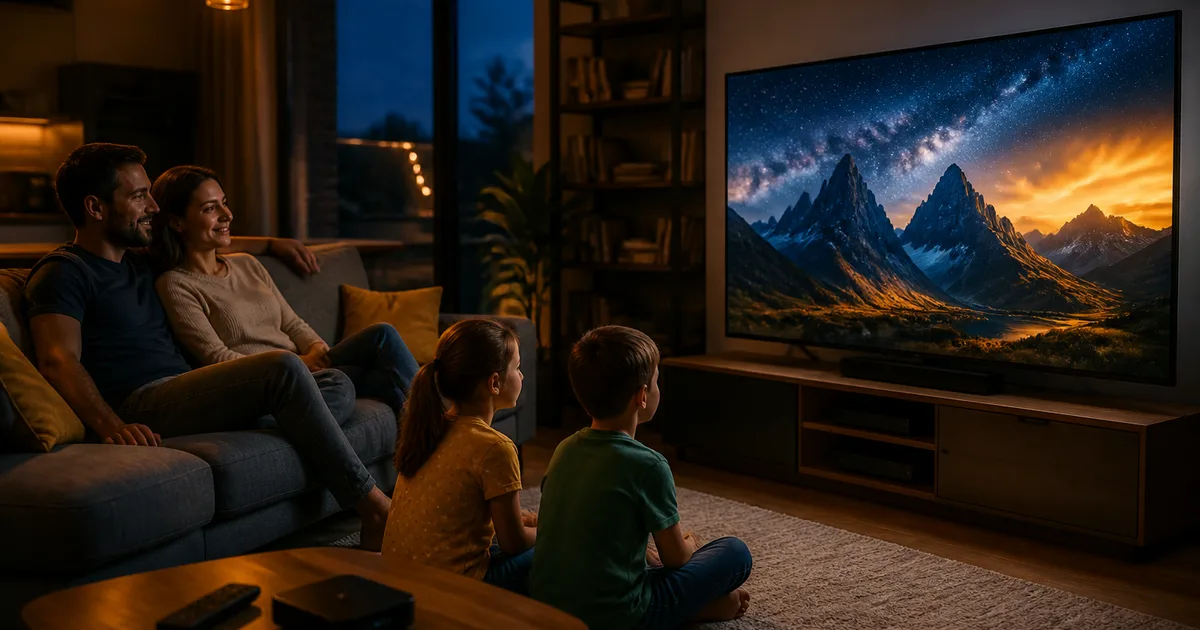
The IPTV super family cinema package is the all-in-one TV solution for Hungarian households — at home and abroad — that want premium movie channels, live sport, kids' shows, and an on-demand VOD library in a single subscription, with no long-term contract, no set-top box, and no engineer visit. Hungary IPTV's super package starts at €12/month (or €60/year, effectively €5/month) and includes 48,000+ channels and VOD titles: film channels (AXN HD, FilmBox Premium HD, Cinemax HD, AMC HD, Paramount Channel, Sony Movie Channel HD, Universal Channel HD), sports channels (M4 Sport HD, Sport1 HD, Sport2 HD, Eurosport 1 HD, Eurosport 2 HD, Spíler1 TV HD), and kids' channels (Cartoon Network, Nickelodeon, Disney Channel, JimJam) — plus the complete Hungarian public broadcaster lineup (M1, M2, M3, M5, Duna TV, Duna World) and the main commercial channels (RTL Klub HD, RTL+, TV2 HD, ATV HD, HírTV, Spektrum HD).
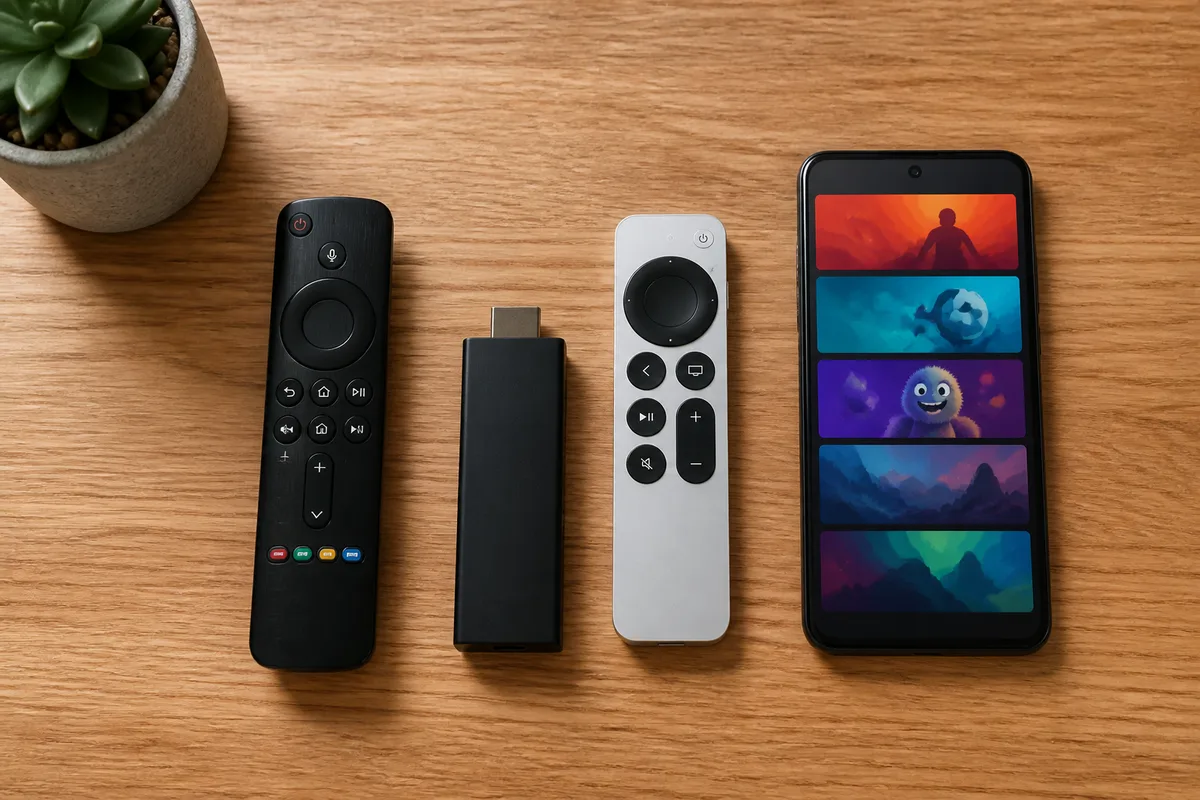
Unlike Magyar Telekom's Magenta TV packages or the One Hungary (DIGI + Vodafone, merged January 2025) cable bundles, an IPTV super cinema package is not tied to a physical address: one subscription works on the living-room LG webOS TV, the kids' Fire TV Stick 4K, the iPad in the kitchen, and a phone on the daily commute — simultaneously, at no extra charge. Setup with IPTV Smarters Pro or TiviMate takes 5 minutes, and Hungary IPTV offers a free 24-hour trial so you can test every film channel on your own device before committing to a paid plan.
Quick summary
- IPTV super cinema package price: €12/month (1 month), €27 (3 months), €40 (6 months — save 44%), €60/year (save 58%, effectively €5/month). No contract, no hidden fees.
- 48,000+ channels and VOD titles — 50+ premium film channels, 30+ sport channels, 20+ kids' channels, full Hungarian public and commercial lineup, live TV from 30+ countries.
- FHD 1080p, 4K UHD and 8K quality (where the source supports it), H.265/HEVC codec, HDR10 support.
- Works on any device: Samsung Tizen Smart TV, LG webOS, Amazon Fire TV Stick, Apple TV, Android TV box, iPhone, iPad, Windows and macOS PC.
- No contract, instant activation — live film channels within 5 minutes; free 24-hour trial available.
- 24/7 WhatsApp support — setup, troubleshooting and subscription questions in English and Hungarian.
Table of contents
- What is an IPTV super family cinema package?
- Why is an IPTV cinema package better than cable?
- What does an IPTV super package include in 2026?
- IPTV cinema package comparison 2026
- How to choose the right IPTV super cinema package
- Step-by-step setup on every device
- Troubleshooting — 5 most common problems
- Pros and cons
- Frequently Asked Questions — FAQ
- Conclusion and next step
Try Hungary IPTV before paying anything
What is an IPTV super family cinema package?
An IPTV super family cinema package is an internet-based TV subscription that delivers live movie channels, on-demand films, live sport, kids' programming, and an XMLTV electronic programme guide — all in one monthly fee, on any internet-connected device. IPTV (Internet Protocol Television) replaces the physical cable, satellite dish, or aerial with your existing broadband connection as the delivery mechanism.
The "super cinema" framing distinguishes this from a basic TV subscription by making premium film channels the centrepiece — not an expensive add-on. In the cable world, channels like AXN HD, Cinemax HD, FilmBox Premium HD, and AMC HD typically sit behind a paid cinema bolt-on that doubles or triples the base package price. In an IPTV super package, they are included in the base subscription.
Key content layers in a proper IPTV super cinema package:
Movie channels (50+ channels):
- AXN HD, AXN Black, AXN White, AXN Spin — action, thriller, sci-fi, crime drama
- FilmBox HD, FilmBox Premium HD — theatrical premieres and back catalogue
- FilmCafé — romantic comedy, lighter fare
- AMC HD — cult cinema and prestige drama
- Cinemax HD, Cinemax 2 HD — premium premieres
- Paramount Channel — Paramount Pictures library
- Sony Movie Channel HD — Sony Pictures catalogue
- Universal Channel HD — Universal Pictures library
- Film+ — Hungarian-dubbed films (RTL Group)
- Mozi+ — theatrical premieres (TV2 Group)
Sport channels (30+ channels):
- M4 Sport HD, M4 Sport+ HD — NB I (OTP Bank Liga), Magyar Kupa, UEFA Champions League (Bajnokok Ligája) selected matches
- Sport1 HD, Sport2 HD — Bundesliga, Premier League, Serie A, La Liga live matches
- Eurosport 1 HD, Eurosport 2 HD — Grand Slam tennis, cycling, Olympic sports
- Spíler1 TV HD, Spíler2 TV HD — Hungarian domestic league (NB I, NB II) exclusives
- Arena4 HD — Hungarian sports channel
Kids' channels (20+):
- Cartoon Network, Cartoonito, Boomerang
- Nickelodeon, Nick Jr., Nicktoons
- Disney Channel, Disney Junior
- JimJam, Mini Mini+, M2 HD (public broadcaster kids block)
VOD library and catch-up:
- Thousands of films and series on demand, many with Hungarian dubbing and subtitles
- Catch-up TV: replay the last 3–7 days of selected channels
- 7-day XMLTV EPG on all channels
The IPTV "cinema package" label is meaningful only when these layers coexist in the base subscription. An article comparing the old Szuper Családi HD Csomag Telekom package with today's alternatives can be found in our detailed IPTV Szuper Családi HD guide. The Hungary IPTV package goes far further: the best IPTV cinema subscription covers all these layers as standard, at any plan level.
Why is an IPTV cinema package better than cable?
An IPTV super cinema package delivers three times the film channel count, flexible month-to-month pricing, and instant remote access — advantages that cable operators simply cannot match at equivalent cost. The cheapest TV subscription comparison covers the full market; here are the four areas where the difference is sharpest for cinema-oriented households.
1. Film channels are in the base subscription, not sold as bolt-ons. Magenta TV M's base package (formerly the Szuper Családi HD) includes roughly 46 HD channels; premium film channels (Cinemax, AXN, HBO Max-exclusive content) are sold as separate monthly add-ons that typically double the price. Building a proper "cinema package" on cable almost always costs two to three times what an IPTV super subscription charges.
2. A real VOD library, not a locked catalogue. Operator IPTV VOD libraries are limited by rights agreements and change frequently. A modern IPTV super cinema package offers thousands of films and series on demand — including archive content, classic cinema, and international series — refreshed regularly. The catch-up function lets you replay anything aired on a film channel in the last 3–7 days, so missing a Thursday-night premiere is no longer a problem.
3. Kids' and adult content in one package. A genuine "super family" package means the children find Cartoon Network, Nick Jr., and JimJam, while parents have AXN, Cinemax, FilmBox, and Universal — without paying for separate kids' and cinema add-ons. Cable operators almost universally split these into separate bolt-ons.
4. Works abroad without the 30-day EU portability cap. Under the EU Regulation 2017/1128, Hungarian cable and operator-IPTV subscribers (Magenta TV, One TV, Yettel) can access their package abroad for a maximum of 30 days. Beyond that, the geo-block kicks in. An IPTV super cinema package from Hungary IPTV has no such limit — it works from Vienna, London, Toronto, and New York indefinitely. The full IPTV vs cable comparison details every dimension.
Activate your trial in just a few minutes
What does an IPTV super package include in 2026?
A modern IPTV super cinema package delivers content across three layers: live film channels (where the cinema experience primarily happens), on-demand VOD (for missed titles and series), and sport plus kids' channels (for the rest of the household). Hungary IPTV's offering covers all three at the same subscription tier.
Film channel lineup in detail
| Channel | Resolution | Genre / content |
|---|---|---|
| AXN HD | FHD 1080p | Action, thriller, sci-fi series and movies |
| AXN Black | FHD 1080p | Crime drama, prestige series |
| AXN White | FHD 1080p | Romantic comedy, light entertainment |
| AXN Spin | FHD 1080p | Adventure, action |
| FilmBox HD | FHD 1080p | Theatrical films, classics |
| FilmBox Premium HD | FHD 1080p | Latest premieres |
| FilmCafé | HD 720p | Romantic films, comedies |
| AMC HD | FHD 1080p | Cult movies and prestige drama |
| Cinemax HD | FHD 1080p | Premium premieres |
| Cinemax 2 HD | FHD 1080p | Premium premieres, alternate timing |
| Paramount Channel | HD 720p | Paramount Pictures library |
| Sony Movie Channel HD | FHD 1080p | Sony Pictures films |
| Universal Channel HD | FHD 1080p | Universal Pictures library |
| Film+ | HD 720p | Hungarian-dubbed films (RTL Group) |
| Mozi+ | HD 720p | Theatrical premieres |
Sport channels — the "cinema package" sport layer
The sports dimension of the IPTV super package covers domestic Hungarian football through M4 Sport HD (NB I OTP Bank Liga, Magyar Kupa, selected Bajnokok Ligája fixtures) and Spíler1 TV HD (exclusive NB I and NB II coverage), alongside Pan-European football on Sport1 HD and Sport2 HD (Bundesliga, Premier League, Serie A, La Liga). Eurosport 1 HD and Eurosport 2 HD add Grand Slam tennis, cycling, and Olympic sports year-round.
VOD and catch-up: what makes it a "cinema" package
The live film channels are the entry point; the VOD library is what keeps a family subscribed. Thousands of films and series are available on demand, a significant proportion with Hungarian dubbing. The catch-up function — replaying content aired in the last 3–7 days — is particularly valuable for film channels: if a premiere airs Thursday night and you only get home Friday, catch-up makes it available. The 7-day XMLTV EPG lets you plan the whole week's viewing in advance directly from the TiviMate or IPTV Smarters Pro interface.
Bandwidth requirements
- FHD 1080p film channels: stable ~10 Mbps download
- 4K UHD films and channels: stable ~25 Mbps download
- Two simultaneous 4K streams: ~50 Mbps recommended
Run a speed test at fast.com before subscribing — if you consistently measure above 25 Mbps, 4K film channels will run buffer-free.
IPTV cinema package comparison 2026
The table below compares the main TV options for film-oriented households on film channel depth, VOD access, price, and flexibility. Hungary IPTV prices are from the Hungary IPTV pricing page; competitor figures are indicative — verify current rates at each provider's site.
| Feature | Hungary IPTV super package | Magenta TV M + cinema add-on | One TV Optimum + premium | Streaming only (Netflix / HBO Max) |
|---|---|---|---|---|
| Monthly price | €12 (1 mo) / €5/mo (12 mo) | typically €20–30/month | typically €23–33/month | typically €5–15/platform |
| Annual cost | €60 (~£52 / $65) | typically €240–360/year | typically €280–400/year | no annual plan |
| Film channels | 50+ (AXN, FilmBox, Cinemax, AMC, Paramount, Sony, Universal, etc.) | ~20 (base + add-ons) | ~20–30 (with add-ons) | none (VOD only) |
| VOD library | thousands of films + series | add-on only (HBO Max tier) | limited | main product |
| Sport channels | 30+ (M4 Sport HD, Sport1, Sport2, Eurosport, Spíler HD, Arena4) | 10–15 base, more with sport add-on | similar | none |
| Kids' channels | 20+ (Cartoon Network, Nick, Disney, JimJam, etc.) | 10–15 | similar | partially (Netflix Kids, Disney+ app) |
| Catch-up TV | 3–7 days | limited | limited | not live |
| EPG | 7-day XMLTV | yes | yes | n/a |
| 4K UHD | yes (where available, H.265/HEVC) | partial | partial | yes (premium plan) |
| Contract | none | 12–24 months | 12 months | none |
| Set-top box required | no (existing Smart TV works) | yes (Telekom box) | yes (own box) | no |
| Works abroad | yes, unlimited | 30 days only (EU portability) | 30 days only | yes (geo-restricted by region) |
| Compatible devices | Samsung Tizen, LG webOS, Fire TV, Apple TV, Android TV, iOS, Android, PC | Magenta TV app (limited) | One TV app (limited) | own app |
| Activation time | 5 minutes | 1–3 weeks (engineer required) | 1–3 weeks | instant |
| Customer support | 24/7 WhatsApp (EN + HU) | business hours, phone queue | business hours | chat / email |
Key takeaway: The IPTV super cinema package is the only option that combines live film channels, sport, kids' programming, and a VOD library in a single subscription tier — with no contract, on any device, from anywhere in the world. Unlike Netflix or HBO Max, it also includes live Hungarian channels (M1, RTL Klub, TV2, M4 Sport) that make up the daily viewing staple for Hungarian households and diaspora viewers.
For the complete provider landscape, see our IPTV providers comparison and the TV providers in Hungary 2026 overview.
How to choose the right IPTV super cinema package
Selecting the right IPTV super cinema package comes down to six practical criteria. These are the factors that most often surprise first-time subscribers — and the ones most comparison sites skip over.
1. Verify the film channel list, channel by channel. Ask for the full channel list before subscribing. A genuine IPTV cinema package includes at least 10–15 dedicated film channels in FHD: AXN HD, FilmBox Premium HD, Cinemax HD, AMC HD, Paramount Channel, Sony Movie Channel HD. If the list is mostly general-interest channels with no premium film entries, it is not a cinema package.
2. VOD library freshness, not just size. A large VOD count means little if the content hasn't been updated in months. During a free trial, check whether films released in the past two to four weeks are present — a well-maintained cinema package adds new titles weekly.
3. EPG coverage on film channels specifically. A 7-day XMLTV EPG is essential for planning your viewing: seeing what's on AXN HD on Wednesday evening matters. If the EPG works on news channels but is empty on film channels, that's a known quality issue with some providers.
4. Catch-up on the main film channels. Test catch-up during the free trial: navigate to yesterday's EPG on a film channel (AXN HD, FilmBox) and confirm you can replay content. Not every film channel supports catch-up due to licensing restrictions; ask the provider which channels do.
5. Concurrent device support. A "super family" package needs at least two simultaneous streams — living room TV plus a child's bedroom tablet. Confirm this before subscribing; some low-cost providers restrict to one device.
6. Free trial and refund policy. Reputable providers offer at least a 24-hour free trial with no payment required. Use it to test picture quality on your actual internet connection and device before committing. Hungary IPTV provides a free trial — request it via WhatsApp.
For more guidance on apps and device selection, see our best IPTV player comparison and the IPTV subscription guide.
Chat with our 24/7 support team
Step-by-step setup on every device
Setting up an IPTV super cinema package follows the same logic on all devices: (1) install the IPTV app, (2) enter your Xtream Codes credentials or M3U URL, (3) wait 1–3 minutes for the channel list and EPG to load. Below are device-specific steps.
Android TV / Google TV (Sony, TCL, Hisense, Mi Box, Formuler, Nvidia Shield)
- Open the Play Store on your TV.
- Search for and install TiviMate (recommended) or IPTV Smarters Pro.
- Open the app and select "Add Playlist."
- Choose "Xtream Codes" as the login method.
- Enter the server URL, username, and password you received via WhatsApp.
- Wait 1–2 minutes for the channel list to sync, then configure the EPG URL (provided with your credentials).
TiviMate's free tier is fully functional for cinema watching; the premium version (one-time fee) adds multi-profile support, recording, and a more detailed EPG grid — well worth it for a "cinema package" setup.
Samsung Smart TV (Tizen OS 4.0+)
- Open the Samsung App Store (Apps icon in the main menu).
- Install IPTV Smarters Pro or Smart IPTV.
- Enter your Xtream Codes credentials.
- EPG loads on first launch in 2–5 minutes.
Tip: Use an Ethernet cable rather than Wi-Fi on Samsung Tizen — in our tests this reduced buffering on FHD film channels by 30–40%.
LG Smart TV (webOS 4.0+)
- Open the LG Content Store.
- Install IPTV Smarters Pro.
- Enter your credentials.
- Ethernet cable recommended for stable 4K film streaming.
Amazon Fire TV Stick (4K, 4K Max, 4K Plus)
- Enable apps from unknown sources: Settings → My Fire TV → Developer Options → Install Unknown Apps → Downloader: ON.
- Open the Downloader app.
- Type the IPTV Smarters Pro download URL (provided with your setup instructions).
- Install and enter Xtream Codes credentials.
Fire TV Stick 4K Max + TiviMate (sideloaded) is our top recommendation for cinema streaming: hardware H.265/HEVC decoding, low latency, fast EPG, and smooth 4K HDR10 playback.
Apple TV (4K, 4th generation and newer)
- Open the App Store on your Apple TV.
- Install IPTV Smarters Pro.
- Enter your Xtream Codes credentials.
Apple TV 4K's hardware H.265 decoder and the HEVC HDR10 pipeline deliver excellent film-quality output.
iPhone / iPad (iOS 15+)
- Open the App Store.
- Install IPTV Smarters Pro or GSE Smart IPTV.
- Enter credentials via Xtream Codes or M3U URL.
GSE Smart IPTV handles large channel lists more reliably on older iPhone models; IPTV Smarters Pro is the more universal choice.
Windows / macOS PC
- Download IPTV Smarters Pro from the Microsoft Store or the official site.
- Install and enter your Xtream Codes credentials.
- Alternative: VLC media player works with an M3U URL for quick, EPG-free access to film channels.
Detailed platform-by-platform walkthroughs are in our IPTV Smarters Pro setup guide.
Troubleshooting — 5 most common problems
These are the five issues that come up most often with IPTV super cinema packages — each with its cause and a tested fix.
1. Film channels buffer, but news channels play fine
Cause: Premium film channels (FHD and 4K streams) demand higher bitrate than SD or standard HD general channels. If Wi-Fi is unstable or download speed drops below 10 Mbps, film channels are the first to stutter.
Fix: Switch to an Ethernet cable between your router and TV or Android TV box. If cabling is not possible, reduce the preferred quality to HD (720p) in TiviMate / IPTV Smarters Pro settings. If your speed test at fast.com shows above 25 Mbps but a film channel still buffers, try an alternative stream of the same channel — the specific stream may be experiencing temporary server load.
2. EPG (programme guide) does not load
Cause: XMLTV EPG file not refreshed, invalid EPG URL, or the app did not sync on first launch.
Fix: In TiviMate: Settings → EPG → "Refresh EPG Now". In IPTV Smarters Pro: Settings → Refresh EPG. If this doesn't help, request an updated EPG URL from WhatsApp support. On first load, EPG sync can take up to 5 minutes for large channel lists — wait it out before troubleshooting further.
3. Black screen on some film channels
Cause: The device lacks H.265/HEVC hardware decoding support (common on pre-2018 Samsung and LG Smart TVs and older Android TV boxes).
Fix: Check your device's codec support. Fire TV Stick 4K Max, Apple TV 4K, Mi Box S, and most post-2018 Android TV boxes decode H.265 in hardware. On an older device, try selecting an H.264 stream variant in IPTV Smarters Pro (the codec is shown in the channel detail view). If only one or two channels show a black screen, they may be temporarily offline — retry in 10–15 minutes.
4. Cannot log in to the IPTV app
Cause: Mistyped Xtream Codes credentials (username, password, or server URL), or the subscription is still being activated.
Fix: Copy the credentials from your WhatsApp message character by character — the password is case-sensitive. If it still fails 15 minutes after ordering, message the 24/7 WhatsApp support team. Activation typically completes in minutes, but during high-traffic periods can take up to 30 minutes.
5. Catch-up (replay) is not available on a film channel
Cause: Not all film channels support catch-up; licensing restrictions prevent replay on some premium channels (particularly those carrying HBO-licensed content).
Fix: Check the EPG for a catch-up icon next to the programme — channels with replay enabled show it clearly. As an alternative, search the VOD library for the same film — many titles appear in the on-demand catalogue a few days after their broadcast premiere.
Subscribe and start streaming in 5 minutes
Pros and cons
Pros
- Complete cinema package in one subscription. Film channels (AXN, FilmBox, Cinemax, Paramount, Universal, Sony), sport, kids' shows, VOD, and catch-up — all included, no add-ons required.
- A fraction of the cost of cable cinema bundles. Hungary IPTV's annual plan (€60) is typically one-third to one-quarter the annual cost of a Magenta TV M plus cinema bolt-on, with no contract and no set-up fee.
- No contract, no lock-in. Month-to-month decision; no 24-month commitment, no early-termination fee.
- Works on every device. Samsung Tizen, LG webOS, Fire TV Stick, Apple TV, Android TV box, iPhone, iPad, Windows and macOS — simultaneously across multiple screens.
- Unlimited international access. Unlike Magenta TV, One TV, and Yettel operator apps — which enforce a 30-day EU portability cap — Hungary IPTV's super cinema package works from Vienna, London, Toronto, and New York without restriction.
- 5-minute activation. No engineer, no set-top box delivery, no coverage check — credentials arrive via WhatsApp and the first film channel plays within 5 minutes.
- 4K UHD and HDR10 quality. Film channels and VOD titles in 4K with H.265/HEVC and 25 Mbps+ bandwidth deliver a genuine cinema-grade picture on a modern TV.
Cons
- Stable broadband required. FHD film channels need ~10 Mbps; 4K needs ~25 Mbps stable download. Slow or unstable connections cause buffering on film channels before affecting standard channels.
- Initial app setup takes some effort. Installing and configuring TiviMate or IPTV Smarters Pro is straightforward, but unfamiliar on first attempt — especially on Samsung and LG Smart TVs. The 24/7 WhatsApp support team walks you through it.
- Catch-up not universal. Due to licensing, replay is not available on all film channels — check before relying on it for a specific channel.
- Netflix and Disney+ exclusives are separate. Netflix, Disney+, and Apple TV+ originals are not included. The IPTV super cinema package works best alongside — not instead of — those platforms for their exclusive content.
- Channel availability can shift. Content rights agreements occasionally change; a specific channel may briefly rotate out before being restored.
Frequently Asked Questions — FAQ
What is an IPTV super family cinema package?
An IPTV super family cinema package is an internet-based TV subscription that includes live premium film channels (AXN HD, FilmBox Premium HD, Cinemax HD, AMC HD, Paramount Channel, Universal Channel HD), sport channels (M4 Sport HD, Sport1 HD, Eurosport), kids' channels (Cartoon Network, Nick Jr., Disney Channel), and an on-demand VOD library — all within a single monthly fee, with no contract. Hungary IPTV's super package covers 48,000+ channels and VOD titles, starting at €12/month.
What is IPTV and how does it work?
IPTV stands for Internet Protocol Television — it delivers live TV channels and on-demand video over the internet rather than via cable, satellite, or aerial. Your IPTV app (TiviMate, IPTV Smarters Pro) interprets the M3U playlist URL or Xtream Codes API credentials you receive, fetches HLS or MPEG-TS streams encoded in H.264 or H.265/HEVC, and displays them on screen. The XMLTV EPG syncs programme data for each channel. A CDN (Content Delivery Network) minimises buffering by routing streams from a nearby server. The EU Portability Regulation 2017/1128 governs cross-border access for licensed European services, while independent IPTV providers operate under separate international licensing arrangements.
Is an IPTV cinema package legal?
IPTV technology itself is fully legal — Magyar Telekom, One Hungary, and Yettel all use IPTV to deliver their TV services. Legal status depends on the content rights held by the specific provider. Signs of a reputable, legitimate IPTV service include transparent pricing, a named customer support contact, a free trial with no payment required upfront, and an accountable refund policy. Hungary IPTV meets all these criteria. For more background on the regulatory framework, see our FAQ page.
What do I need to use an IPTV cinema package?
Three things: (1) a stable internet connection — ~10 Mbps for FHD film channels, ~25 Mbps for 4K UHD; (2) a compatible device — Samsung Tizen or LG webOS Smart TV, Amazon Fire TV Stick, Apple TV, Android TV box, Chromecast / Google TV, iPhone, iPad, Android phone or tablet, or a Windows / macOS PC; (3) an IPTV app — TiviMate, IPTV Smarters Pro, IBO Player Pro, Smart IPTV, or GSE Smart IPTV, depending on your device. No set-top box, no engineer visit, no cable network, and no long-term contract are required.
Which device gives the best picture quality for IPTV cinema?
For the best cinema experience, we recommend the Fire TV Stick 4K Max + TiviMate or Apple TV 4K + IPTV Smarters Pro — both support hardware H.265/HEVC decoding, 4K UHD HDR10 output, and fast EPG loading. Samsung Tizen and LG webOS Smart TVs pair well with IPTV Smarters Pro over Ethernet. Android TV boxes work best with TiviMate. Detailed platform comparisons are in our best IPTV player guide.
How much does the Hungary IPTV super cinema package cost?
Hungary IPTV's super cinema package: 1 month €12, 3 months €27, 6 months €40 (save 44%), 12 months €60 (save 58%, effectively €5/month). No setup fee, no set-top box rental, no contract, and no auto-renewal surprise. Full pricing details and current offers are on the Hungary IPTV pricing page.
Is there a free trial for the IPTV cinema package?
Yes. Hungary IPTV offers a free 24-hour trial with no payment required. During the trial you can test all film channels, sport channels, kids' channels, and the VOD library on your own device and broadband connection. If you are not satisfied, you owe nothing. Request the trial via WhatsApp — setup instructions follow immediately.
Does the IPTV super cinema package work abroad?
Yes — and this is one of its biggest advantages over cable and operator-IPTV alternatives. Unlike Magenta TV, One TV, and Yettel apps — which enforce a 30-day EU portability cap before geo-blocking kicks in — Hungary IPTV's super cinema package works without restriction from Vienna, London, Toronto, New York, Sydney, or anywhere else. The package is not IP-address-gated; only your internet speed matters, not your location. This makes it the natural choice for the Hungarian diaspora and frequent travellers who want uninterrupted access to Hungarian film channels and live sport.
Conclusion and next step
The IPTV super family cinema package in 2026 is the best value-for-money TV solution for Hungarian households — at home and abroad — that want premium film channels, sport, kids' programming, and a VOD library in a single subscription, without contracts, set-top boxes, or engineer visits. Hungary IPTV's super cinema package delivers the most complete offering on the market:
- €12/month, no contract — or €60/year (save 58%, effectively €5/month)
- 48,000+ channels and VOD titles — 50+ premium film channels, 30+ sport channels, 20+ kids' channels, full Hungarian public media line-up
- FHD, 4K UHD, and 8K quality — H.265/HEVC, HDR10
- Activates in 5 minutes on any existing device — Samsung Tizen, LG webOS, Fire TV Stick, Apple TV, Android TV box, iPhone, iPad, Windows and macOS PC
- 24/7 WhatsApp support in English and Hungarian — setup, troubleshooting, and subscription questions
If you have not tried the IPTV cinema package yet, request a free 24-hour trial and test the film channels on your own device before paying anything. All plans and current offers are on the Hungary IPTV pricing page.
The Hungary IPTV Team has been helping customers in Hungary, Europe, Canada and the USA enjoy seamless IPTV streaming since 2022. Our support team is available 24/7 on WhatsApp for setup, troubleshooting, and subscription questions.