Free Trial IPTV in Hungary – Test 48,000+ Channels Risk-Free
Free trial IPTV Hungary: test 48,000+ channels, live sports, and HD quality before you pay. Full guide to getting the most from your IPTV trial.
Signing up for a new streaming service without testing it first is a gamble. A free trial IPTV offer changes that — it lets you stream real channels, in real quality, on your actual device, before spending a single euro. If you are considering IPTV in Hungary or as a Hungarian viewer living abroad, this guide covers everything: what a genuine trial includes, how to test it properly, what red flags to watch for, and how to convert your trial into a full subscription when you are ready.
We have helped thousands of viewers across Hungary, Germany, Austria, the UK, Canada, and the USA get set up since 2022. This guide reflects what we have learned from real customer feedback and our own service tests — not marketing copy.
Quick summary:
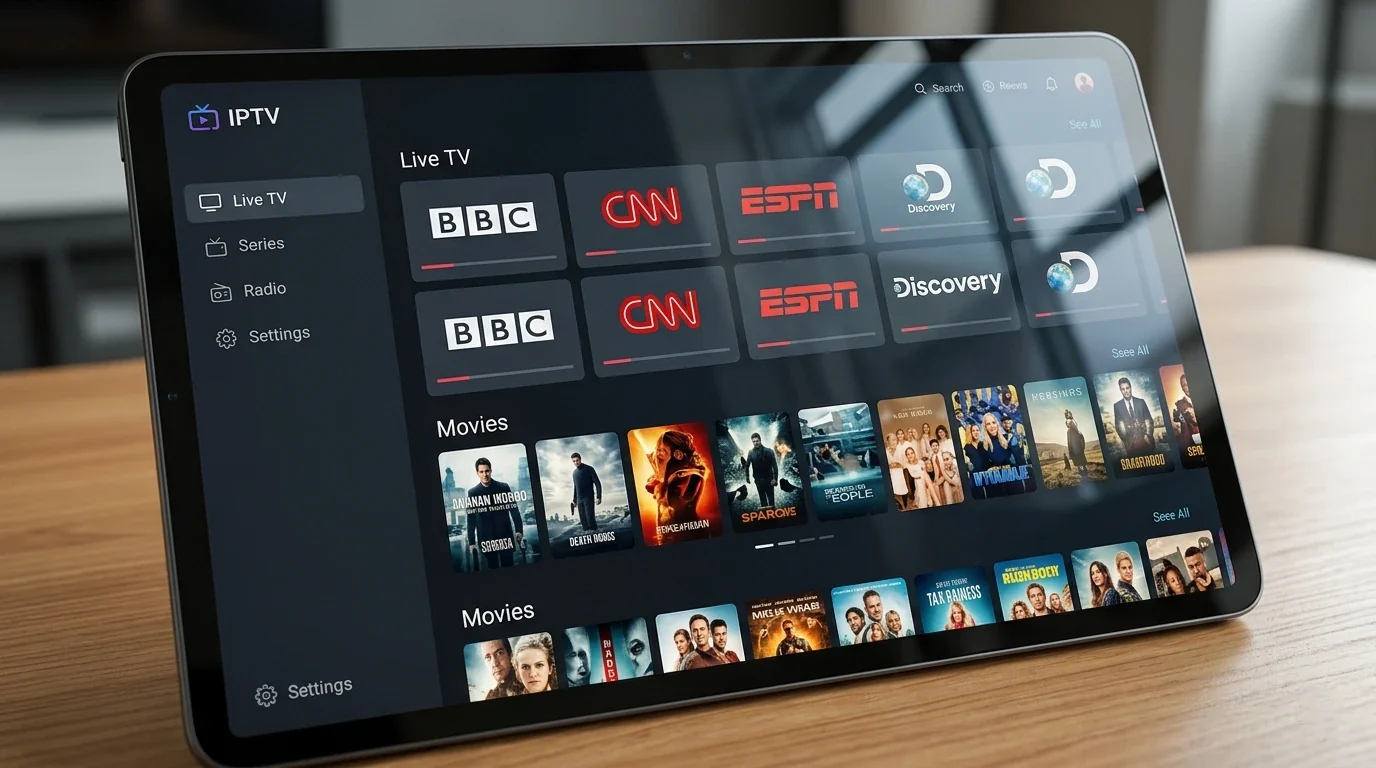
- The free IPTV trial includes the full catalogue: 48,000+ live channels, Hungarian channels like M1, M4 Sport, RTL Klub and TV2, plus the VOD library in FHD and 4K.
- No credit card or payment details are required — you request the trial via WhatsApp and receive working credentials directly.
- Most users go from first message to watching live TV in under ten minutes, typically using IPTV Smarters Player.
- The only difference between the trial and a paid subscription is the duration — same servers, same channels, same quality.
- If you subscribe afterwards, plans run from €12/month down to €5/month on the €60 annual plan.
Table of contents
- What Is a Free Trial IPTV and Why Does It Matter?
- What Is Included in the Free IPTV Trial?
- How to Request Your Free IPTV Trial (Step by Step)
- How to Test IPTV Properly During Your Trial Period
- Your 24-Hour Test Plan, Hour by Hour
- Red Flags to Watch for When Evaluating Any IPTV Trial
- What to Ask Before Requesting a Free IPTV Trial
- Compatible Devices for the Free IPTV Trial
- What Happens When Your Free Trial Ends?
- How to Convert Your Trial Into a Subscription
- Troubleshooting: the most common free trial IPTV problems and fixes
- Frequently Asked Questions
- Conclusion: Test First, Subscribe with Confidence
What Is a Free Trial IPTV and Why Does It Matter?
A free trial IPTV is a temporary, no-cost access period that gives you real access to an IPTV service — the same channels, stream quality, and features a paying subscriber gets. It is not a demo, not a clip reel, and not a restricted preview. A legitimate provider gives you working credentials (a username, password, and server URL) so you can install the service on your own device and judge it yourself.
This matters because IPTV quality varies enormously between providers. Two services can both advertise "48,000 channels" and "4K quality" and deliver completely different real-world experiences. The only reliable way to know what you are getting is to watch it — ideally during a live sports match, a prime-time evening, and on every device you plan to use.
If you are new to IPTV and want to understand the technology behind it first, our introduction to IPTV explains how internet-based television works and why it has become the preferred alternative to cable for so many viewers in Hungary and across Europe.
Try Hungary IPTV before paying anything
What Is Included in the Free IPTV Trial?
Our free trial is not a stripped-down version of the service. When you request a trial through Hungary IPTV, you get access to the same full content library as paid subscribers:
- 48,000+ live channels — the complete catalogue, not a curated subset
- Hungarian channels — M1, M2, M4 Sport, RTL Klub, TV2, Duna TV, Duna World, and more
- International sports — Premier League, La Liga, Bundesliga, Formula 1, MotoGP, NBA, UFC, and major tennis and boxing events
- Movies and series (VOD) — a full video-on-demand library including recent films, box sets, and documentaries
- FHD, 4K, and 8K streams — the same quality tiers available to paying subscribers
- Electronic Programme Guide (EPG) — full schedule with programme listings and start times
- Anti-freeze and buffer-control technology — the same infrastructure stability measures as paid plans
- Multi-device support — test on your Smart TV, Android box, Fire Stick, phone, tablet, or PC
The only difference between the trial and a paid subscription is the duration. Everything else is identical, which is the whole point: you are testing the real thing.
How to Request Your Free IPTV Trial (Step by Step)
The process is straightforward and typically takes under ten minutes from first contact to watching live TV.
Step 1 — Contact us via WhatsApp
Send us a message on WhatsApp stating that you would like a free trial. Our team is available 24/7 and responds within minutes in most cases. You do not need to provide payment details, card information, or sign up to anything at this stage.
Step 2 — Receive your trial credentials
After a short conversation about which devices you plan to use, we send you a username, password, and server URL directly via WhatsApp. These are your temporary access credentials for the trial period.
Step 3 — Install an IPTV player app
If you do not already have one, install a compatible IPTV player on your device. We recommend IPTV Smarters Player for most devices — it is free, straightforward to configure, and works well on Android, iOS, and Smart TV. For Android TV boxes and MAG devices, there are additional options our support team can suggest based on your setup.
Step 4 — Enter your credentials and start watching
Open the IPTV player, choose the option to add a playlist or Xtream Codes login, and enter the credentials we sent you. Within seconds, the full channel list will load and you can begin testing. No payment is required at this stage.
In our experience, most users are watching their first live channel within ten minutes of contacting us.
How to Test IPTV Properly During Your Trial Period
A free trial is only useful if you test the things that matter to you. Here is a structured approach based on what we have found matters most to viewers in Hungary and to Hungarian diaspora viewers abroad.
Test your priority channels under real conditions
Do not just check that a channel loads — test it during the content you actually care about. If M4 Sport is important to you, watch it during a live Nemzeti Bajnokság match. If you follow the Premier League, test it during a Saturday afternoon kickoff. Live sports is the hardest workload for any IPTV infrastructure, and if the service handles it cleanly, everyday viewing will be no problem.
Test every device you plan to use
The experience on a Smart TV and on a phone can differ — not because of the service itself, but because of differences in the IPTV player app and the device's network connection. If you intend to watch in multiple rooms or on multiple devices, test all of them during the trial. This prevents surprises after you subscribe.
Check quality at peak and off-peak times
Test in the evening between 20:00 and 22:00 (peak hours) and again on a weekday morning (off-peak). A good service should deliver consistent quality across both. If you see buffering only at peak hours, that is a sign of server capacity issues — something worth raising with the provider before committing.
Verify the EPG is working correctly
A functioning Electronic Programme Guide makes a significant difference to the day-to-day usability of IPTV. Check that schedule information loads for Hungarian channels and international channels, and that you can browse listings for upcoming programmes. An EPG that is empty or several hours out of sync suggests the provider's infrastructure is not well-maintained.
Explore the VOD library
If movies and series are part of why you are switching to IPTV, spend time in the video-on-demand section. Check whether recent titles are available, how quickly content loads, and whether the quality matches live channel quality.
Run a basic internet speed check
If you experience any buffering, rule out your internet connection as the cause before drawing conclusions about the service. For HD streaming, you need at least 10 Mbps. For 4K content, 25 Mbps or more is recommended. A wired ethernet connection will always outperform Wi-Fi for IPTV stability — if you are currently on Wi-Fi and experiencing issues, try a cable before anything else. Our fast IPTV streaming guide covers every buffering fix in detail.
Activate your trial in just a few minutes
Your 24-Hour Test Plan, Hour by Hour
The section above covers what to test; this is the schedule for fitting it all into a single 24-hour window. Start the trial in the late afternoon if you can — that way one window covers a full evening peak, a complete morning, and a second early evening.
| Time window | What to test | Pass criteria |
|---|---|---|
| First 30 minutes | Install the app, enter credentials, load channel list and EPG | Channels load; EPG populates within 5 minutes |
| Early evening (17:00–20:00) | Your 10 priority channels — M1, M2, RTL Klub, TV2, Duna TV — plus channel-switch speed | Channels start within 5 seconds; switching feels immediate |
| Peak hours (20:00–22:00) | The buffering test: one news channel and one sports channel for 15+ minutes each; M4 Sport in HD if there is evening sport | No repeated buffering on Ethernet or strong Wi-Fi |
| Late evening | A second device (phone or tablet); VOD: start one film and skip forward | The app works on both devices; VOD resumes quickly after seeking |
| Next morning | Cold start: reopen the app; check EPG accuracy against the actual broadcast | The app reloads quickly; the EPG matches what is actually airing |
| Around midday | Catch-up on selected channels: replay yesterday evening's programme | Catch-up plays on the channels that offer it |
| Final hours | Re-test your top 3 channels; write down any questions for support | Results consistent with day one; support answers remain helpful |
Two notes on using this plan. First, the 20:00–22:00 window is the one that matters most: it is when the servers, your ISP, and your home Wi-Fi are all under maximum load at the same time, so a clean result there is the strongest signal you will get from a short trial. Second, keep a simple written note of anything that stutters — the channel name and the exact time. If you raise it with support afterwards, "Arena4 buffered at 21:15 on Ethernet" gets a useful answer far faster than "it lagged sometimes".
If there is a live match during your window — a Nemzeti Bajnokság fixture on M4 Sport, or a Premier League Saturday — plan the peak-hour test around it. Live sport is the heaviest workload an IPTV infrastructure faces, and it is exactly what you want to see the service handle before paying.
Red Flags to Watch for When Evaluating Any IPTV Trial
Not every provider offering a "free trial" is offering the same thing. Based on customer feedback and our experience in this market, here are warning signs worth noting before you commit to any service.
No trial at all, or a very short demo — A provider unwilling to let you test the service properly is a provider who does not want you to see what you are buying. A genuine trial should be long enough for you to test live sports, evening viewing, and device compatibility.
Trial credentials that stop working immediately — Some less reputable providers activate trial accounts on overloaded or separate infrastructure that does not reflect the paid service. If your trial is unstable but you are assured the paid version is different, treat that with scepticism.
No clear customer support channel — IPTV occasionally requires troubleshooting — an app update, a new server URL, or help with a device setting. If you cannot reach a support person during your trial, you will not be able to reach one after you pay either.
Pressure to subscribe before the trial ends — A confident provider lets the service speak for itself. Urgency tactics during the trial period are a sign that the provider knows the product would not stand up to a longer evaluation.
No transparent pricing after the trial — You should be able to find clear subscription pricing before committing. If pricing is vague or only revealed after the trial, that is not a good sign.
For a broader look at how IPTV compares to traditional television packages in terms of cost, contract flexibility, and channel availability, our IPTV vs cable TV comparison covers the key differences for Hungarian viewers.
What to Ask Before Requesting a Free IPTV Trial
Before reaching out to any provider, it helps to have a short list of questions ready. The answers — and the willingness to answer them at all — tell you a lot about a provider's reliability.
How many connections does the trial include? — If you want to watch on two devices simultaneously, confirm the trial includes at least two connections, and that the paid plans do too.
What is the server infrastructure? — A provider running their own servers (rather than reselling a third-party panel) generally has more control over quality and uptime.
Is there a money-back guarantee on paid plans? — Even after a good trial, knowing there is recourse if things deteriorate after payment provides peace of mind.
What happens to the account if there are server issues? — A good provider has a plan for this: replacement credentials, extended subscription duration, or direct support.
Are updates and new channels added regularly? — IPTV channel lists change. A maintained service adds new channels, fixes broken ones, and communicates changes to subscribers.
If you are setting up IPTV for the first time and want a practical walkthrough of the process from installation to first channel, our getting started with IPTV guide covers the full setup process across devices.
Chat with our 24/7 support team
Compatible Devices for the Free IPTV Trial
The trial works on all devices supported by the paid service. You are not limited to one device during the testing period — test on as many as you need.
Supported devices include:
- Samsung Smart TV (Tizen OS, 2016 and later)
- LG Smart TV (webOS)
- Sony and other Android TV sets
- Android TV boxes (Nvidia Shield, Xiaomi Mi Box, Formuler, etc.)
- Amazon Fire Stick and Fire TV (all generations)
- Apple TV (4th generation and later)
- iPhones and iPads (via IPTV Smarters or GSE Smart IPTV)
- Android smartphones and tablets
- Windows PC and Mac (via VLC, IPTV Smarters for Windows, or similar)
- MAG set-top boxes
- Enigma2 / Zgemma satellite receivers
In our tests, Android TV boxes and the Amazon Fire Stick provide the most stable and user-friendly experience for IPTV. Smart TVs are excellent when used with a compatible app. If you are unsure which device is best for your situation, message us on WhatsApp before the trial — our team can recommend the best setup based on what you already own.
What Happens When Your Free Trial Ends?
Nothing dramatic — and that is the point. The trial credentials simply stop authenticating at the end of the agreed period. The next time your app tries to load the playlist, it shows a login error or an empty channel list. There is no automatic charge, no silent conversion to a paid plan, and no cancellation step you need to take, because you never entered any payment details in the first place.
What stays and what goes when the trial expires:
- Your app and its settings stay. The IPTV player, its layout preferences, and any favourites you created are stored locally on your device — trial expiry does not touch them.
- The streams stop. Live channels, VOD, and catch-up all authenticate against the trial account, so all of them stop together at the same moment.
- Your test results stay useful. Everything you learned — which app worked best on which device, whether your Wi-Fi handled the 20:00–22:00 peak — applies directly to a paid subscription, because the trial ran on the same infrastructure.
If you decide to subscribe, you receive a fresh set of credentials via WhatsApp. One practical tip: update the username and password inside your existing playlist entry rather than creating a new playlist. In most apps, including TiviMate and IPTV Smarters Pro, this keeps your favourites and channel sorting intact, so the paid service picks up exactly where the trial left off.
There is also no deadline pressure. If your trial ends on Tuesday and you make up your mind on Friday, nothing is lost — subscribing three days later works exactly the same way as subscribing three minutes after expiry.
How to Convert Your Trial Into a Subscription
After your trial, if the service met your expectations, subscribing is as simple as sending a WhatsApp message. There is no registration form, no automatic billing, and no contract to sign.
We offer four subscription tiers designed to suit different budgets and commitment levels. You can review all options and pricing on our IPTV subscription plans page before deciding.
| Plan | Price | Equivalent per month |
|---|---|---|
| 1 Month | €12 | €12/month |
| 3 Months | €27 | €9/month |
| 6 Months | €40 | €6.67/month |
| 12 Months | €60 | €5.00/month |
The annual plan at €60 per year works out to €5 per month — less than almost any single streaming platform subscription, and covering 48,000+ channels including live sport, Hungarian channels, international news, and the full VOD library. For viewers in Hungary or Hungarian expats abroad who want local channels plus international sport in one place, the value is difficult to match.
If you are not ready to subscribe immediately after your trial, there is no pressure. Let us know and we can answer any remaining questions before you decide.
Subscribe and start streaming in 5 minutes
Troubleshooting: the most common free trial IPTV problems and fixes
Trial problems are almost always setup problems, not service problems — and every one of them is worth solving before you judge the service. These are the six issues trial users raise most often on WhatsApp, with causes and fixes.
"I requested a trial, but no credentials have arrived"
Trial requests are processed by a person, not a script, so response time varies with load: most arrive within minutes, but during evening peaks and big matchdays it can take a few hours. Check that you messaged the WhatsApp number shown on the site, and look in your message requests folder — first-time conversations sometimes land there. If several hours have passed, send a short follow-up; your request may simply have been buried under newer messages.
"The app says invalid credentials"
Almost always a transcription error: a capital O entered as a zero, a lowercase l as a 1, or a trailing space picked up while copy-pasting. Copy each field — username, password, server URL — directly from the WhatsApp message, and make sure the server URL is complete, including the http:// prefix and the port number. If it still fails, send a screenshot of the login screen to support; the mismatch is usually spotted in seconds.
"The channel list loaded, but streams will not play"
If the list and EPG appear but pressing play does nothing, the usual cause is the app's stream output format. In IPTV Smarters Pro, switch the stream format between MPEGTS and HLS in settings and try again. If neither works, run a one-minute test on your phone's mobile hotspot: if streams play there, your router or ISP connection is interfering, not the trial account.
"The trial works on my phone but not on my Smart TV"
This is a platform difference, not a service problem — the credentials are identical. On Samsung Tizen and LG webOS, try a different app (IBO Player Pro handles both platforms well) and check the TV's date and time settings: a wrong system clock breaks authentication on some Smart TV apps. A full TV restart — power off at the wall for 30 seconds — resolves a surprising share of these cases.
"Can I test on two devices at the same time?"
The trial is set up for one stream at a time, so a second simultaneous stream can interrupt the first. Test your devices one after another instead — the point is to confirm each device works, which sequential testing shows just as well. If simultaneous viewing matters for your household, ask support on WhatsApp about the multi-stream options available on paid plans before you subscribe.
"The EPG is empty or shows the wrong programmes"
A first EPG sync for a 48,000-channel list takes 2–5 minutes, so an empty guide in the first minutes is normal — give it time or trigger a manual EPG refresh in settings. If programmes appear but are shifted by exactly one or two hours, the guide data is fine and only the EPG time offset in your app needs to match your time zone.
Frequently Asked Questions
How long is the free IPTV trial?
The trial duration is arranged individually when you contact us via WhatsApp. We aim to provide enough testing time for you to evaluate the service properly — including live sports, evening viewing, and testing on multiple devices. We are interested in subscribers who are genuinely satisfied, not in pressuring anyone into a quick decision.
Do I need to provide payment details for the free trial?
No. You do not need a credit card or any payment information to access the free trial. You only pay if you choose to subscribe after completing your test. There is no automatic charge at the end of the trial period.
Can I test the free trial on a Smart TV?
Yes. The trial works on Smart TVs (Samsung, LG, Sony, and others), Android TV boxes, Amazon Fire Stick, iPhones, Android phones, tablets, and Windows or Mac computers. You can test on multiple devices during the trial period — we encourage it, so you know the service works on everything you plan to use before subscribing.
What should I do if I experience buffering during the trial?
Start by checking your internet connection speed — HD streaming requires at least 10 Mbps, and 4K requires 25 Mbps or more. If you are on Wi-Fi, try switching to a wired ethernet connection, which is significantly more stable for IPTV. If buffering persists after checking your connection, contact our WhatsApp support team straight away. Buffering during the trial is important information for us too, and we would rather resolve it than have you evaluate the service on a sub-optimal connection.
Is there any obligation to subscribe after the free trial?
None whatsoever. If you decide the service is not right for you, simply do not subscribe — there is no automatic billing, no cancellation process, and no follow-up pressure. The trial credentials expire at the end of the test period and that is the end of it. Most users do choose to subscribe, but that should be because the service earned it, not because of any obligation.
Can I use the free trial if I live outside Hungary?
Yes. Our service is used by Hungarian viewers across Europe (Germany, Austria, Switzerland, UK, Netherlands), North America (Canada, USA), and elsewhere. The free trial works exactly the same regardless of where you are located — you can test Hungarian channels, international content, and sports from anywhere in the world. This is one of the biggest advantages IPTV has over cable: your location does not limit your channel access.
What happens to the trial if the server goes down during testing?
In the unlikely event of a technical issue during your trial period, contact us on WhatsApp immediately. We will either resolve the issue promptly or extend your trial period to compensate for any downtime. We stand behind the service and want your testing period to be a fair representation of what you are buying. For context on how IPTV infrastructure works at a technical level, the Internet Protocol television article on Wikipedia provides a useful background.
When is the best time to start my 24-hour trial?
Late afternoon, ideally on a day with live sport. A trial that begins around 17:00 covers that evening's 20:00–22:00 peak — the most demanding window — plus the next morning and midday for EPG and catch-up checks, and most of a second early evening. If you follow football, starting before a weekend matchday lets you test M4 Sport or the Premier League channels under real load.
Do my favourites and settings carry over from the trial to a paid subscription?
Yes — if you update the credentials inside your existing playlist entry rather than adding a new playlist. Favourites, channel sorting, and app preferences are stored locally in your IPTV player, not on the server, so replacing the trial login with your subscription login keeps them intact in apps like TiviMate and IPTV Smarters Pro.
Can I get a second trial if I could not test during my window?
One trial per household is the standard, but we are pragmatic about it. If something genuinely prevented you from testing — travel, an internet outage, a device that refused to cooperate — message us on WhatsApp and explain what happened, and we will usually find a solution. The goal of the trial is a fair test of the service, not a countdown clock.
Conclusion: Test First, Subscribe with Confidence
A free trial IPTV is not just a marketing tactic — it is the most honest thing a provider can offer. It says: here is the real service, test it yourself, and decide based on your own experience. That is how we operate at Hungary IPTV, and it is why the vast majority of our trial users become long-term subscribers.
If you are ready to try, contact us on WhatsApp right now. Within minutes you will have working credentials to test 48,000+ channels on any device you choose. When you are ready to subscribe, our subscription plans start from just €5 per month on the annual plan — and our support team stays with you 24/7 after you subscribe, not just during the trial.
About the author: The Hungary IPTV Team has been helping customers in Hungary, Europe, Canada and the USA enjoy seamless IPTV streaming since 2022. Our support team is available 24/7 on WhatsApp for setup, troubleshooting, and subscription questions.